
Compare EPOS Systems Providers UK (2026)
Compare Till Workflows, Stock Control, Hospitality Operations, Reporting, Integrations, Resilience, Support And Total Cost
Compare EPOS systems UK providers by sales workflow, product and menu management, stock accuracy, purchasing, staff permissions, table and kitchen operations, customer records, multi-site control, reporting, accounting links, offline continuity, implementation, support, data export, contract terms and complete ownership cost. Demonstrate every shortlisted system with your real products, service flow, locations, users and end-of-day controls before signing.
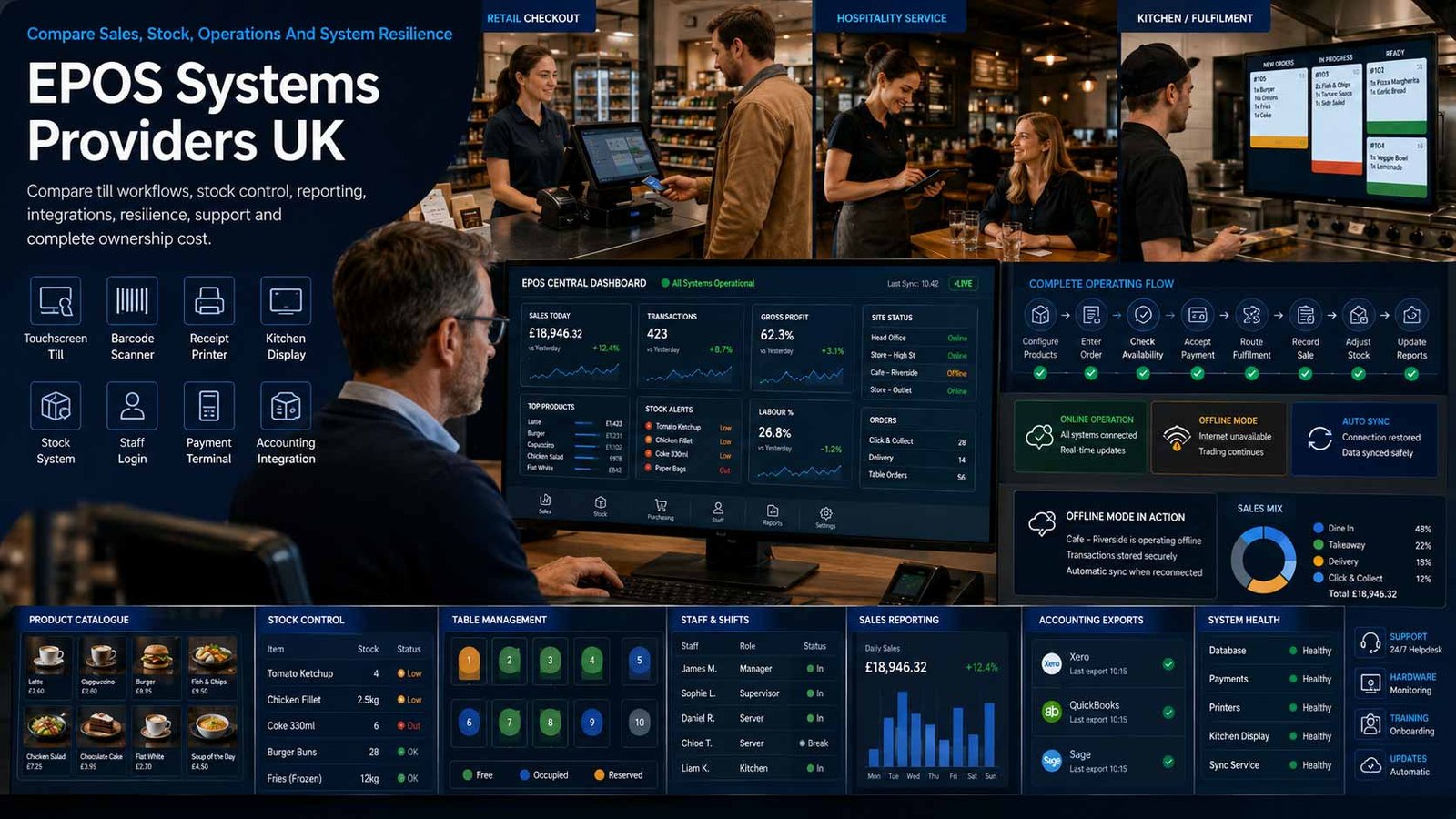
Compare The Operating System, Not Only The Till
An EPOS decision affects how sales become stock movements, kitchen tickets, customer records, VAT data, staff actions and management reports.
- Map the complete retail or hospitality workflow
- Demonstrate difficult exceptions, not only a simple sale
- Test offline continuity and recovery
- Separate software, hardware, payments and support contracts
An EPOS system is the operational platform used to create and control sales at the point of service. Modern systems can combine product or menu data, prices, stock, orders, staff permissions, receipts, customers, reporting and integrations across one or many locations.
The market ranges from lightweight app-led platforms to specialist retail, hospitality and multi-site systems. Some are supplied directly by the software company; others are configured and supported by local resellers or merchant-service partners. Buyers therefore need to identify the software owner, implementation partner, payment provider, hardware supplier and support route.
This page compares EPOS software, operational workflows, implementation and support. It does not compare standalone card-machine hardware or online payment-gateway services. Payment acceptance can integrate with EPOS, but its acquiring rates, terminal contract and ecommerce checkout requirements belong to separate comparisons.
Choose An EPOS Architecture That Fits The Operation
Hosting, sector design, device strategy and integration openness affect resilience, administration, support and the ability to scale.
| EPOS Model | What It Usually Provides | Best-Fit Question |
|---|---|---|
| Cloud EPOS | Browser or app-based front end with centrally hosted data, updates and remote management | What happens during an internet outage, and which functions continue locally? |
| Hybrid EPOS | Cloud management combined with local services or cached operation at each site | Does local continuity protect selling, printing and order routing without creating data conflicts? |
| On-premise EPOS | Software and database run mainly on local servers or tills under the buyer’s control | Who owns patching, backup, recovery, remote support and server replacement? |
| Retail EPOS | Product, variant, barcode, purchasing, stocktake, promotions, returns and customer workflows | Can the system support the real catalogue, supplier and stock-control complexity? |
| Hospitality EPOS | Menu, modifiers, tables, courses, tabs, kitchen routing, split bills and service-charge workflows | Can it reproduce peak-service operations across front and back of house? |
| Multi-site EPOS | Central catalogue, permissions, location reporting, stock transfer and group controls | Can local managers operate effectively while head office retains governance? |
| Mobile or tablet EPOS | Portable software running on supported tablets or handheld devices | Are device management, durability, charging, printing and offline behaviour acceptable? |
| Open-integration EPOS | APIs, app marketplace or supported connectors for accounting, loyalty, ordering and workforce systems | Are integrations maintained, documented, monitored and exportable rather than dependent on one reseller? |
Eight Areas That Determine EPOS System Fit
Use real catalogues, menus, users, stock movements, trading exceptions and end-of-day controls so every demonstration is comparable.
Comparison Criterion
Sales, Returns And Till Control
Demonstrate product search, barcode entry, variants, weighted items, discounts, promotions, deposits, refunds, exchanges, voids, cash movements, receipts and end-of-day close. Require permissions and audit evidence for every exception rather than relying on a generic checkout demonstration.
Comparison Criterion
Product, Menu And Price Administration
Compare bulk import, variants, modifiers, bundles, tax treatment, allergens, timed menus, channel-specific prices, promotional rules, approval and change history. A system that is quick at the till can still create heavy administration if catalogue maintenance is weak.
Comparison Criterion
Stock, Purchasing And Waste Control
Review real-time stock movement, multi-location quantities, ingredients or recipes, purchase orders, supplier records, receiving, transfers, wastage, stocktake, variance and cost updates. Test negative stock, partial deliveries and retrospective corrections using live operating scenarios.
Comparison Criterion
Hospitality And Fulfilment Workflow
Where relevant, compare table plans, tabs, courses, seat positions, kitchen printers or displays, order status, collection, delivery aggregation, split bills, tips and service charges. Measure how changes and cancellations reach each preparation station during busy service.
Comparison Criterion
Staff, Security And Auditability
Compare roles, location restrictions, manager approval, MFA for back office, clocking, drawer responsibility, discount limits, refund controls, bank-detail protection, audit logs and leaver processes. Shared supervisor codes undermine otherwise strong reporting.
Comparison Criterion
Reporting, Accounting And Digital Records
Review sales, VAT, margin, stock, labour and exception reporting; accounting exports; digital record continuity; period locking; correction history and reconciliation. Confirm which values are source data, which are calculated and how totals map to finance systems.
Comparison Criterion
Integrations, APIs And Data Ownership
Assess accounting, ecommerce, ordering, loyalty, reservations, workforce, supplier and payment integrations. Require data ownership, API limits, connector support, monitoring, export formats, token or customer-data treatment and an exit path that does not depend on manual screenshots.
Comparison Criterion
Resilience, Deployment And Support
Test offline selling, local routing, queue recovery, backup, device replacement, release management, status communications, support hours, escalation, remote access and disaster recovery. The service must remain usable during the failures most likely to affect each location.
Measures To Define Before An EPOS Contract Is Signed
Turn claims about speed, accuracy, visibility and reliability into evidence the operations and finance teams can test.
| Measure | What It Should Define | Evidence To Request | Common Weakness |
|---|---|---|---|
| Transaction completion | Whether ordinary and exception sales are completed accurately without avoidable delay | Scenario, steps, elapsed time, errors, overrides, result and reconciliation | A fast simple sale hides slow refunds, discounts or split transactions |
| Stock accuracy | Whether EPOS quantities match counted stock after sales, receipts, waste, transfers and corrections | Opening stock, movement type, expected balance, EPOS balance, count and variance | Stock is reduced by sales but recipes, wastage or returns are incomplete |
| Order-routing accuracy | Whether each order reaches the correct printer, kitchen display, collection point or department | Order, modifier, course, destination, time, acknowledgement, change and completion | Changes reach the till but not every preparation station |
| Cash-up and settlement reconciliation | Whether tender totals, cash movements and integrated-payment values reconcile to finance evidence | Tender, refund, gratuity, cash, variance, payment batch, journal and sign-off | The till close is treated as final without matching bank and processor data |
| Offline continuity | Which functions continue during internet, local network or service disruption | Failure type, functions available, time limit, queued records, recovery and duplicates | Offline mode is stated but not tested with printers, users and integrations |
| User accountability | Whether sensitive actions can be attributed to a named person and approved correctly | User, role, device, action, value, approval, timestamp and audit record | Shared supervisor codes make refund and void reporting unreliable |
| Report reproducibility | Whether source transactions can reproduce VAT, sales, stock and margin reports | Report version, filters, source rows, calculation, period, correction and export | Totals change after late edits without visible history |
| Integration health | Whether data reaches accounting, ordering, loyalty or other systems completely and once | Record ID, source, destination, status, retry, error, owner and reconciliation | The connector shows connected while records are delayed or duplicated |
| Support performance | Whether incidents receive appropriate diagnosis, workaround, escalation and closure | Priority, start, response, owner, updates, restore, cause and preventive action | Response time is measured without service restoration or business impact |
| Migration and export completeness | Whether the business can load and later retrieve the operational data it needs | Objects, fields, format, record count, rejects, attachments, history and verification | A generic CSV export excludes customers, audit logs or historical detail |
EPOS Providers UK Businesses Can Consider
Shortlist systems that match the sector, operational depth, locations, implementation capacity and support requirement. Confirm current modules, contracts and payment dependencies directly.
Comparison Criterion
Sales, Returns And Till Control
Demonstrate product search, barcode entry, variants, weighted items, discounts, promotions, deposits, refunds, exchanges, voids, cash movements, receipts and end-of-day close. Require permissions and audit evidence for every exception rather than relying on a generic checkout demonstration.
Comparison Criterion
Product, Menu And Price Administration
Compare bulk import, variants, modifiers, bundles, tax treatment, allergens, timed menus, channel-specific prices, promotional rules, approval and change history. A system that is quick at the till can still create heavy administration if catalogue maintenance is weak.
Comparison Criterion
Stock, Purchasing And Waste Control
Review real-time stock movement, multi-location quantities, ingredients or recipes, purchase orders, supplier records, receiving, transfers, wastage, stocktake, variance and cost updates. Test negative stock, partial deliveries and retrospective corrections using live operating scenarios.
Comparison Criterion
Hospitality And Fulfilment Workflow
Where relevant, compare table plans, tabs, courses, seat positions, kitchen printers or displays, order status, collection, delivery aggregation, split bills, tips and service charges. Measure how changes and cancellations reach each preparation station during busy service.
Comparison Criterion
Staff, Security And Auditability
Compare roles, location restrictions, manager approval, MFA for back office, clocking, drawer responsibility, discount limits, refund controls, bank-detail protection, audit logs and leaver processes. Shared supervisor codes undermine otherwise strong reporting.
Comparison Criterion
Reporting, Accounting And Digital Records
Review sales, VAT, margin, stock, labour and exception reporting; accounting exports; digital record continuity; period locking; correction history and reconciliation. Confirm which values are source data, which are calculated and how totals map to finance systems.
Comparison Criterion
Integrations, APIs And Data Ownership
Assess accounting, ecommerce, ordering, loyalty, reservations, workforce, supplier and payment integrations. Require data ownership, API limits, connector support, monitoring, export formats, token or customer-data treatment and an exit path that does not depend on manual screenshots.
Comparison Criterion
Resilience, Deployment And Support
Test offline selling, local routing, queue recovery, backup, device replacement, release management, status communications, support hours, escalation, remote access and disaster recovery. The service must remain usable during the failures most likely to affect each location.
What Changes EPOS System Cost
EPOS pricing combines software, devices, implementation and ongoing operations. Compare a complete ownership period rather than one till price.
| Cost Driver | Why It Changes Spend | What A Comparable Quote Should Show |
|---|---|---|
| Software subscription | Charges can vary by location, register, user, module, transaction volume or business type | Base plan, included locations and tills, premium modules, annual uplift, minimum term and VAT |
| Hardware and peripherals | Touchscreens, tablets, printers, scanners, drawers, customer displays, scales and kitchen screens create upfront and replacement cost | Purchase or lease price, model, ownership, warranty, spares, installation, compatibility and replacement lead time |
| Implementation and configuration | Catalogue build, menu logic, taxes, users, integrations and workflow design require skilled setup | Discovery, project management, configuration, testing, training, travel, data preparation and acceptance |
| Data migration | Products, customers, stock, suppliers, gift balances and historical reporting may need cleansing and transformation | Source fields, import limits, validation, opening balances, history retained, rejects and sign-off |
| Integrations and add-ons | Accounting, ecommerce, ordering, loyalty, reservations, workforce and delivery connections can carry recurring fees | Provider fee, third-party fee, connector owner, API limits, support, monitoring, update and cancellation |
| Payment integration | Integrated payment convenience may be tied to a particular processor or commercial arrangement | Processor, acquiring contract, terminal dependency, transaction pricing, reconciliation, fallback and freedom to switch |
| Support and service level | Extended-hours trading, multi-site operation and hospitality peaks may require premium coverage | Hours, channels, response, escalation, remote access, on-site support, loan equipment and major-incident process |
| Connectivity and resilience | Reliable internet, local networking, backup connectivity, device management and power protection may be additional | Primary and backup connection, router, failover, local network, UPS, monitoring and offline limitations |
| Training and operational change | Managers and frontline teams need role-based training, practice data and controlled go-live support | Training sessions, materials, sandbox, new-starter process, refresher training and go-live cover |
| Contract, renewal and exit | Software, hardware, payments and support can have different renewal and cancellation dates | Every agreement, notice, early exit, price changes, hardware return, data export, archive access and deletion |
How Trading Model And Operational Depth Change The Shortlist
The right platform depends on sector, catalogue or menu complexity, service workflow, locations, resilience, integrations, support and internal administration capacity.
Independent Retailer
Prioritise fast product lookup, variants, barcode workflows, purchase orders, stocktake, returns, promotions, customer history, accounting links and a simple operating model. Avoid paying for restaurant features that will never be used.
Restaurant, Pub Or Café
Prioritise menu modifiers, tables or tabs, handheld ordering, kitchen routing, item availability, split bills, tips, service charges, recipes, wastage, delivery orders and support during trading hours.
Multi-Site Operator
Prioritise central catalogue governance, local permissions, group and location reporting, stock transfers, consolidated purchasing, resilience, structured deployment, APIs, service management and controlled release across sites.
Seasonal, Mobile Or Event Business
Prioritise portable devices, rapid site setup, temporary users, cached or offline operation, simple catalogue deployment, receipt flexibility, stock by event, resilient connectivity and contracts that do not impose year-round waste.
How To Compare EPOS Proposals
Give every provider the same locations, tills, products or menus, staff roles, stock model, integrations, connectivity assumptions, migration volume and support requirement. Require a scripted demonstration, proof of concept and standardised three-year cost schedule.
- Retail or hospitality workflows are demonstrated end to end
- Core functions and paid modules are separated
- Offline, recovery and device-failure behaviour is tested
- Every integration and support owner is identified
- Software, hardware, payments and apps have separate contract lines
- Export, archive and deletion rights are documented
Demonstrate The Difficult Transactions
Use refunds, exchanges, split bills, modifiers, wastage, stock corrections, failed integrations and internet loss.
A polished simple sale is not evidence that the system can run the real business.
Six Questions To Put To Every EPOS Provider
The answers expose weak demonstrations, hidden modules, fragile integrations, unclear support and contracts that are difficult to unwind.
Can You Reproduce Our Real Trading Day?
Ask the provider to demonstrate opening, peak service, discounts, refunds, stock changes, shift handover, cash-up, reconciliation and close using your own scenarios.
Which Functions Require Extra Modules?
Separate the core licence from inventory, kitchen, loyalty, workforce, multi-site, reporting, API, online ordering, support and payment add-ons.
What Continues When Connectivity Fails?
Confirm selling, order routing, printing, stock, user authentication, integrated payments, queue recovery and reconciliation during and after an outage.
Who Owns Each Integration And Support Case?
Map the EPOS vendor, reseller, payment provider, accountant, ordering platform, device supplier and network provider, with one escalation route.
How Do We Export And Migrate Our Data?
Request sample exports for products, prices, stock, suppliers, customers, transactions, users, audit logs and reports before contract signature.
Which Contracts And Renewal Dates Apply?
List software, hardware, support, connectivity, payments and third-party apps separately, including notice, annual increases and early-exit treatment.
A Seven-Stage EPOS System Evaluation
Move from verified workflows and data to a controlled pilot, implementation and operating model rather than selecting from a hardware bundle.
- Capture current products or menus, prices, taxes, locations, users, stock, suppliers, promotions, refunds, orders, integrations, reports, devices, network dependencies and pain points.
- Define mandatory retail or hospitality workflows, transaction volumes, location growth, security, reporting, resilience, support and data-ownership requirements.
- Create scripted demonstrations covering ordinary sales and difficult exceptions, including refunds, split orders, stock corrections, offline operation and end-of-day reconciliation.
- Issue one written request for proposal so every provider prices the same sites, registers, modules, devices, integrations, migration, training, support and contract period.
- Run a proof of concept using representative products, menus, users, printers, scanners, kitchen routing, accounting exports and connectivity-failure tests.
- Approve the design only after data migration, permissions, tax logic, hardware, network, backups, integrations, support, acceptance criteria and rollback are documented.
- Operate through daily reconciliation, stock variance review, user audit, exception monitoring, integration checks, release control, security review, training and an annual whole-cost assessment.
EPOS System Comparison Checklist
Use this table before approving a new system, replacement project, multi-site rollout, reseller proposal or renewal.
| No. | Requirement | Evidence To Obtain Before Award | Confirmed |
|---|---|---|---|
| 01 | EPOS scope and accountable owner agreed | Business units, locations, channels, users, executive owner, operational owner, finance owner and technical owner | |
| 02 | Current workflows documented | Sales, orders, returns, refunds, discounts, stock, purchasing, kitchen, delivery, cash-up and reporting | |
| 03 | Catalogue and menu complexity measured | Products, variants, barcodes, modifiers, bundles, recipes, taxes, allergens, price lists and promotions | |
| 04 | Stock and purchasing requirements confirmed | Locations, suppliers, purchase orders, receiving, transfers, wastage, stocktake, variance and costing | |
| 05 | Hospitality workflows validated where relevant | Tables, tabs, courses, seat positions, handhelds, kitchen routing, split bills, tips and service charges | |
| 06 | User and security model approved | Roles, MFA, manager approvals, refund limits, cash permissions, leavers, audit logs and remote support | |
| 07 | Reporting and finance outputs accepted | VAT, sales, margin, stock, labour, exceptions, cash-up, accounting export and period correction | |
| 08 | Integration ownership documented | Payments, accounting, ecommerce, ordering, loyalty, reservations, workforce, suppliers, API and support owner | |
| 09 | Resilience and offline operation tested | Internet loss, local network loss, device failure, printer failure, queue recovery, backup and status communication | |
| 10 | Hardware design and lifecycle approved | Tills, tablets, handhelds, printers, scanners, displays, drawers, scales, network, warranty and spares | |
| 11 | Migration plan reconciled | Products, prices, stock, suppliers, customers, gift balances, history, opening data, rejects and sign-off | |
| 12 | Implementation and training plan agreed | Configuration, site survey, testing, pilot, go-live, rollback, training, new starters and hypercare | |
| 13 | Complete cost model compared | Software, devices, implementation, migration, integrations, payments, network, support, training and internal time | |
| 14 | Contracts and renewals aligned | Software, hardware, support, payments, connectivity, apps, notice, price variation, ownership and early exit | |
| 15 | Exit and data-retention plan agreed | Exports, archive reports, transaction history, customer data, deletion, hardware return, replacement system and final access |
Common EPOS System Buying Mistakes
Most avoidable failures begin with a device-led purchase, shallow demonstrations, untested resilience or weak control of data and contracts.
| Mistake | Why It Creates Risk | Better Control |
|---|---|---|
| Buying a payment device instead of an EPOS system | The business receives payment acceptance but not the stock, staff, order and reporting controls it expected | Define operational workflows first |
| Choosing from a generic demonstration | Simple sample products hide difficult variants, modifiers, returns, recipes and multi-site rules | Script real demonstrations |
| Ignoring catalogue administration | Frontline selling may be fast while price and menu maintenance becomes labour intensive | Test bulk changes and approvals |
| Assuming stock is automatically accurate | Poor receiving, recipes, wastage and correction controls produce misleading stock reports | Test the complete stock cycle |
| Failing to test outages | Cloud access claims do not prove that selling, printing and order routing continue safely | Run controlled failure tests |
| Using shared manager credentials | Refunds, discounts, voids and data changes lose individual accountability | Use named users and approvals |
| Treating every integration as native | Third-party connectors can have separate fees, support and update risks | Map ownership and monitoring |
| Accepting linked contracts without review | Software, payments, hardware and apps may renew at different times | Build a contract register |
| Migrating unclean data | Duplicate products, incorrect taxes and old customers contaminate the new platform | Clean and reconcile before import |
| Leaving export until cancellation | Important stock, customer, audit or transaction data may be difficult to retrieve at exit | Test exports before award |
Frequently Asked Questions
Answers to common questions from UK retailers, hospitality operators and multi-site businesses comparing electronic point-of-sale systems.
What Is An EPOS System?
An EPOS system is an electronic point-of-sale platform that records sales and connects them with operational functions such as products or menus, stock, staff permissions, orders, receipts, reporting and integrations. It normally includes software plus supported till, tablet, printer, scanner or kitchen hardware.
Is EPOS The Same As A Card Machine?
No. A card machine authorises and captures a payment. An EPOS system manages the wider sale and operational record, including items, prices, taxes, stock, users, orders and reports. The two can integrate, but this page compares EPOS capability rather than standalone payment-terminal hardware.
How Much Does An EPOS System Cost In The UK?
Cost can include software subscriptions, tills or tablets, printers, scanners, installation, data migration, integrations, payment services, connectivity, support and training. Compare the complete three-year ownership cost for the same locations, registers, modules and service level instead of one advertised monthly price.
Which EPOS System Is Best For A Small Retail Business?
The best fit depends on catalogue size, variants, barcode use, purchasing, stocktake, returns, promotions, customer records, accounting links and growth plans. A simple app may suit a small shop, while deeper stock and supplier control can justify a specialist retail platform.
Which EPOS Features Matter Most For Hospitality?
Hospitality buyers commonly need fast menu entry, modifiers, tables or tabs, handheld ordering, kitchen routing, item availability, split bills, tips, service charges, recipes, wastage, delivery-order integration and support during evenings and weekends.
Can A Cloud EPOS System Work Without The Internet?
Some systems can continue selected functions using local services or cached data, while others have more limited offline capability. Buyers should test exactly which sales, order, printing, stock, user and payment functions continue, how long they operate and how queued data reconciles after reconnection.
Does An EPOS System Help With Making Tax Digital?
An EPOS system can provide digital sales and VAT data, but it does not automatically make the business compliant. VAT-registered businesses must keep required digital records and use compatible software for VAT submissions. Confirm how EPOS data connects to the accounting and tax record and how corrections are controlled.
How Should EPOS Data Be Protected?
Use named accounts, least-privilege roles, MFA for back-office access where available, secure devices, prompt leaver removal, monitored integrations, backups, audit logs and clear retention rules. Customer and employee personal data must be processed with appropriate technical and organisational security measures.
Can A Business Change EPOS Provider?
Yes, but migration can be difficult when products, stock, customer records, gift balances, integrations or historical reports are not portable. Confirm export formats, data ownership, archive access, notice, hardware ownership, payment dependencies and deletion before signing the original contract.
How Should A UK Business Compare EPOS Providers?
Give every provider the same locations, registers, products or menus, users, stock, integrations, resilience, support and reporting requirements. Score real demonstrations, proof-of-concept results, implementation evidence, whole-life cost, contract terms and data exit—not only checkout speed or a hardware bundle.
Official Guidance And EPOS Provider Resources
Reviewed by Bhav Giva, Founder & Lead Analyst at CompareServices.co.uk, on 30 July 2026.
Use HMRC, ICO, NCSC, PCI SSC and official provider documentation to confirm current digital-record, security, product, support and contract requirements. Product editions, integrations, payment dependencies and provider terms can change.
- HMRC — Making Tax Digital For VAT
- ICO — A Guide To Data Security
- NCSC — Multi-Factor Authentication For Corporate Online Services
- PCI SSC — Merchant Resources
- Epos Now — UK EPOS Systems
- Square — Point Of Sale UK
- Lightspeed — POS Systems UK
- PayPal Point Of Sale — UK POS Systems
- SumUp — Point Of Sale UK
- Clover — UK Point Of Sale
- ICRTouch — EPOS Solutions
- Toast — UK Restaurant POS