
Compare Project Management Software Providers UK (2026)
Compare Planning, Delivery Control, Resources, Reporting And Adoption
Compare project management software for UK businesses by planning method, task control, dependencies, milestones, workload, time and budget tracking, collaboration, risk management, reporting, permissions, integrations, implementation effort and total cost. Evaluate providers against the same delivery requirements before moving active projects, client work or portfolio reporting into a new platform.
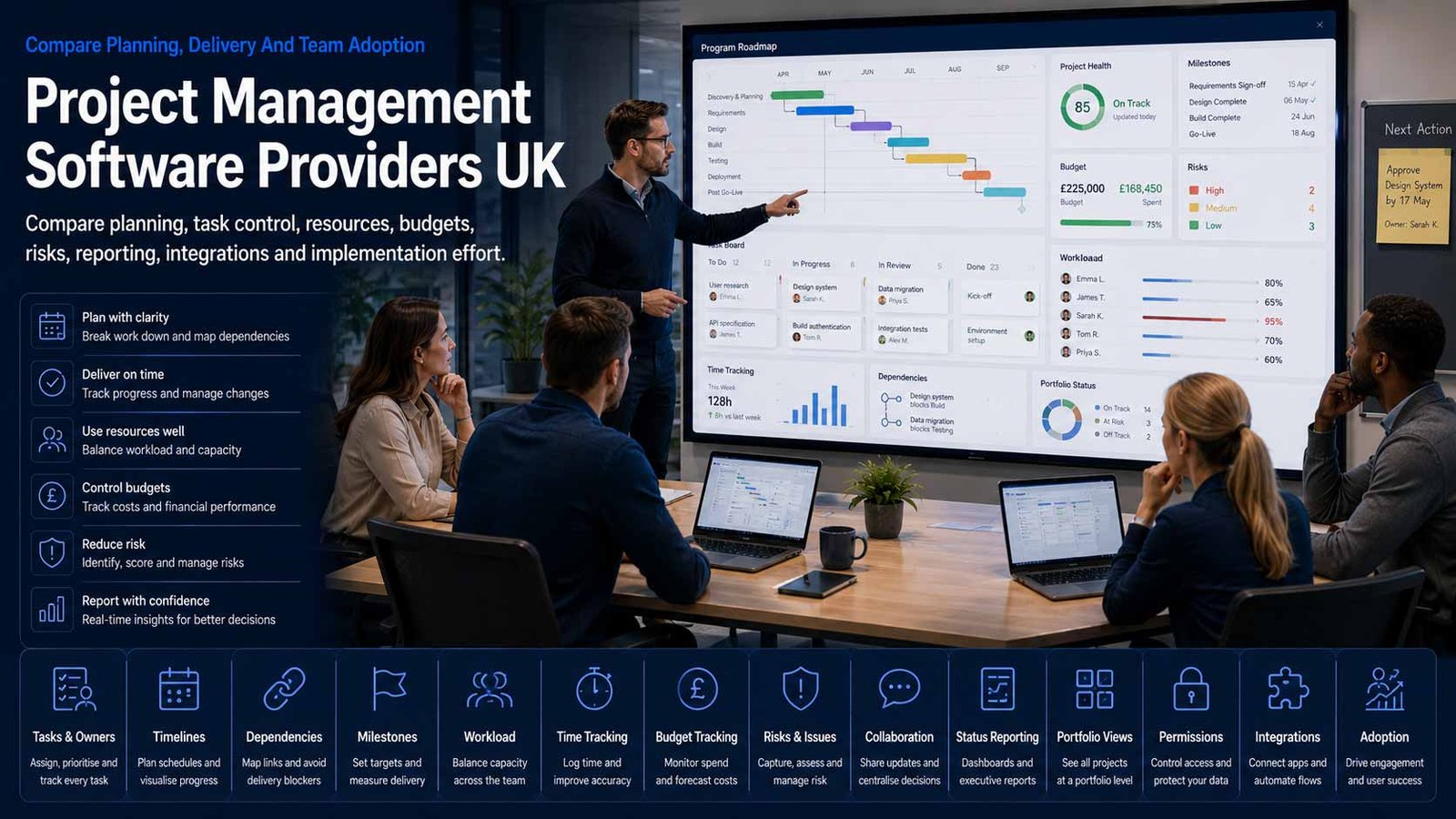
Project Software Must Support Delivery Discipline
A platform can improve visibility and coordination, but it cannot compensate for unclear scope, missing ownership, unrealistic plans or decisions that remain outside the system.
- Define the delivery method and reporting evidence before configuring templates
- Separate committed work from ideas, requests and unapproved changes
- Make owners, dependencies, milestones, risks and decisions visible
- Measure adoption, forecast accuracy, workload and delivery outcomes after launch
Project management software provides a shared system for planning, assigning, sequencing, delivering and reporting temporary work with a defined outcome. It can bring together tasks, owners, dates, dependencies, milestones, files, decisions, risks, issues, budgets, time records, status reports and portfolio views.
The right platform depends on the work being delivered. A small internal improvement project may need a simple board and timeline, while client services, construction programmes, product development or a formal project-management office may require resource planning, baselines, change control, financial visibility, governance and cross-project reporting.
This page does not compare CRM or ERP systems. Customer records, sales opportunities and relationship history belong on the CRM page. Company-wide finance, purchasing, stock, production and operational transactions belong on the ERP page. Integrations may connect those systems to project delivery, but the comparison here remains focused on planning, coordinating and controlling projects.
Match The Platform To The Work Being Delivered
Project management software ranges from lightweight task coordination to formal programme, resource and financial control.
| Project Environment | What The Platform May Need To Control | Best-Fit Question |
|---|---|---|
| Simple task and team projects | Lists, boards, owners, due dates, comments, files and recurring work | Can the team see priorities and next actions without creating unnecessary administration? |
| Structured waterfall projects | Work breakdown, dependencies, milestones, baselines, critical path, stage gates and formal status | Can the plan preserve approved dates and show the consequence of slippage or scope change? |
| Agile or iterative delivery | Backlogs, priorities, sprints, estimates, releases, retrospectives and continuous reprioritisation | Does the platform support the actual delivery method without forcing every team into one rigid template? |
| Client and professional-services projects | Client access, deliverables, approvals, time, budgets, rates, utilisation and profitability | Can the business control external visibility and connect delivery evidence to billing without exposing internal information? |
| Product and technical delivery | Requirements, roadmaps, dependencies, defects, releases, documentation and engineering integrations | Can product, design and engineering teams share context while retaining the specialist controls they need? |
| Programme and portfolio management | Project intake, strategic alignment, benefits, dependencies, resources, budgets, risk and executive reporting | Can leaders compare projects using consistent data without requiring every team to manage work identically? |
| Operational change and campaigns | Briefs, approvals, schedules, content, suppliers, assets, launch readiness and post-project review | Can repeatable templates improve control while preserving flexibility for each campaign or change initiative? |
| Regulated or high-assurance projects | Approvals, evidence, audit history, controlled documents, segregation, risk acceptance and traceability | Are governance records complete, exportable and protected from unauthorised change? |
Eight Areas That Determine Project Management Software Fit
Use the same delivery criteria for every provider so attractive boards, AI features and templates do not hide weak scheduling, reporting or governance.
Comparison Criterion
Tasks, Work Breakdown And Ownership
Compare tasks, subtasks, checklists, custom fields, owners, contributors, priorities, recurring work, templates, bulk changes and mobile updates. The structure should make the deliverable, acceptance condition and accountable owner clear without duplicating the same work across several views.
Comparison Criterion
Schedules, Dependencies And Milestones
Review timelines, Gantt views, dependencies, lead and lag, milestones, baselines, calendars, critical path and delay alerts. Confirm whether changes automatically show downstream impact and whether approved dates can be distinguished from the current forecast.
Comparison Criterion
Workload, Capacity And Resource Planning
Assess availability, skills, allocation, utilisation, holidays, contractors, provisional roles and cross-project demand. Resource views should show overcommitment early and support realistic decisions rather than treating every unassigned hour as usable capacity.
Comparison Criterion
Collaboration, Documents And Decisions
Compare comments, mentions, files, approvals, meeting notes, knowledge links, client access and decision records. Define where the authoritative project record lives so important commitments do not remain scattered across email, chat and personal documents.
Comparison Criterion
Time, Budget And Project Financials
Review time capture, rates, estimates, expenses, budgets, purchase commitments, earned value, billing links, profitability and variance. Confirm whether the platform provides full financial control or requires integration with accounting or ERP systems.
Comparison Criterion
Risk, Issues, Changes And Governance
Assess risk and issue registers, ownership, impact, probability, mitigations, dependencies, change requests, approvals, stage gates and audit history. Governance should fit project impact and make exceptions visible without turning every small task into a formal process.
Comparison Criterion
Dashboards, Status And Portfolio Reporting
Compare progress, milestone, schedule, budget, workload, risk, benefits and portfolio reporting. Require shared definitions, drill-down evidence, scheduled reports, data export and a clear distinction between entered status and calculated delivery indicators.
Comparison Criterion
Automation, Integrations And Administration
Review forms, rules, approvals, notifications, templates, APIs, webhooks, identity, email, collaboration, development and finance integrations. Check limits, sandbox options, permissions, audit, support and the internal capacity needed to administer change safely.
Measures To Define Before A Project Software Contract Is Signed
Translate promises such as better visibility, on-time delivery and resource optimisation into measurable operating evidence.
| Measure | What It Should Define | Evidence To Request | Common Weakness |
|---|---|---|---|
| Milestone predictability | How reliably approved milestones are achieved or reforecast with sufficient notice | Baseline date, current forecast, variance, confidence, cause and recovery action | A project is marked green until the milestone is already missed |
| Schedule variance | The difference between approved and forecast dates for critical work and the effect on dependent deliverables | Baseline, dependency map, critical path, variance trend and approved change history | Teams overwrite original dates and remove evidence of delay |
| Scope and change control | How requested work is evaluated, approved, funded and added without hiding the impact on time or capacity | Change log, decision, estimate, approver, updated baseline and benefit rationale | New work is added as tasks while the original commitment remains unchanged |
| Workload and capacity | Demand against realistic availability by role, person, skill, team or project | Allocation view, holidays, non-project work, utilisation assumptions and unresolved overload | Nominal working hours are treated as fully available project capacity |
| Budget and effort variance | Actual and forecast cost or effort compared with the approved plan | Estimate, time or cost actuals, commitments, forecast to complete and variance explanation | Time is recorded too late or at a level that cannot support decisions |
| Risk and issue exposure | The value, severity and movement of unresolved threats, issues and dependencies | Owner, response, due date, trend, escalation and accepted residual risk | A long register exists but overdue actions and increasing exposure are not visible |
| Decision and approval time | How quickly required decisions, reviews and client approvals are completed | Decision queue, owner, request date, due date, impact and escalation | Delivery teams are blamed for delay caused by unowned approvals |
| Throughput and completion quality | How much work is completed and accepted without rework or repeated reopening | Completed deliverables, acceptance evidence, blocked time, rework and rejection reasons | High task closure counts hide poor quality or unfinished deliverables |
| Adoption and data freshness | Whether team members maintain owners, dates, progress, risks and next actions in the system | Active users, stale tasks, missing owners, overdue updates and manager follow-up | Reports look complete because project managers manually rebuild them before meetings |
| Portfolio value and priority | Whether resources remain aligned to approved strategic outcomes and benefits | Priority criteria, sponsor, expected benefit, capacity demand, status and stop decision | Projects continue because they started, not because they remain valuable |
Project Management Software Providers UK Businesses Can Consider
Shortlist platforms whose planning depth, resource controls, collaboration model, reporting and commercial terms match the work. Confirm current plans, limits and pricing directly before approval.
Provider Profile
monday Work Management
A configurable work platform for projects, processes and portfolios, using boards, views, automations, dashboards and connected workspaces. Include it where teams value visual configuration and broad operational flexibility. Check plan-specific automation, dashboards, portfolio and workload features, minimum seats, governance, board design and the administration needed to prevent inconsistent structures.
Review official work-management informationProvider Profile
Asana
Work-management platform for projects, portfolios, goals, workflows and cross-team coordination, with list, board, timeline, calendar and reporting views. Include it where adoption, structured collaboration and visibility across business teams matter. Confirm edition boundaries for portfolios, workload, approvals, rules, reporting, guest access, AI and enterprise administration.
Review official product informationProvider Profile
ClickUp
Configurable productivity and project platform combining tasks, documents, dashboards, goals, time tracking, forms, whiteboards, chat and automation. Include it where a business wants extensive functionality in one workspace. Check implementation discipline, hierarchy design, plan limits, AI charges, permissions, reporting, data migration and the risk of creating an overly complex environment.
Review official feature informationProvider Profile
Wrike
Enterprise work-management platform supporting projects, programmes, portfolios, resource planning, approvals, proofing, automation and reporting. Include it where cross-team governance, complex workflows, campaign delivery or formal portfolio visibility matter. Confirm plan requirements, data residency options, resource and financial features, implementation support and external-collaboration controls.
Review official platform featuresProvider Profile
Smartsheet
Project and work-management platform built around familiar grid-based planning with Gantt, dashboards, reports, automation, resource management and portfolio capabilities. Include it where spreadsheet-oriented adoption and repeatable programme reporting are priorities. Check premium applications, resource-management licensing, governance, formula complexity, connector requirements and control of copied sheets.
Review official project-management informationProvider Profile
Microsoft Planner
Microsoft 365 task and project-management product spanning simple collaborative plans and premium project capabilities, with Teams and wider Microsoft integration. Include it where Microsoft identity, Teams, Outlook and existing Microsoft 365 administration are important. Confirm which Planner or Project plan supplies dependencies, timelines, portfolios, resources, reporting and Copilot features.
Review official Planner informationProvider Profile
Teamwork.com
Project-management platform designed strongly around client work, with task planning, time tracking, budgets, workload, profitability, client access and related service-delivery tools. Include it where agencies and professional-services teams need commercial control around delivery. Check required products, user types, client permissions, rate and billing setup, reporting and accounting integration.
Review official project-management informationProvider Profile
Jira
Flexible project-management platform with strong support for structured workflows, backlogs, boards, dependencies, releases, reporting and integration across product and technical teams. Include it where agile, software or complex workflow control is central. Confirm whether business teams need Jira alone or additional Atlassian products, and check administration, guest access, marketplace apps and reporting requirements.
Review official Jira informationWhat Changes The Cost Of Project Management Software
The advertised user price rarely captures implementation, premium planning features, external users, integrations and the internal effort required to maintain reliable project data.
| Cost Driver | Why It Changes Spend | What A Comparable Proposal Should Show |
|---|---|---|
| User and guest licensing | Full members, occasional contributors, viewers, clients, contractors and administrators may be priced or restricted differently | Role list, permission need, internal and external user count, minimum seats, billing cycle and three-year growth |
| Plan and feature tier | Timelines, portfolios, workload, time tracking, budgets, advanced reporting, audit, sandbox and AI may require higher editions | Requirement-to-plan map showing every dependent feature, add-on and premium application |
| Project, record and storage limits | Active projects, tasks, automations, files, dashboards, API use, history and storage may have plan-specific allowances | Current volume, archive policy, forecast growth, limits, overage and performance assumptions |
| Implementation and configuration | Templates, workflows, fields, roles, dashboards, governance and integrations require design, testing and documentation | Discovery, configuration, migration, pilot, acceptance, customer tasks and change-control scope |
| Data migration | Projects, tasks, comments, files, users, histories, custom fields and relationships may be difficult to preserve from legacy tools | Source inventory, mapping, exclusions, trial migration, reconciliation, archive and rollback |
| Time, resource and financial modules | Capacity, rates, budgets, billing, profitability and portfolio planning may sit in premium plans or separate products | Required financial depth, user coverage, data flow, accounting integration and reporting ownership |
| Automation, integrations and API | Rules, forms, connectors, middleware, API calls, webhooks and specialist marketplace apps can add cost and maintenance | Integration architecture, volumes, third-party licences, monitoring, support and failure ownership |
| Training, adoption and administration | Role-based training, champions, support, template control and ongoing platform ownership continue after launch | Training plan, internal administrator capacity, governance, service desk and optimisation cadence |
| Security and enterprise controls | Single sign-on, provisioning, audit, data residency, legal hold, sandbox and advanced permissions may require enterprise terms | Control list, plan dependency, implementation method, evidence and renewal assumptions |
| Contract change and exit | Annual uplifts, minimum seats, reduced-user rights, export limits, professional services and notice affect lifetime cost | Renewal basis, price protection, licence reductions, export formats, assistance rates and deletion process |
How The Delivery Environment Changes The Shortlist
The right project platform depends on planning complexity, client access, resource constraints, governance and the team’s willingness to maintain structured delivery data.
Small Team Replacing Spreadsheets
Prioritise simple task ownership, deadlines, boards, timelines, reminders, files, mobile use and fast adoption. Avoid paying for portfolio and resource features the team will not maintain.
Client Services And Agencies
Prioritise client permissions, deliverables, approvals, time, budgets, workload, rates, profitability and a clear boundary between internal discussion and client-visible information.
Product And Technical Teams
Prioritise backlogs, dependencies, releases, roadmaps, workflow configuration, development integrations, documentation and reporting that connects strategic priorities with delivery evidence.
PMO And Multi-Project Organisations
Prioritise intake, templates, baselines, resources, risks, budgets, dependencies, benefits, stage gates, portfolio dashboards and governance that can scale without requiring duplicate manual reporting.
How To Compare Project Software Proposals
Give every provider the same project types, users, planning method, task volume, dependencies, resource rules, client access, time and budget needs, reports, integrations, data sources and support assumptions. Require the response to identify plan dependencies, customer work and implementation exclusions.
- The demonstration uses your project template and representative delivery scenarios
- Required capabilities are mapped to named plans and add-ons
- Migration includes tasks, comments, files, history and reconciliation
- Resource, budget, risk and status evidence is demonstrated
- Training, adoption and internal administration are costed
- Export, notice, assistance and deletion are covered at exit
Make Every Provider Run The Same Project Scenario
A standard demonstration may hide manual updates, premium modules and workarounds. Ask each finalist to create the same project, add a dependency change, reallocate an overloaded resource, record a risk, obtain an approval and produce the same status report.
Compare the effort and evidence behind the result before comparing the interface.
Six Questions To Put To Every Project Software Provider
The answers expose licence dependencies, migration gaps, reporting work and adoption responsibilities before the contract starts.
How Will The Platform Represent Our Delivery Method?
Ask the provider to demonstrate your project types, stages, tasks, dependencies, milestones, approvals, risks, changes and reporting rather than relying on a generic template.
Which Plan And Add-Ons Are Required?
Request a feature-to-plan schedule covering timelines, portfolios, workload, time, budgets, forms, automations, AI, audit, sandbox, support and external users.
How Will Existing Projects Be Migrated?
Confirm source tools, tasks, comments, files, history, users, custom fields, dependencies, archives, trial migration, reconciliation, cutover and rollback.
How Are Resources And Project Commitments Controlled?
Ask how availability, allocations, holidays, non-project work, contractor access, workload conflicts, baselines and approved changes are represented.
What Must Users And Managers Maintain?
Request the required update routine, role-based training, manager controls, data-quality measures, template ownership and support when teams do not follow the process.
How Can The Business Reduce Scope Or Exit?
Confirm seat reductions, archive access, export formats, files, comments, history, API access, implementation handover, notice, assistance costs and deletion evidence.
A Seven-Stage Project Software Evaluation Process
Move from a defined delivery model to controlled adoption rather than purchasing licences and attempting to standardise every team after launch.
- Map project types, delivery methods, users, external participants, reports, governance, integrations and the current causes of delay or manual reporting.
- Define the minimum project record, task structure, milestones, dependencies, resource rules, risks, changes, evidence and manager update routine.
- Profile active and historic projects, users, tasks, comments, files, custom fields, integrations and migration exceptions.
- Issue one written brief and obtain comparable demonstrations, plan schedules, migration proposals, implementation scopes and support terms.
- Run a configured pilot with representative projects and users, testing schedule changes, workload, approvals, reporting, permissions and mobile use.
- Migrate in controlled waves with reconciliation, role-based training, cutover support, clear rollback and agreed treatment of legacy archives.
- Operate the platform with named ownership, template governance, adoption measures, data-quality reviews, release testing and regular delivery improvement.
Project Management Software Comparison Checklist
Use this table before approving a subscription, implementation statement of work or active-project migration.
| No. | Requirement | Evidence To Obtain Before Award | Confirmed |
|---|---|---|---|
| 01 | Project types, delivery methods and accountable owner agreed | Project inventory, lifecycle, governance, exceptions, outcomes and named platform owner | |
| 02 | User roles and minimum update behaviours defined | Project managers, contributors, sponsors, clients, contractors, administrators and required actions | |
| 03 | Task, milestone and dependency model approved | Templates, fields, ownership, dates, baselines, critical work, acceptance and completion rules | |
| 04 | Resource and capacity rules documented | Availability, skills, holidays, non-project work, allocation, utilisation and overload handling | |
| 05 | Risk, issue, decision and change controls mapped | Registers, impact, owners, approvals, escalation, audit and baseline-update process | |
| 06 | Time, budget and financial requirements agreed | Estimates, actuals, rates, expenses, budgets, forecasts, billing links and reporting depth | |
| 07 | External and client access demonstrated | Guest roles, project boundaries, file visibility, approvals, exports, offboarding and confidentiality | |
| 08 | Required features mapped to plans and add-ons | Named plan, portfolios, workload, time, budgets, automation, AI, audit, sandbox and support | |
| 09 | Reports and portfolio definitions accepted | Status, schedule, milestone, budget, workload, risk, dependency, benefit and drill-down evidence | |
| 10 | Integrations and support ownership documented | Systems, data, direction, frequency, API, middleware, alerts, reconciliation and failure owner | |
| 11 | Migration, testing and rollback priced | Projects, tasks, comments, files, history, users, trial migration, reconciliation, archive and rollback | |
| 12 | Permissions and privileged administration tested | Roles, sharing, private work, external access, export, audit, strong authentication and leavers | |
| 13 | Training, adoption and governance resourced | Role-based training, champions, documentation, template control, support and improvement cadence | |
| 14 | Three-year total cost compared | Licences, add-ons, storage, implementation, migration, integrations, support and internal administration | |
| 15 | Exit, export and deletion process agreed | Projects, tasks, comments, files, history, custom fields, API access, assistance, notice and deletion evidence |
Common Project Software Buying Mistakes To Avoid
Most avoidable problems begin with an unclear delivery model, incomplete plan comparison or an assumption that adoption will happen automatically.
| Mistake | Why It Creates Risk | Better Control |
|---|---|---|
| Choosing software before agreeing the delivery method | Teams recreate conflicting processes and reports in the new platform | Define project types, minimum controls and permitted variation before selection |
| Turning every activity into a project | The workspace becomes crowded with operational tasks that do not need project governance | Set entry criteria for projects and keep routine work in the appropriate operational workflow |
| Migrating every historic task and comment | Old, duplicated and low-value records reduce trust and increase migration cost | Move active and required evidence; archive the remainder in an accessible form |
| Buying on the advertised seat price | Portfolios, workload, time, budgets, audit, guests and support may require premium plans | Map every requirement to the named plan and three-year cost |
| Over-configuring before teams adopt the basics | Complex fields, statuses and automations create administration without improving delivery | Launch a controlled minimum template and add changes against evidence |
| Ignoring resource capacity | Schedules assume people can complete more work than their real availability allows | Include non-project work, holidays, skills and cross-project demand in capacity decisions |
| Using status colours without objective evidence | Projects remain green because reporting is subjective and deadlines are overwritten | Define calculated indicators, baselines, thresholds and escalation rules |
| Allowing client access without testing permissions | External users can see internal comments, files or unrelated project information | Use dedicated roles, project boundaries, test accounts and offboarding controls |
| Replacing governance with automation | Rules move work quickly but can conceal poor decisions, unauthorised change or missing approval | Automate agreed controls and retain visible ownership, exceptions and audit evidence |
| Deferring exit planning | Files, comments, history, dependencies and custom structures become difficult to transfer | Test export and archive requirements before production rollout |
Frequently Asked Questions
Answers to common questions from UK businesses comparing project planning, delivery and portfolio platforms.
What Is Project Management Software?
Project management software is a shared system for planning, assigning, sequencing, delivering and reporting temporary work with a defined outcome. It may include tasks, owners, dates, dependencies, milestones, files, risks, time, budgets, status reporting and portfolio views.
How Is Project Management Software Different From CRM?
Project software controls delivery work, schedules, resources and project evidence. CRM software manages prospects, customers, interactions and sales opportunities. A client project may be created from a won opportunity, but the two systems serve different primary purposes and should be assessed separately.
How Is Project Management Software Different From ERP?
Project software focuses on planning and coordinating temporary work. ERP systems control broader operational and financial transactions such as ledgers, purchasing, stock, production and company-wide resource planning. Integration may pass budgets, time or billing data between them without making them the same system.
What Features Matter Most To A Small UK Business?
Most small teams need clear task ownership, deadlines, boards or lists, timelines, reminders, comments, files, templates, mobile access and useful status reports. Time, budgets, workload, client access or portfolio controls should be added only where the business will maintain and use them.
Should A Business Choose Agile Or Gantt-Based Software?
Choose software that supports the actual delivery method. Agile teams may prioritise backlogs, boards, iterations and releases, while dependency-heavy projects may need Gantt plans, milestones and baselines. Many businesses need both views, but the underlying task, ownership and reporting rules must remain consistent.
How Much Does Project Management Software Cost?
Cost may include user licences, guest or external access, premium planning features, automation, AI, storage, implementation, migration, integrations, training, support and internal administration. Compare a three-year total and the cost per active user or successfully delivered project rather than only the advertised monthly seat price.
How Should Existing Projects Be Migrated?
Inventory active projects, templates, users, tasks, dates, comments, files, custom fields, dependencies and integrations. Decide what must remain live, what can be archived and what should be removed. Run a trial migration, reconcile representative projects and preserve a clear rollback path.
How Can A Business Improve User Adoption?
Keep the initial design focused, use role-based templates, integrate daily collaboration tools and remove unnecessary fields. Make managers use platform evidence in reviews, then measure active use, stale tasks, missing owners, overdue updates and duplicate reporting outside the system.
Can Clients And Contractors Use Project Management Software?
Many providers support guests, external users or client collaboration, but permissions and pricing differ. Test exactly what external users can see, change, download and invite. Separate internal discussion from client-visible material and include offboarding, export and confidentiality controls.
How Should A UK Business Compare Project Management Providers?
Give every provider the same project types, delivery method, users, task volumes, dependencies, resources, budgets, client-access rules, reports, integrations and migration assumptions. Compare configured demonstrations, required plans, implementation, adoption, controls, three-year cost and exit terms—not only templates or feature counts.
Provider Information And Project-Data Resources
Reviewed by Bhav Giva, Founder & Lead Analyst at CompareServices.co.uk, on 16 July 2026.
Use official provider documentation to confirm current plans, user types, feature limits, integrations, security, data locations, pricing, support and contractual terms. Apply appropriate UK data-protection and cloud-security controls to project, employee and client information.
- ICO — A Guide To The Data Protection Principles
- ICO — Data Protection By Design And By Default
- NCSC — Cloud Security Principles
- monday.com — Work Management
- Asana — Product Overview
- ClickUp — Platform Features
- Wrike — Platform Features
- Smartsheet — Project Management
- Microsoft — Planner
- Teamwork.com — Project Management Software
- Atlassian — Jira