
Compare IT Support & Managed Services Providers UK (2026)
Compare service quality, operational ownership and measurable support outcomes
Compare IT support services business teams can use for responsive helpdesk cover, proactive monitoring, user onboarding, device management and operational continuity. Assess support hours, first-contact resolution, escalation, onsite access, tooling, reporting, account governance, pricing scope and transition quality before choosing a managed service provider for your UK organisation with confidence.
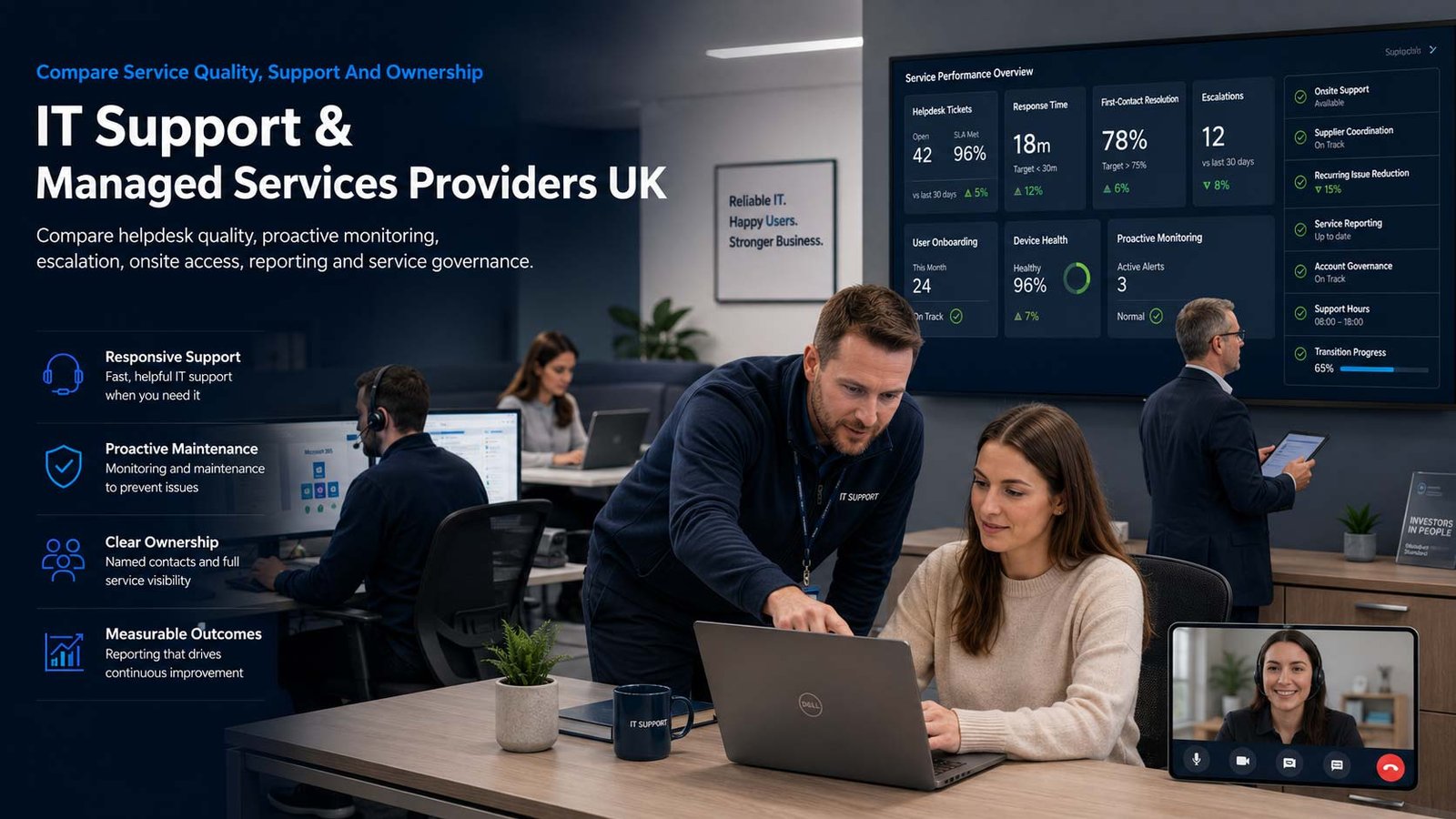
Why IT Support Quality Is An Operating Model Decision
A support contract affects how quickly staff return to productive work, how incidents are escalated, how recurring faults are reduced and who owns day-to-day technology administration.
- Define the service desk experience your users should receive
- Separate response promises from restoration and resolution outcomes
- Clarify what is proactive, reactive, onsite and project-based
- Require evidence, reporting and accountable service governance
IT support and managed services provide structured operational help for users, devices, applications and business systems. The scope may range from remote helpdesk cover to a fully managed technology function that includes monitoring, maintenance, onboarding, supplier liaison, onsite engineering and service governance.
The correct provider is not simply the company offering the lowest monthly fee or the fastest headline response. Buyers should compare what the provider actually owns, how incidents are prioritised, whether skilled engineers are available beyond first line, how onsite work is delivered and what happens during transition or contract exit.
Managed IT support should be assessed separately from dedicated cyber-security services and cloud-hosting platforms, even when one supplier can provide several services under the same account.
Match The Service Model To The Responsibility You Need To Transfer
Compare ownership, escalation and operational coverage before comparing provider brands.
| Support Model | Typical Scope | Evidence To Request | Main Comparison Risk |
|---|---|---|---|
| Reactive Helpdesk Cover | Remote assistance for incidents and user requests during agreed hours | Contact channels, included users/devices, response targets, exclusions and escalation access | Low monthly cost hides chargeable engineering, restricted scope or weak problem ownership |
| Fully Managed IT Support | Provider owns routine service desk, monitoring, maintenance, onboarding and operational coordination | Responsibility matrix, supported estate, governance cadence, reporting, onsite terms and transition plan | “Fully managed” is accepted without a detailed service schedule and retained customer responsibilities |
| Co-Managed IT | External MSP works with an internal IT lead or technical team | Resolver-group boundaries, ticket handoffs, shared tooling, escalation, change authority and knowledge ownership | Both teams assume the other owns important tasks, creating gaps and duplicated effort |
| Service Desk Only | Provider handles user contact and first-line resolution while specialist teams remain elsewhere | First-contact capability, routing accuracy, knowledge access, warm transfer and major-incident process | Tickets are logged quickly but passed between suppliers without end-to-end accountability |
| Onsite And Remote Hybrid | Remote desk backed by scheduled or reactive onsite engineering | Engineer location, travel zones, attendance targets, included days, spares and site-access process | Onsite support is marketed as included but subject to long lead times or separate day rates |
| Project And Change Support | Moves, upgrades, migrations and improvement work alongside the support contract | Project governance, rate card, change control, acceptance criteria and transition into steady-state support | Projects are sold separately with no clear handover into the operational service |
Eight Areas That Separate A Managed Service From A Basic Helpdesk
Use these criteria to compare service quality, operational ownership and measurable outcomes.
Comparison Criterion
Service Desk Access And User Experience
Compare telephone, portal, email, chat and self-service options, together with operating hours, accessibility, language coverage, queue ownership and the experience users receive during busy periods.
Comparison Criterion
Priority, Response And Resolution
Require clear priority definitions tied to business impact. Compare initial response, restoration, workaround and final-resolution targets separately, including the clock used, exclusions and escalation triggers.
Comparison Criterion
First-Contact Resolution And Escalation
Ask what proportion of suitable tickets are solved at first contact, how engineers access specialist teams and whether users remain informed when incidents move between resolver groups or third parties.
Comparison Criterion
Proactive Monitoring And Maintenance
Confirm exactly which devices and services are monitored, what alerts create tickets, how patching and routine maintenance are scheduled, and which warnings result in proactive customer contact.
Comparison Criterion
Onsite Engineering Coverage
Compare engineer geography, attendance targets, included visits, travel charges, site-access rules, spare-hardware arrangements and the process for incidents that cannot be resolved remotely.
Comparison Criterion
Joiners, Movers And Leavers
Evaluate how the provider receives authorised requests, provisions or removes access, configures devices, records approvals, coordinates deadlines and reports exceptions without becoming the owner of HR decisions.
Comparison Criterion
Tooling, Asset Records And Reporting
Review ticketing, remote-management, documentation, asset visibility, knowledge records, customer portal access, reporting quality, data export and integration with internal systems.
Comparison Criterion
Service Governance And Improvement
Require named account ownership, service reviews, trend analysis, problem management, improvement actions, complaint escalation, change control, customer satisfaction evidence and a workable exit plan.
Compare Outcomes, Not Just Headline Response Times
A strong SLA defines the clock, the business outcome, the exclusions and the evidence used to prove performance.
| Measure | What It Should Show | Evidence To Request | Common Misinterpretation |
|---|---|---|---|
| Priority Definition | How severity is assigned using users, sites, services, workarounds and business impact | Priority matrix with examples relevant to your organisation | A provider can meet a fast target by classifying incidents at a lower priority |
| Initial Response | Time until a qualified person or automated process acknowledges and begins ownership | Human-response definition, clock hours, channel rules and reporting method | An acknowledgement is presented as meaningful technical progress |
| Service Restoration | Time until affected users can resume an acceptable level of work, sometimes through a workaround | Restoration target, workaround approval and business validation process | Resolution is promised, but no practical restoration target exists |
| Final Resolution | Time until the underlying incident is fixed and the ticket can be closed appropriately | Resolution clock, dependency exclusions, closure checks and reopening rules | Tickets are closed after temporary action without confirming the user outcome |
| First-Contact Resolution | Percentage of eligible contacts solved without onward transfer | Eligibility definition, channel scope, sample size and quality assurance | A high percentage is quoted without explaining which tickets were excluded |
| Backlog And Ageing | Open ticket volume, age profile and number waiting on provider, customer or third party | Monthly trend, ownership status, aged-ticket actions and escalation thresholds | Headline SLA performance looks healthy while unresolved work accumulates |
| User Satisfaction | Structured feedback on communication, effort and outcome after support interactions | Response rate, survey wording, scoring method and improvement action | Very small response volumes are presented as representative of all users |
| Problem Reduction | Evidence that recurring incidents are analysed and permanently reduced | Problem records, root-cause actions, repeat-ticket trend and benefit tracking | The desk remains busy because repeat faults are resolved individually rather than removed |
IT Support And Managed Service Providers To Consider
Use these profiles to build a shortlist, then verify service scope, geographic coverage, engineering depth, support evidence, current pricing and available capacity against the same written requirements.
Provider Profile
BT Business
Managed-services capability for organisations that want an established provider to coordinate complex technology environments, incidents and service requests. Include BT where scale, structured service journeys and a broad supplier relationship are important.
Review official service informationProvider Profile
Wavenet
A UK managed service provider covering IT solutions, communications and connectivity. Include Wavenet where buyers want a broad operational partner and should test the exact service-desk model, local support coverage and governance included in the proposal.
Review official service informationProvider Profile
Focus Group
Provides IT managed services for businesses seeking ongoing monitoring, management and optimisation. Include Focus Group where a combined business-technology account may be useful, while keeping the IT support scope separately measurable.
Review official service informationProvider Profile
Littlefish
UK-based managed IT services with strong emphasis on the service desk, user experience and round-the-clock support options. Include Littlefish where service-desk performance, resolver depth and user satisfaction are central evaluation criteria.
Review official service informationProvider Profile
Advania UK
Managed IT services spanning support, workplace operations and service governance. Include Advania where the organisation needs a structured operating model, process ownership and the ability to combine internal and external resolver teams.
Review official service informationProvider Profile
Softcat
Offers managed and support services with a single contact point across hardware, software and licensing-related issues. Include Softcat where procurement breadth and coordination across a varied technology estate matter.
Review official service informationProvider Profile
Air IT
Provides fully managed and co-managed support options for UK organisations. Include Air IT where regional delivery, flexible responsibility sharing and support for a growing SME estate should be tested in a common requirements schedule.
Review official service informationProvider Profile
Acora One
Managed IT support designed for UK SMEs, with first-, second- and third-line support and a defined onboarding approach. Include Acora One where buyers want a packaged support model but still need to confirm scope, onsite rates and escalation evidence.
Review official service informationIndicative UK IT Support Cost Models
Use planning ranges to normalise quotes, then compare inclusions, exclusions, transition charges and operational evidence line by line.
| Cost Component | Indicative Planning Range | What Changes The Price | Comparison Warning |
|---|---|---|---|
| Remote Helpdesk And Monitoring | About £25–£50 per supported user each month | Hours, included users/devices, monitoring scope, remote tools, ticket allowance and exclusions | Entry pricing may exclude onsite visits, projects, specialist escalation or important licences |
| Standard Fully Managed Support | About £45–£90 per user each month | Unlimited remote support, proactive maintenance, service reviews, onboarding processes and defined escalation | Bundles differ significantly; compare the service schedule rather than the package name |
| Complex, 24/7 Or Co-Managed Service | About £80–£150+ per user each month or a bespoke estate fee | Extended hours, specialist teams, multi-site coverage, service integration, governance and higher availability requirements | Premium scope may still exclude project delivery, third-party licences or dedicated onsite staff |
| Onboarding And Transition | Often £50–£250 per user or a site/project fee | Discovery, documentation, tool deployment, asset validation, supplier handover and knowledge transfer | A low or waived setup fee can hide an abbreviated discovery and weak operational baseline |
| Onsite Engineering | Commonly £650–£1,200 per engineer day, depending on skill and location | Travel, minimum booking, emergency attendance, site access, out-of-hours work and parts handling | “Onsite included” may mean scheduled visits rather than a guaranteed incident attendance target |
| Projects, Moves And Major Changes | Quoted separately by day rate, fixed scope or statement of work | Design, migration, testing, change control, rollback, acceptance and steady-state handover | Support fees are compared without including the change work needed during the first contract year |
These figures are planning ranges, not supplier quotations. Published UK provider prices show that entry packages can begin around £25 per user each month, while fuller managed services commonly start higher and may apply minimum monthly commitments. Ask every provider to price the same user count, device estate, operating hours, onsite assumptions, tooling, onboarding and first-year projects.
Match Provider Capability To Your Operating Complexity
The right shortlist depends on user count, site profile, internal capability, support hours, technology diversity and change volume.
Micro And Small Businesses
Prioritise clear scope, human helpdesk access, predictable monthly cost, onboarding quality and a provider that can explain what remains the customer’s responsibility.
Growing SMEs
Prioritise scalable onboarding, proactive monitoring, asset records, supplier coordination, onsite access, management reporting and a roadmap that does not turn every improvement into an emergency project.
Established Internal IT Teams
Consider co-managed support that extends service hours or specialist capability while preserving internal ownership of architecture, priorities and business relationships.
Multi-Site And Complex Organisations
Prioritise regional coverage, service integration, major-incident coordination, consistent tooling, governance, documented dependencies and evidence that the provider can operate at the required scale.
How To Compare IT Support Provider Proposals
Give every provider the same schedule of users, devices, locations, applications, support hours, priorities, onsite requirements, reporting needs, onboarding tasks and retained responsibilities. This makes differences in scope, service quality and total cost easier to identify.
- Confirm what the monthly fee includes and excludes
- Compare response, restoration and resolution commitments
- Review service-desk capability and engineering escalation
- Check proactive maintenance, onsite coverage and reporting
- Assess onboarding, documentation, governance and exit support
Ask each provider to identify assumptions, optional services, third-party dependencies and chargeable work in writing before the proposal is scored.
Make Every Provider Price The Same Service
Give each bidder one user, device, site, operating-hours, priority, onsite, onboarding, reporting and project schedule. A comparable brief prevents a low-scope proposal from appearing cheaper than a genuinely managed service.
- Use common priority definitions
- Specify included and chargeable work
- Require transition and exit deliverables
- Score evidence as well as promises
Six Questions To Put To Every Managed Service Provider
Use the answers to expose scope gaps, measurement weaknesses, transition risk and future lock-in.
What Exactly Is Included In The Monthly Fee?
Ask for a service schedule covering users, devices, applications, sites, hours, monitoring, maintenance, onsite work, projects, third-party liaison and every chargeable exception.
How Are Priorities, Response And Restoration Measured?
Request the priority matrix, clock definition, sample monthly report and examples showing how business impact changes the target and escalation path.
Who Solves Tickets Beyond First Line?
Confirm second- and third-line depth, specialist access, supplier escalation, major-incident leadership and whether the provider retains ownership while a third party is involved.
How Will You Onboard And Document Our Estate?
Require discovery, asset validation, access review, tooling deployment, knowledge capture, supplier handover, risk log, acceptance criteria and a stabilisation period.
What Onsite Coverage Can You Commit To?
Ask where engineers are based, how attendance is triggered, which travel zones apply, what is included and how urgent hardware or site incidents are handled.
How Can We Exit Without Losing Control?
Clarify data export, documentation ownership, credential transfer, tool removal, knowledge handover, notice periods, assistance charges and the timetable for switching provider.
A Six-Stage IT Support Selection And Transition Process
Control operational risk before the new provider becomes responsible for live users and systems.
- Document users, devices, sites, systems, operating hours, business-critical services, internal responsibilities and recurring support pain points.
- Define the target operating model: fully managed, co-managed, service-desk only or a hybrid with planned onsite coverage.
- Issue one requirements and pricing schedule covering scope, priorities, service levels, reporting, transition, projects and exit obligations.
- Run structured demonstrations using realistic incidents, onboarding requests, escalations, reporting examples and service-review scenarios.
- Complete commercial, operational and supplier-access due diligence, including references, subcontractors, financial standing and continuity plans.
- Approve a transition plan with discovery, knowledge transfer, tool deployment, acceptance criteria, stabilisation, governance and rollback actions.
IT Support Provider Comparison Checklist
Use this checklist before accepting a proposal or beginning transition. Record the supporting evidence, named owner and applicable contract schedule or clause for every requirement.
| No. | Requirement | Evidence To Obtain Before Award | Confirmed |
|---|---|---|---|
| 01 | User, device, site and supported-system inventory agreed | Approved asset and service inventory showing users, devices, locations, supported applications, exclusions, ownership and the contract schedule that contains the final scope. | Confirm requirement 1 |
| 02 | Operating hours and contact channels written into scope | Service schedule confirming support hours, bank-holiday arrangements, telephone, portal, email and emergency contact routes, plus any out-of-hours charges. | Confirm requirement 2 |
| 03 | Priority matrix uses business-impact examples | Priority matrix with realistic examples for critical outages, degraded services, individual-user incidents and routine requests, including who may declare each priority. | Confirm requirement 3 |
| 04 | Response, restoration and resolution definitions separated | Written SLA definitions showing when each clock starts, pauses and stops, what constitutes restoration, how resolution is measured and which exclusions apply. | Confirm requirement 4 |
| 05 | First-, second- and third-line escalation routes demonstrated | Named escalation map, resolver-group responsibilities, engineering coverage and a demonstration of how a ticket moves from first contact to specialist resolution. | Confirm requirement 5 |
| 06 | Onsite attendance, geography and charges confirmed | Onsite coverage map, engineer-location assumptions, attendance targets, approval process, included visits, travel rules, minimum charges and out-of-area rates. | Confirm requirement 6 |
| 07 | Monitoring, maintenance and alert-to-ticket rules documented | Monitoring schedule identifying covered systems, alert thresholds, maintenance tasks, ticket-creation rules, response ownership, reporting and excluded devices or platforms. | Confirm requirement 7 |
| 08 | Joiner, mover and leaver responsibilities mapped | Responsibility matrix covering approvals, account creation, licence allocation, equipment preparation, access changes, return of assets, credential removal and completion evidence. | Confirm requirement 8 |
| 09 | Tooling, portal, reports and data-export rights demonstrated | Live demonstration of the service portal, reporting, audit history, integrations and export functions, supported by written ownership and data-access terms. | Confirm requirement 9 |
| 10 | Named governance, complaint and improvement process agreed | Governance calendar, named service owner, review agenda, complaint route, escalation contacts, improvement register and responsibilities for tracking agreed actions. | Confirm requirement 10 |
| 11 | Onboarding deliverables and acceptance criteria priced | Transition plan listing discovery, documentation, tool deployment, knowledge transfer, testing, stabilisation, acceptance criteria, dependencies and every associated charge. | Confirm requirement 11 |
| 12 | Projects and out-of-scope rate card disclosed | Current rate card and approval rules for project work, major changes, travel, hardware handling, third-party liaison, emergency work and other excluded activities. | Confirm requirement 12 |
| 13 | Subcontractors and third-party dependencies identified | Supplier and subcontractor register showing service responsibilities, data access, geographic delivery, escalation routes, contractual accountability and any material dependencies. | Confirm requirement 13 |
| 14 | Exit assistance, documentation and credential handover agreed | Exit schedule covering notice, assistance hours, charges, data export, documentation, credentials, licences, tooling removal, supplier transfer and final acceptance. | Confirm requirement 14 |
Common IT Support Buying Mistakes To Avoid
Most poor outcomes begin with unclear responsibility, weak evidence or an incomplete transition plan.
Buying Mistake
Buying The Fastest Response Headline
A fast acknowledgement does not guarantee restoration or resolution. Compare the full priority design, measurement clock, engineering access and historical evidence.
Buying Mistake
Accepting “Unlimited Support” Without Scope
Unlimited contact can still exclude devices, applications, onsite work, changes and specialist escalation. Require an explicit inclusion and exclusion schedule.
Buying Mistake
Skipping Operational Discovery
Weak discovery creates incomplete records, delayed tickets and surprise projects. Transition should build a validated baseline before steady-state service is accepted.
Buying Mistake
Ignoring User Experience
Ticket statistics can look healthy while users struggle with queues, repeated explanations and poor communication. Review contact effort, satisfaction and complaint themes.
Buying Mistake
Treating Onsite Support As A Marketing Phrase
Confirm where engineers are based, how attendance is approved, what targets apply and which charges remain outside the monthly fee.
Buying Mistake
Leaving Exit Planning Until The Contract Ends
Documentation, credentials, tooling and supplier knowledge must remain transferable. Agree exit deliverables and assistance charges before signing.
Frequently Asked Questions
Answers to common questions from UK organisations comparing IT support and managed services.
What Is The Difference Between IT Support And Managed IT Services?
IT support can describe reactive assistance when users or systems have problems. Managed IT services normally add defined ongoing responsibilities such as monitoring, maintenance, onboarding, reporting and governance. The labels are used inconsistently, so compare the written service schedule rather than the product name.
How Much Does Managed IT Support Cost Per User In The UK?
Managed IT support pricing varies by user and device volumes, support hours, onsite coverage, tooling, applications, service levels, onboarding and project requirements. Compare the complete first-year cost, including minimum fees, transition work, licences, onsite visits and chargeable exceptions, rather than relying on one per-user figure.
Should A Small Business Choose Fully Managed Or Co-Managed IT?
Fully managed support can suit a business without an internal technical team. Co-managed support is designed for organisations that retain an IT lead or specialist team but need extra service-desk capacity, extended hours or engineering depth. Responsibility boundaries and shared tooling must be explicit.
What Should An IT Support SLA Include?
An SLA should define priorities, business-impact examples, operating hours, response, restoration and resolution targets, measurement clocks, exclusions, escalation, reporting and service credits where relevant. It should also explain which customer or third-party delays pause a target.
Is 24/7 IT Support Necessary For Every Business?
Not always. The required coverage depends on trading hours, international teams, critical systems, customer commitments and the cost of waiting until the next business day. Buyers can combine business-hours user support with separate major-incident or out-of-hours cover where appropriate.
What Is First-Contact Resolution?
First-contact resolution measures suitable tickets solved during the initial interaction without transfer to another resolver group. Buyers should ask which tickets are eligible, which channels are included, how quality is checked and whether reopened tickets affect the result.
How Long Does It Take To Switch Managed Service Provider?
Transition time depends on estate size, documentation quality, supplier cooperation, access, tooling and risk. A smaller well-documented business may transition in several weeks, while complex multi-site environments can require a phased programme. The new provider should define discovery, acceptance and stabilisation milestones.
Should Onsite Support Be Included In The Monthly Fee?
It can be included as scheduled days, a visit allowance or attendance for defined priorities, but many providers charge separately. Confirm engineer location, travel zones, response expectations, approval rules, minimum booking and whether parts or project work are excluded.
Who Owns IT Documentation And Admin Credentials?
The customer should retain appropriate control and access to business-critical documentation, supplier records and administrative credentials. The contract should define how information is stored, protected, updated, exported and handed over during exit.
How Should A UK Business Compare IT Support Provider Quotes?
Give every provider the same user, device, site, hours, priority, onsite, tooling, transition and project requirements. Score written scope, operational evidence, service reporting, engineering depth, references, total first-year cost and exit readiness—not only the monthly price or promised response time.
Provider Information And Service Standards
Use the official provider information and service-management references below to verify current capabilities, support scope, operating standards and commercial terms before selecting a managed service provider.
Managed operational support should be compared separately from dedicated cyber-security and cloud-hosting services. Provider capabilities, pricing, coverage and contract terms can change, so verify the current proposal, service schedule, exclusions and supporting evidence before signing.
- BT Business managed services
- Wavenet managed IT services
- Focus Group IT managed services
- Littlefish managed IT services
- Advania UK managed IT services
- Softcat managed services
- Air IT business IT support
- Acora One managed IT support
- NCSC guidance on choosing a managed service provider
- BSI ISO/IEC 20000 service management systems
- PeopleCert ITIL service management framework
- Published UK IT support pricing example