
Compare Microsoft 365 / Google Workspace Providers UK (2026)
Compare Productivity Apps, Collaboration, Administration, Migration And Licensing
Compare Microsoft 365 and Google Workspace for UK businesses by email, office applications, file collaboration, meetings, identity, administration, security controls, retention, AI features, migration, user adoption, partner support and total licensing cost. Evaluate both platforms and specialist providers against the same working requirements before moving mailboxes, documents, calendars, shared drives or business processes.
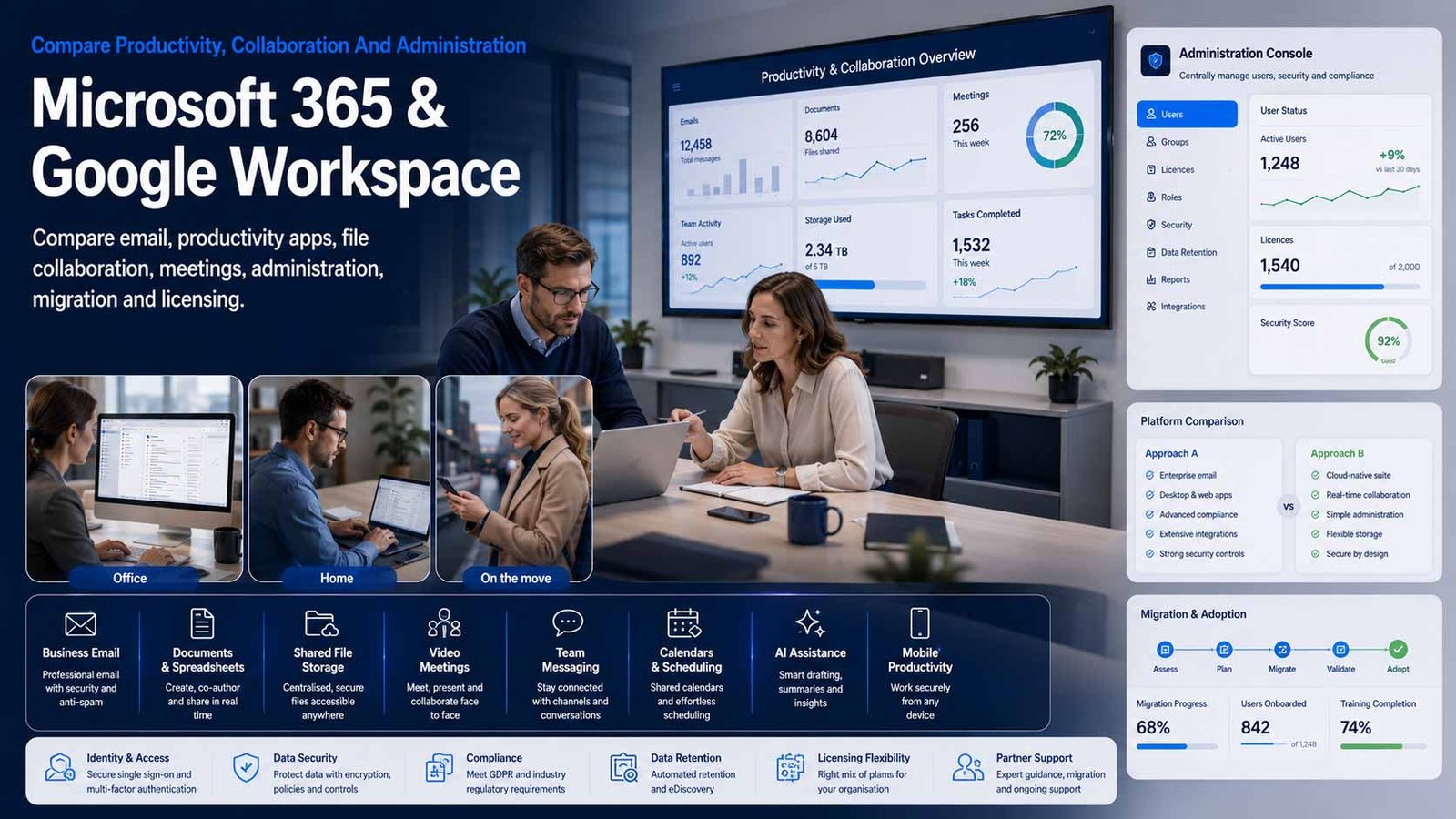
The Platform Should Match How The Business Works
Microsoft 365 and Google Workspace both provide business email, documents, storage, meetings and administration, but they organise work, permissions, devices and collaboration differently.
- Map real document, email, meeting and approval workflows before choosing
- Separate platform licensing from migration, configuration and user adoption
- Define identity, sharing, retention and administrator controls before rollout
- Measure active use, external sharing, licence fit and support demand after launch
Microsoft 365 and Google Workspace are cloud productivity suites that combine business email, calendars, document creation, file storage, meetings, messaging, administration and collaboration. Microsoft 365 centres familiar Office applications, Exchange, Teams, OneDrive and SharePoint around Microsoft identity and device-management options. Google Workspace centres Gmail, Calendar, Meet, Chat, Drive and browser-native collaborative editors around Google identity and the Admin console.
The correct decision depends on the working environment rather than a simple feature count. Existing documents, desktop application dependencies, spreadsheets, email habits, meeting rooms, devices, customer file formats, offline work, external collaboration, compliance evidence and administrator skills can all change which platform and edition is practical.
This page does not compare full managed IT services or business broadband. End-user support, device troubleshooting, service-desk operations and wider infrastructure management belong on the IT Support page. Internet access and connectivity belong in the Connectivity & Telecoms category. A specialist provider may supply licensing, migration, configuration and adoption help here, but broader outsourced IT must be evaluated separately.
Compare The Required Edition, Not Only The Brand
Both vendors use layered plans. The right comparison maps each user role and governance requirement to the current edition rather than buying one licence for everyone.
| Platform Or Edition Family | Typical Position | Best-Fit Question |
|---|---|---|
| Microsoft 365 Business Basic | Cloud business email, web and mobile Office applications, OneDrive, SharePoint and collaboration services for organisations that do not need installed desktop Office apps for every user | Will browser and mobile applications meet the role’s needs, and are Teams, storage, identity and administration requirements covered by the exact current bundle? |
| Microsoft 365 Business Standard | Adds installed desktop Office applications for users who need full Word, Excel, PowerPoint, Outlook and offline capability alongside cloud services | Which users genuinely need desktop applications, advanced spreadsheet capability, local file workflows or offline work? |
| Microsoft 365 Business Premium | Adds stronger identity, device-management and business-security capabilities to the Business suite for organisations within the supported user limit | Can the organisation configure and operate the additional controls, or is implementation and ongoing specialist support required? |
| Microsoft 365 Enterprise Plans | Enterprise productivity, identity, compliance, analytics, communications and security combinations for larger or more complex organisations | Which enterprise capabilities are mandatory, and can mixed licensing reduce cost without creating an unmanageable entitlement model? |
| Google Workspace Business Starter | Business Gmail, calendar, meetings, chat, cloud storage and browser-based productivity applications for smaller teams with lighter storage and control requirements | Are pooled storage, meeting, retention, administration and shared-drive requirements satisfied by the entry edition? |
| Google Workspace Business Standard | Expanded pooled storage, meeting and collaborative capabilities for teams relying on shared browser-based documents and distributed work | Will the business use the increased collaboration and storage enough to justify the edition for every licensed user? |
| Google Workspace Business Plus | Adds higher pooled storage and additional governance, meeting and retention capabilities for growing organisations | Which Vault, endpoint, meeting, access and information-governance requirements depend on this edition? |
| Google Workspace Enterprise | Enterprise controls, scale, support and advanced administration for organisations above the Business plan user limit or with more demanding governance needs | Which enterprise features and data-region or assurance options are required, and what partner capability is needed to deploy them? |
Eight Areas That Determine Microsoft 365 Or Google Workspace Fit
Use the same workstyle and governance criteria for both platforms so familiar brands, bundled AI and headline prices do not hide migration or administration requirements.
Comparison Criterion
Email, Calendar And Domain Management
Compare mailbox size, shared mailboxes or delegated access, aliases, groups, calendars, resource booking, spam controls, routing, journalling, migration tools and domain administration. Confirm how former employees, shared addresses and customer-facing mailboxes will be licensed and retained.
Comparison Criterion
Document Applications And Offline Work
Assess Word, Excel and PowerPoint compatibility against Docs, Sheets and Slides collaboration. Review advanced formatting, macros, add-ins, large spreadsheets, templates, desktop installation, browser use, offline editing, mobile access and the file formats customers or regulators expect.
Comparison Criterion
File Storage, Shared Content And Search
Compare OneDrive and SharePoint with My Drive and shared drives, including ownership, permissions, external sharing, version history, search, metadata, lifecycle, sync clients and large-file behaviour. The design should prevent business records remaining under personal ownership.
Comparison Criterion
Meetings, Messaging And Hybrid Collaboration
Review Teams against Meet and Chat for meetings, recordings, captions, webinars, rooms, guest access, channels, chat retention and interoperability. Keep cloud telephony procurement on its dedicated service pages even where calling can be added to either environment.
Comparison Criterion
Identity, Access And Device Administration
Compare user lifecycle, groups, single sign-on, multifactor authentication, conditional or context-aware access, mobile and endpoint controls, browser management, device compliance, privileged administration and emergency access. Confirm which controls depend on higher plans or separate products.
Comparison Criterion
Retention, Audit And Information Governance
Assess retention, legal hold, eDiscovery, audit history, data-loss controls, labels, classification, ownership, deleted-user handling and records export. Requirements should be based on the organisation’s data, contracts and obligations rather than assuming the platform’s default retention is enough.
Comparison Criterion
Integration, Automation And AI Features
Review Microsoft Power Platform, Graph and Copilot options against Apps Script, Workspace APIs, Gemini and marketplace integrations. Compare data access, permissions, licensing, connectors, development skills, change control and whether an AI feature uses information that has been shared too broadly.
Comparison Criterion
Licensing, Migration And Partner Support
Compare direct subscription with specialist partner routes, annual and flexible commitments, edition mixing, renewals, migration scope, administrator support, user training, licence optimisation and escalation. Require clear separation between platform support and broader managed IT services.
Measures To Define Before A Workspace Contract Is Signed
Translate promises such as productive, collaborative and secure into measurable adoption, administration and governance requirements.
| Measure | What It Should Define | Evidence To Request | Common Weakness |
|---|---|---|---|
| Licensed-user fit | Whether each user has an edition aligned to the applications, storage, security and governance they actually need | Role-to-licence map, inactive users, duplicated subscriptions, exceptions and renewal review | Every employee receives the same plan because role requirements were never assessed |
| Active adoption | Whether users regularly use the selected email, files, meetings, messaging and collaborative editing capabilities | Active-user reports, application use, shared-document activity, training completion and support demand | The platform is technically deployed while work remains in local files, personal accounts and email attachments |
| External sharing | How much content is shared outside the organisation and whether access remains current and authorised | Guest inventory, anonymous links, ownership, expiry, sensitive-content exceptions and review process | External access accumulates because projects end without a sharing review |
| Account and licence lifecycle | How quickly joiners, movers, leavers and dormant accounts are handled | Provisioning time, deactivation, mailbox or file transfer, licence recovery and access review | Former employees retain access or business files remain under an inaccessible personal account |
| Email and file migration quality | Whether required mail, calendars, permissions, files, versions and shared structures transfer completely | Pilot results, exception log, reconciliation, user acceptance and rollback | Only record counts are checked while permissions, links, metadata and delegated access fail |
| Meeting and collaboration reliability | Whether users can join, present, record, share and work with internal and external participants | Call quality, join success, room tests, guest scenarios, recording policy and support incidents | The platform works for internal laptop users but fails for rooms, mobile users or external guests |
| Security and access posture | Whether identity, multifactor authentication, privileged access, application access and device controls are implemented as designed | Coverage reports, risky exceptions, administrator review, third-party apps and corrective actions | A higher licence is purchased but the included controls remain unconfigured |
| Retention and recoverability | How long email, files, chat and records remain available and how accidental deletion or service loss is handled | Retention map, hold tests, deleted-user process, independent backup decision and restore evidence | Retention, recycle bins, legal hold and backup are treated as interchangeable |
| Support and administration demand | The internal and provider effort required to operate users, policies, sharing, updates and incidents | Ticket volumes, response targets, recurring tasks, owner, escalation and optimisation reviews | A low subscription price is offset by unplanned internal administration |
| Total cost per active user | The complete licensing, partner, migration, training, support and add-on cost for people using the platform effectively | Three-year cost, active-user evidence, add-ons, storage, support and change assumptions | Headline licence prices are compared without migration, adoption or unused seats |
Microsoft 365, Google Workspace And Specialist UK Providers
Choose the platform first, then decide whether direct licensing or a specialist migration and adoption partner is appropriate. Confirm current plans, accreditations, scope and pricing directly before award.
Platform Or Provider Profile
Microsoft 365 Business
Microsoft’s direct productivity-suite route combines Exchange business email, Office applications, OneDrive, SharePoint, Teams and identity or device controls according to the selected plan. Include it where desktop Office compatibility, Microsoft file formats, Windows alignment or Teams-centred collaboration matter. Confirm the current Teams-inclusive or no-Teams bundle, user limit, required add-ons, data location, support route and administration capability.
Review official Microsoft 365 plansPlatform Or Provider Profile
Google Workspace
Google’s direct cloud productivity route combines Gmail, Calendar, Meet, Chat, Drive, Docs, Sheets, Slides and central administration, with Gemini capabilities and governance features varying by current edition. Include it where browser-native collaboration, shared live documents and simplified cloud working fit the culture. Confirm pooled storage, Business-plan user limits, Vault, data-region options, support and migration requirements.
Review official Google Workspace informationPlatform Or Provider Profile
Cloud Direct
UK Microsoft specialist offering Microsoft 365 assessment, licensing guidance, migration, optimisation, adoption and related configuration services. Include Cloud Direct where the organisation wants a Microsoft-focused partner to plan and improve its environment rather than purchasing licences alone. Keep the comparison on Microsoft 365 scope and confirm support hours, migration deliverables, licence ownership, ongoing administration and service boundaries.
Review official Microsoft 365 servicesPlatform Or Provider Profile
Transparity
UK Microsoft-focused partner providing Microsoft 365 consulting, migration, licensing optimisation, adoption and modern-workplace services. Include Transparity where Microsoft specialisation, complex deployment or structured change support matters. Confirm the proposed delivery team, design responsibilities, required licences, adoption deliverables, support model and whether wider Azure, security or business-application work is separately scoped.
Review official Microsoft 365 consulting informationPlatform Or Provider Profile
Cobweb
UK Microsoft cloud provider offering Microsoft 365 migration, licensing and managed platform services. Include Cobweb where a business wants a partner to assist with migration, operation and user productivity in the Microsoft environment. Confirm which platform-management tasks are included, how security and broader managed services are separated, support response, licence flexibility, tenant ownership and exit arrangements.
Review official Microsoft 365 migration informationPlatform Or Provider Profile
Telana
Google Cloud and Microsoft partner, previously operating the Ancoris brand, with Google Workspace capability covering productivity, collaboration, migration and AI-enabled working. Include Telana where a business wants a transformation partner with Google Workspace experience and wider Google expertise. Confirm the current contracting entity, licence route, migration method, adoption scope, ongoing administration, support and any work that sits outside Workspace.
Review official Google Workspace capabilityPlatform Or Provider Profile
Netpremacy
Google-focused UK partner delivering Google Workspace migration, adoption, collaboration and customer-success services. Include Netpremacy where a Google-native operating model, organisational change and complex migration are central to the decision. Confirm user and data scope, technical migration tools, shared-drive design, training, post-launch support, licence ownership and whether broader Google Cloud services are separately contracted.
Review official Google Workspace servicesPlatform Or Provider Profile
Beyond
Google Cloud Premier Partner formed from the Appsbroker and CTS lineage, with a digital-workplace capability alongside cloud, data, AI and security services. Include Beyond where enterprise-scale Google Workspace change, engineering and adoption support are required. Confirm the exact Workspace team, migration responsibilities, change programme, administration model, support, commercial structure and the boundary from wider Google Cloud consulting.
Review official digital-workplace capabilityWhat Changes Microsoft 365 And Google Workspace Cost
The public user price is only one component. Edition mixing, migration, data growth, AI, administration, support and third-party services can materially change the first-year and steady-state budget.
| Cost Driver | Why It Changes Spend | What A Comparable Proposal Should Show |
|---|---|---|
| User licence and edition | Web-only, desktop-app, advanced security, governance, enterprise and AI requirements can place users in different plans | Role-to-edition schedule, quantities, eligibility, minimums, annual or monthly terms and three-year growth |
| Teams or communications packaging | Microsoft bundles may be available with or without Teams, while voice, webinars and advanced meeting capabilities can require separate licences | Required meeting and messaging features, current bundle, add-ons, phone-system exclusion and renewal basis |
| Storage and retained data | Mailbox, OneDrive, SharePoint or pooled Google storage, archives, retained users and rapid growth can create add-on or higher-plan costs | Current and forecast data, shared content, inactive users, archives, retention and additional-storage assumptions |
| AI and advanced productivity | Copilot, Gemini, advanced search, meeting intelligence and agent capabilities may be included, bundled or separately licensed as products change | Eligible base plans, intended users, usage, governance, training, adoption threshold and renewal assumptions |
| Migration and coexistence | Mailboxes, calendars, files, permissions, shared drives, domains, identities and staged coexistence create one-off work and tooling costs | Source inventory, migration waves, tools, exceptions, bandwidth, cutover, rollback and user support |
| Configuration and governance | Identity, groups, sharing, retention, device controls, external access, application permissions and administrator design require specialist work | Policies, plan dependencies, configuration deliverables, evidence, documentation and customer tasks |
| User training and adoption | New file ownership, live collaboration, meetings, chat and AI change how people work and can create productivity loss without support | Role-based training, champions, communications, floor support, usage measures and follow-up |
| Partner support and administration | Licensing support, tenant administration, service reviews, escalation and change management can be bundled or separately charged | Included requests, service hours, response targets, named responsibilities, limits and chargeable work |
| Third-party applications and backup | Email signatures, migration tools, archive, independent backup, security, workflow and line-of-business integrations can add subscriptions | Required products, user coverage, data access, ownership, support and duplicate functionality |
| Renewal, reduction and exit | Annual commitments, seat reductions, direct-to-partner transfers, data export, domain control and notice affect lifetime cost | Renewal date, price basis, reduction rights, tenant ownership, transition assistance and deletion process |
How The Working Environment Changes The Shortlist
The right platform and partner depend on document complexity, collaboration culture, devices, regulation, current systems and internal administration capacity.
Microsoft-Document-Heavy Business
Prioritise desktop Office compatibility, complex Excel and Word files, Outlook workflows, Windows identity, Teams, SharePoint governance and a licence model that separates desktop, security and AI needs by role.
Browser-First Collaborative Team
Prioritise live co-authoring, Gmail, shared drives, Meet, simple browser access, external collaboration, Chrome administration and a migration plan for Microsoft formats that must remain compatible.
Regulated Or Evidence-Heavy Organisation
Prioritise retention, audit, eDiscovery, legal hold, data location, administrator separation, access reviews, application controls and a provider capable of documenting configuration and change.
Business Moving From Legacy Email And File Servers
Prioritise discovery, domain preparation, identity, mailbox and file migration, permissions, coexistence, cutover, user support, legacy retirement and a clear post-launch ownership model.
How To Compare Workspace Proposals
Give every provider the same user roles, current applications, mailboxes, domains, files, shared structures, external collaborators, devices, retention requirements, integrations, migration constraints and support assumptions. Require every response to map requirements to named plans and separate licensing from professional services.
- Each user role maps to a named edition and required add-ons
- Migration includes mail, calendars, files, permissions and exceptions
- Identity, sharing, retention and administrator controls are demonstrated
- Training and adoption measures are included
- Tenant ownership and support boundaries are explicit
- Licence reduction, transfer and data export are covered at exit
Make Every Finalist Demonstrate The Same Working Day
Ask each platform or provider to run the same scenarios: create and co-author a document, work offline, share externally, recover a deleted file, onboard a user, remove a leaver, apply retention and produce an audit record.
Compare the user and administrator effort behind the result before comparing brand familiarity or bundled features.
Six Questions To Put To Every Workspace Provider
The answers expose plan dependencies, migration exclusions, weak administration and commercial lock-in before the contract starts.
Which Platform And Edition Fits Each User Role?
Request a role-to-plan schedule showing applications, storage, meetings, security, retention, AI, add-ons and users who need desktop or enterprise capability.
How Will Mail, Files And Permissions Be Migrated?
Confirm source systems, volumes, shared mailboxes or drives, ownership, permissions, versions, links, archives, trial migration, exceptions, reconciliation and rollback.
How Will Identity And External Sharing Be Controlled?
Ask for multifactor authentication, groups, privileged roles, guest access, anonymous links, application permissions, device controls, emergency access and regular reviews.
What Retention, Audit And Recovery Are Included?
Separate recycle-bin recovery, retention, legal hold, archive and independent backup, then confirm deleted-user handling, audit access and restore responsibilities.
What Adoption And Ongoing Administration Are Included?
Request training, champions, communications, support, licence optimisation, service reviews, roadmap changes, policy ownership and measures for active use.
Who Owns The Tenant And What Happens At Exit?
Confirm domain, billing, administrator and tenant ownership, licence transfer, data export, partner transition, notice, assistance, retained data and deletion evidence.
A Seven-Stage Microsoft 365 Or Google Workspace Evaluation
Move from real work and data evidence to controlled adoption rather than choosing a brand and discovering compatibility or governance gaps after migration.
- Inventory users, roles, mailboxes, domains, documents, shared folders, applications, devices, meeting rooms, integrations, archives and current support problems.
- Map working scenarios and governance requirements, including desktop applications, offline use, external sharing, retention, identity, devices and administrator roles.
- Create a role-based edition model and identify platform dependencies, file-compatibility risks, migration exceptions and third-party products.
- Issue one written brief and obtain comparable platform demonstrations, licence schedules, migration plans, adoption proposals and support terms.
- Run a configured pilot with representative users, documents, guests, devices and administrators, testing collaboration, compatibility, access and support.
- Migrate in controlled waves with domain preparation, coexistence, reconciliation, user communication, cutover support, rollback and legacy-service retirement.
- Operate with named ownership, licence reviews, sharing and app-access checks, retention governance, adoption measures, release communication and improvement reviews.
Microsoft 365 / Google Workspace Comparison Checklist
Use this table before approving licences, a migration statement of work or an ongoing partner agreement.
| No. | Requirement | Evidence To Obtain Before Award | Confirmed |
|---|---|---|---|
| 01 | User roles, work patterns and business owner agreed | Role list, office and remote work, desktop needs, external collaboration and accountable owner | |
| 02 | Current mail, file and application inventory completed | Mailboxes, domains, aliases, calendars, files, permissions, archives, add-ins and integrations | |
| 03 | Microsoft file compatibility assessed | Complex Word, Excel and PowerPoint files, macros, templates, add-ins, offline use and customer formats | |
| 04 | Role-to-edition licence model approved | Named plans, quantities, desktop apps, storage, security, retention, AI and add-on dependencies | |
| 05 | Identity and administrator design demonstrated | User lifecycle, multifactor authentication, privileged roles, groups, emergency access and reviews | |
| 06 | External sharing and guest controls agreed | Guest lifecycle, anonymous links, expiry, ownership, sensitive content, application access and offboarding | |
| 07 | Retention, audit and deleted-user handling mapped | Policies, holds, archive, audit access, mailbox and file ownership, recovery and independent backup decision | |
| 08 | Data location and contractual requirements checked | Tenant geography, service-specific commitments, transfers, subprocessors, contractual controls and exceptions | |
| 09 | Migration scope and reconciliation accepted | Mail, calendars, contacts, files, permissions, versions, shared structures, exceptions, pilot and rollback | |
| 10 | Meeting, room and external-user scenarios tested | Join, present, record, captions, guests, mobile, room hardware, interoperability and support | |
| 11 | Integrations and third-party apps reviewed | Apps, OAuth or Graph access, connectors, APIs, owners, permissions, support and failure handling | |
| 12 | Training, adoption and change plan resourced | Role-based training, champions, communications, floor support, usage measures and follow-up | |
| 13 | Ongoing administration and support agreed | Licensing, joiners, leavers, policies, sharing, incidents, service hours, escalation and roadmap changes | |
| 14 | Three-year total cost compared | Licences, add-ons, migration, storage, partner services, support, training, administration and growth | |
| 15 | Tenant ownership, transfer and exit agreed | Domain control, global administration, billing, licence transfer, data export, assistance, notice and deletion |
Common Microsoft 365 And Google Workspace Buying Mistakes
Most avoidable problems begin with a brand-led decision, incomplete migration scope or licence comparison that excludes governance and adoption.
| Mistake | Why It Creates Risk | Better Control |
|---|---|---|
| Choosing on application familiarity alone | Existing habits can hide poor collaboration, governance or administration fit | Test complete working scenarios and future requirements |
| Giving every user the same licence | The business overpays for unused features or leaves specialist roles without required controls | Map editions and add-ons by role |
| Migrating unowned and obsolete files | Old duplicates, personal folders and excessive sharing move into the new platform | Clean, classify and assign business ownership before migration |
| Assuming file conversion is lossless | Complex spreadsheets, macros, templates and formatting may not behave identically | Test representative files and retain the required native application route |
| Treating migration as a technical copy only | Users cannot find files, understand sharing or adopt new collaboration methods | Include information design, communications, training and post-launch support |
| Leaving external sharing at broad defaults | Anonymous or persistent guest access can expose business information | Design sharing rules, expiry, ownership and review before rollout |
| Buying advanced controls without configuring them | A premium plan creates cost but does not automatically improve administration or security | Assign control owners, implementation evidence and ongoing review |
| Confusing retention with independent backup | Retention and recycle bins may not meet all recovery or separation requirements | Define records, legal hold and recovery as separate decisions |
| Letting the partner own critical tenant access | The business can become dependent on one supplier for domains, billing and administration | Keep authorised customer administrators and documented transfer rights |
| Ignoring renewal and licence-reduction terms | Unused seats and add-ons continue because commitments cannot be reduced mid-term | Model growth, reductions, renewal dates and exit before award |
Frequently Asked Questions
Answers to common questions from UK businesses comparing Microsoft 365, Google Workspace and specialist migration providers.
What Is The Main Difference Between Microsoft 365 And Google Workspace?
Microsoft 365 combines cloud services with familiar desktop Office applications and close alignment with Windows, Exchange, Teams, OneDrive and SharePoint. Google Workspace is centred on Gmail, Drive, Meet and browser-native collaborative editors. Both support cloud working, but document compatibility, administration and team habits differ.
Which Is Better For A Small UK Business?
Neither platform is universally better. Microsoft 365 often fits businesses that rely on desktop Office files, Outlook or Windows administration. Google Workspace often fits browser-first teams that prioritise simple live collaboration. Compare real documents, users, devices, external sharing, governance and total cost.
Do Microsoft 365 And Google Workspace Include Business Email?
Yes. Microsoft 365 business plans can provide Exchange Online email, while Google Workspace provides Gmail for a business domain. Compare mailbox size, shared-address handling, aliases, delegated access, retention, migration, routing and the administration needed for former employees.
Can A Business Use Both Microsoft 365 And Google Workspace?
It is possible, but running both increases identity, email, file, meeting, support and licensing complexity. A mixed environment should have a clear business reason, named system of record, defined user groups and controls that prevent duplicate files, conflicting calendars and unmanaged sharing.
How Should A Business Choose Microsoft 365 Licences?
Map users to the applications and controls they need. Some roles may require web apps only, others installed desktop Office, and others device management, advanced security, compliance or AI. Confirm the current bundle, Teams inclusion, add-ons, user limits and annual commitment before purchase.
How Should A Business Choose Google Workspace Licences?
Compare pooled storage, meetings, shared drives, Vault, endpoint controls, data-region options, AI features, support and user limits across current Business and Enterprise editions. Map each requirement to the plan and avoid upgrading every user when only selected roles need an advanced capability.
How Long Does A Workspace Migration Take?
Timing depends on users, mailboxes, files, permissions, internet capacity, domains, coexistence, application dependencies and change support. A small clean migration can be quick, while complex mail, shared drives and identity consolidation require discovery, pilots, staged waves, reconciliation and post-cutover support.
Do These Platforms Back Up Business Data?
Both platforms provide resilient services, retention and recovery features, but those capabilities are not identical to every organisation's backup requirement. Decide separately how deleted items, former users, long-term versions, legal holds and independent recoverable copies should be handled.
Should A Business Buy Direct Or Through A Partner?
Direct purchase can suit organisations with capable administrators and a straightforward migration. A specialist partner may add licensing advice, migration, configuration, adoption and escalation. Compare tenant ownership, support boundaries, accreditations, service response, contract flexibility and exit—not only reseller discount.
How Should A UK Business Compare Microsoft 365 And Google Workspace Providers?
Give every platform or provider the same user roles, application dependencies, mail and file volumes, sharing, devices, retention, migration, training and support assumptions. Compare configured demonstrations, edition mapping, migration evidence, administration, three-year cost and exit terms.
Platform Information And UK Data-Governance Resources
Reviewed by Bhav Giva, Founder & Lead Analyst at CompareServices.co.uk, on 16 July 2026.
Use official platform and provider documentation to confirm current editions, bundles, user limits, data locations, security, pricing, support and contractual terms. Productivity-suite packaging and AI entitlements can change during a buying cycle.
- Microsoft — Business Plans And Pricing
- Microsoft — Microsoft 365 Data Locations
- Google — Google Workspace For Business
- Google — Choose A Workspace Edition
- Google — Control Application Access To Workspace Data
- NCSC — Cloud Security Principles
- ICO — Data Protection By Design And By Default
- Cloud Direct — Microsoft 365
- Transparity — Microsoft 365 Consulting
- Cobweb — Microsoft 365 Migration
- Telana / Ancoris — Google Workspace
- Netpremacy — Google Workspace Services
- Beyond — Digital Workplace