
Compare ERP Systems Providers UK (2026)
Compare Process Coverage, Industry Fit, Implementation And Total Cost
Compare ERP systems for UK small and growing businesses by finance, purchasing, inventory, order management, production, supply chain, multi-company control, reporting, integration, security, implementation effort and total ownership cost. Evaluate providers against the same end-to-end operating requirements before replacing disconnected software, spreadsheets or a legacy business-management platform.
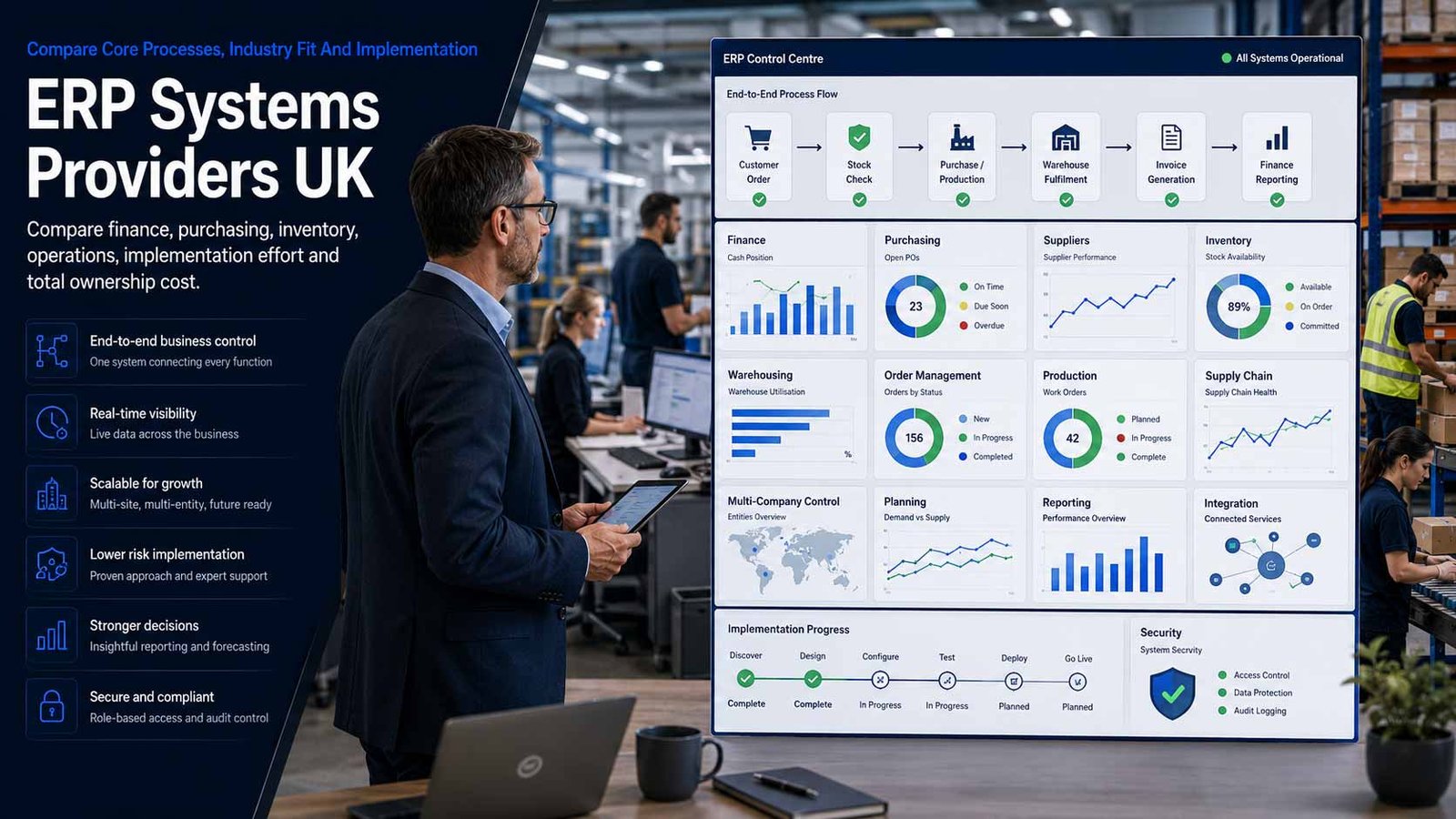
ERP Selection Is A Business-Operating-Model Decision
An ERP can replace fragmented records and connect operational processes, but it also standardises how the business plans, buys, makes, stores, sells, fulfils and reports.
- Map end-to-end processes before comparing modules or demonstrations
- Separate standard configuration from genuine competitive requirements
- Clean master data and define ownership before migration
- Fund process change, testing, training and post-launch improvement
Enterprise resource planning software connects core finance and operational processes through a shared data model and controlled transactions. Depending on the organisation, that may include purchasing, suppliers, stock, warehousing, order management, production, planning, quality, assets, multi-company finance and operational reporting.
The buying decision should begin with the processes that cross departments. An order may affect availability, procurement, production, warehouse work, shipment, invoicing and cash. A purchase may affect approval, supplier commitments, incoming stock, quality checks, cost and payment. The ERP must preserve those dependencies without forcing staff to maintain conflicting records in several systems.
This page does not compare CRM-only products or accounting-only software. Detailed lead, contact and sales-pipeline selection belongs on the CRM page. Bookkeeping, invoicing and small-business accounting packages belong on the accounting-software page. Finance is assessed here only as one part of a wider integrated operational system.
Map The End-To-End Processes The ERP Must Control
An ERP is valuable when transactions remain connected across departments. Compare process evidence rather than counting isolated modules.
| Process | What It Typically Connects | Best-Fit Question |
|---|---|---|
| Record-to-report | Ledgers, dimensions, period close, consolidation, tax records, cash, fixed assets and management reporting | Can finance trace every posting to the originating operational transaction, approval and user? |
| Procure-to-pay | Requisitions, approvals, purchase orders, receipts, supplier invoices, matching, commitments and payment preparation | Can spend controls, exceptions and supplier performance be enforced without manual side records? |
| Order-to-cash | Quotes or orders, availability, pricing, allocation, fulfilment, shipment, invoicing, returns and credit controls | Does one order state remain accurate across sales, stock, warehouse, operations and finance? |
| Inventory and warehouse control | Items, units, locations, bins, batches, serials, movements, counts, replenishment and traceability | Can the system support the required accuracy, stock visibility, valuation and audit evidence at every site? |
| Plan-to-produce | Demand, bills of material, routings, materials, capacity, work orders, labour, quality, yield and production cost | Does planning reflect the real manufacturing mode, constraints and level of shop-floor control? |
| Supply-chain planning | Forecasts, purchasing signals, lead times, safety stock, supplier capacity, transfer planning and exception management | Can planners see assumptions, shortages, late supply and the operational consequence of changes? |
| Service or operational delivery | Resources, service items, contracts, usage, costs, billing triggers and operational completion evidence | Does the ERP support the business model without attempting to replace specialist project-management software? |
| Multi-company and multi-site control | Entities, sites, currencies, tax rules, intercompany transactions, shared services, consolidation and permissions | Can local operations work efficiently while group controls, reporting and segregation remain consistent? |
Eight Areas That Determine ERP System Fit
Use the same operational criteria for every provider so breadth, AI claims and standard demonstrations do not conceal process gaps or implementation risk.
Comparison Criterion
Industry And Operating-Model Fit
Compare support for distribution, manufacturing, services, retail, construction or other relevant operating models. Review units, variants, batches, serials, quality, planning, costing, subcontracting, returns and sector-specific controls before assuming a general ERP can be configured economically.
Comparison Criterion
Finance, Entities And Management Control
Assess ledgers, dimensions, multi-company operation, consolidation, currencies, VAT, cash, fixed assets, budgeting, period close and management reporting. Confirm that financial control is integrated with operations without turning the comparison into an accounting-package review.
Comparison Criterion
Procurement And Supplier Management
Review requisitions, approval limits, purchase orders, contracts, receipts, three-way matching, supplier performance, landed costs and commitments. The workflow should reflect real authorisation and exception paths rather than moving them into email.
Comparison Criterion
Inventory, Warehouse And Traceability
Compare item structures, multiple units, locations, bins, counts, replenishment, allocations, batches, serials, shelf life, returns and warehouse mobility. Require demonstrations using representative item volumes, movements and traceability scenarios.
Comparison Criterion
Order Management And Fulfilment
Assess pricing, availability, allocation, partial fulfilment, back orders, credit controls, shipment, invoicing, returns and customer-specific terms. Confirm that users can see one reliable order state from entry through delivery and financial completion.
Comparison Criterion
Production, Planning And Costing
For manufacturers, review bills of material, routings, work centres, capacity, material planning, work orders, quality, yield, scrap, labour and actual cost. Match the system to discrete, process, mixed-mode or configure-to-order requirements.
Comparison Criterion
Data, Integration And Extensibility
Assess APIs, webhooks, data import, electronic data interchange, ecommerce, shipping, banking, payroll, specialist applications, low-code tools and upgrade-safe extensions. Separate supported configuration from custom code and record who maintains every integration.
Comparison Criterion
Security, Administration And Lifecycle
Review roles, segregation of duties, approvals, single sign-on, multi-factor authentication, audit history, environments, release management, backup, resilience, data locations, support and vendor roadmap. The buyer remains responsible for secure configuration and controlled change.
Measures To Define Before An ERP Contract Is Signed
Translate claims such as one source of truth, real-time visibility and process automation into measurable operating requirements.
| Measure | What It Should Define | Evidence To Request | Common Weakness |
|---|---|---|---|
| Transaction completeness | Whether a business event is recorded once and reaches every required operational and financial stage | End-to-end scenario, exception report, reconciliation and audit trail | Departments complete their part but the transaction fails silently elsewhere |
| Master-data quality | Accuracy and ownership of items, suppliers, customers, bills, routings, prices, units and dimensions | Data standards, duplicate rules, approval, change log and stewardship dashboard | Poor data is migrated and then distributed more efficiently across the new system |
| Inventory accuracy | The acceptable difference between recorded and physical stock by site, location and item class | Cycle-count method, variance, adjustments, negative-stock controls and traceability test | The ERP is blamed for stock errors created by weak receiving and movement discipline |
| Order fulfilment | Required performance for availability, promise dates, picking, shipment, invoicing and returns | On-time-in-full definition, backlog, exceptions, partial delivery and cause analysis | Reports show shipment volume but not whether the business fulfilled the customer promise |
| Procurement control | Approval, commitment, receipt, invoice match and supplier-exception standards | Approval evidence, unmatched items, late orders, price variance and owner | Spend is recorded after it happens rather than controlled before commitment |
| Planning reliability | How demand, lead times, capacity, stock and supply assumptions produce actionable plans | Forecast accuracy, planner overrides, shortage report, schedule adherence and exception reasons | Users export plans to spreadsheets because recommendations are not trusted |
| Production or service cost | How planned and actual material, labour, overhead, subcontract and variance are calculated | Representative cost build, postings, variance analysis and period treatment | Finance and operations use different cost definitions and cannot reconcile margins |
| Close and reporting speed | How quickly the business can complete period activities and produce trusted operational and financial reporting | Close calendar, reconciliations, late postings, consolidation and report lineage | A new ERP reproduces the same manual month-end work in different screens |
| User adoption and control | Which roles perform transactions in the ERP and which workarounds are prohibited | Active use, late entries, spreadsheet register, training status and manager review | The licence count looks healthy while operational truth remains outside the system |
| Integration reliability | Whether connected systems exchange complete, timely and correctly mapped data | Interface monitoring, rejected messages, reconciliation, alerts and named support owner | A failed integration creates stock, order or financial differences before anyone notices |
| Availability and recovery | Required operating hours, interruption tolerance, backup and recovery objectives | Service terms, architecture, recovery plan, exercise results and offline procedure | A cloud SLA is treated as proof that the complete business process can recover |
| Cost per controlled transaction | The complete recurring and operating cost relative to useful, correctly completed transactions | Licence, platform, support, partner, admin and integration cost with volume assumptions | A low subscription price hides high manual work, customisation or partner dependency |
ERP System Providers UK Businesses Can Consider
Shortlist providers whose process depth, industry fit, implementation ecosystem and contract model match the business. Confirm current editions, localisation, regions, functionality and pricing directly before approval.
Provider Profile
Microsoft Dynamics 365 Business Central
Cloud ERP for small and midsize organisations covering finance, purchasing, inventory, sales, projects, service and—at the Premium level—manufacturing and service-management capability. Include it where Microsoft 365, Power Platform, Azure identity or an established Dynamics partner ecosystem matters. Check localisation, extension quality, partner ownership, environment strategy and the exact distinction between standard capability and custom work.
Review official Business Central informationProvider Profile
Oracle NetSuite ERP
Unified cloud ERP spanning financial and operational management, inventory, order management, procurement, supply chain, production and related modules. Include it where a growing or multi-entity business needs one cloud suite and broad international capability. Confirm module dependencies, implementation scope, localisation, user and service tiers, integration, data residency choices and the commercial effect of future growth.
Review official NetSuite ERP informationProvider Profile
SAP Business One
ERP designed for small and midsize businesses, combining finance, purchasing, inventory, sales, customer operations, production and reporting. It can be deployed through SAP partners on-premises or in hosted and cloud arrangements. Include it where an established product-centric business wants broad core control, while checking partner solution architecture, add-ons, database choice, hosting, mobile and upgrade responsibilities.
Review official SAP Business One informationProvider Profile
Odoo
Integrated suite of open-source business applications covering accounting, purchasing, inventory, manufacturing, sales, ecommerce, point of sale and other operational areas. Include it where modular adoption, broad workflow coverage and configurable applications are attractive. Compare Odoo Online, Odoo.sh or other hosting, Community and Enterprise editions, UK localisation, partner capability, custom modules, upgrade safety and support ownership.
Review official Odoo platform informationProvider Profile
Sage X3
ERP aimed at product-centric and operationally complex organisations, connecting finance, supply chain and manufacturing across entities and sites. Include it where distribution, process or discrete manufacturing, batch traceability or international operations require more depth than an entry-level system. Confirm which current SaaS or other deployment model is proposed, industry capability, partner resources, extensions, implementation assumptions and roadmap.
Review official Sage X3 informationProvider Profile
Acumatica Cloud ERP
Cloud ERP platform with financial, distribution, manufacturing, construction, retail and professional-services editions, low-code configuration and a resource-based licensing approach. Include it where a growing organisation needs industry capability, mobility and adaptable workflows. Confirm the UK partner and localisation position, edition, transaction and resource assumptions, hosting region, implementation method, support and the maturity of required integrations.
Review official Acumatica informationProvider Profile
Epicor Kinetic
Cloud ERP designed for manufacturers, with product, production, supply-chain, financial and business-intelligence capability. Include it where manufacturing process depth, engineering data, scheduling, traceability and shop-floor control are central to the requirement. Verify deployment model, country functionality, industry bundles, partner or Epicor delivery roles, migration path, device and user licensing, integrations and operational support.
Review official Epicor Kinetic informationProvider Profile
Infor CloudSuite Industrial
Industry-focused cloud ERP for small and midsize manufacturers, covering production, inventory, planning, finance and operational visibility. Include it where a manufacturing business values preconfigured sector processes and cloud delivery. Confirm the exact CloudSuite edition, UK availability, implementation partner, localisation, extensions, integrations, data migration, release management and whether specialist capabilities are included or separately licensed.
Review official CloudSuite Industrial informationWhat Changes The Cost Of ERP Systems
ERP cost is created by process scope, implementation, data, integrations, extensions, training and long-term ownership—not only the software subscription.
| Cost Driver | Why It Changes Spend | What A Comparable Proposal Should Show |
|---|---|---|
| User, device and role licensing | Full users, team members, warehouse devices, shop-floor users, administrators and external users may have different rights and prices | Role-to-licence schedule, minimums, annual commitment, growth, temporary users and restricted-user assumptions |
| Modules and industry capability | Manufacturing, warehouse, planning, service, consolidation, payroll connectors, ecommerce or advanced reporting may be separate modules | Required module map, dependencies, included limits, optional scope and future-phase pricing |
| Implementation and process design | Workshops, process decisions, configuration, governance, documentation and programme management can exceed the initial software cost | Work packages, deliverables, customer responsibilities, assumptions, acceptance, governance and change rates |
| Data migration and cleansing | Items, suppliers, customers, open transactions, stock, bills, routings, history and attachments require profiling and reconciliation | Source inventory, cleansing ownership, migration waves, volumes, exceptions, reconciliation and rollback |
| Customisation and extensions | Industry or competitive requirements may need add-ons, low-code work or custom development that affects upgrades and support | Fit-gap register, business justification, technical design, ownership, testing, documentation and recurring maintenance |
| Integrations and electronic transactions | Banks, ecommerce, shipping, payroll, EDI, marketplaces, specialist production tools and legacy systems add delivery and operating cost | Interface catalogue, frequency, volume, middleware, monitoring, failure handling, licences and support ownership |
| Environments, hosting and storage | Production, test, development, sandbox, backup, capacity, database, file storage and regional choices vary by provider | Environment schedule, service limits, region, resilience, backup, refresh, retention and overage |
| Testing, training and change management | End-to-end scenarios, data validation, user acceptance, role training, communications and cutover preparation require business time | Test plan, participants, defects, training audiences, materials, super users, readiness and attendance |
| Partner and support model | ERP projects depend on implementation and ongoing partner capability as well as the software vendor | Named team, experience, subcontractors, support coverage, response targets, escalation, continuity and knowledge handover |
| Upgrades and release lifecycle | Cloud releases, extension compatibility, regression testing and deprecated functionality create recurring work | Release calendar, test responsibility, notice, sandbox, compatibility commitment, rollback and chargeable assistance |
| Internal ERP ownership | Process owners, data stewards, administrators, analysts and support staff remain necessary after implementation | Operating model, roles, capacity, skills, governance cadence and annual improvement budget |
| Contract change and exit | Price uplifts, reduced-user rights, module changes, data export, assistance and transition services affect lifetime cost | Renewal formula, reduction rights, export formats, APIs, notice, assistance rates, retention and deletion evidence |
How The Operating Model Changes The ERP Shortlist
The right ERP depends on transaction complexity, products, sites, manufacturing mode, reporting, integrations and the organisation’s ability to run the platform.
Growing Distributor
Prioritise purchasing, replenishment, landed cost, multi-location stock, allocation, warehouse control, supplier performance, order fulfilment, returns and accurate margin by item, customer and channel.
Small Or Midsize Manufacturer
Prioritise bills, routings, materials planning, capacity, work orders, quality, batch or serial traceability, subcontracting, shop-floor capture and a costing method that operations and finance both trust.
Multi-Entity Or International Group
Prioritise entity separation, intercompany processing, consolidation, currencies, tax localisation, group master data, shared services, permissions, audit and a partner able to support every operating country.
Service And Product Business
Prioritise order, procurement, stock, contracts, resources, usage, costs and billing triggers while keeping specialist project planning or CRM requirements in their appropriate systems when the ERP is not the best tool.
How To Compare ERP System Proposals
Give every provider the same process maps, transaction volumes, entities, sites, users, master data, integrations, controls, reports, migration history and service requirements. Require each response to separate standard product, configuration, partner extension, custom development and customer responsibility.
- The demonstration completes the same end-to-end business scenarios
- Every requirement is marked standard, configured, extended or excluded
- Data migration includes cleansing, open items, stock and reconciliation
- Roles, approvals, segregation and audit evidence are demonstrated
- Implementation and internal business effort are both resourced
- Release, support, export and exit obligations are explicit
Score The Complete Process, Not The Best Screen
One provider may demonstrate a strong warehouse step while another excels in planning or reporting. The business receives value only when the complete process works across every responsible team and the transaction remains accurate from origin to completion.
Require end-to-end scenarios and score exceptions, control and user effort—not presentation quality alone.
Six Questions To Put To Every ERP Provider And Partner
The answers expose process gaps, unclear accountability, underestimated migration and lifetime cost before the programme starts.
Which Processes Are Standard And Which Need Change?
Request a fit-gap schedule showing standard functionality, configuration, extensions, custom development, manual workarounds, business-process changes and excluded requirements.
Who Is Accountable For The Implementation Outcome?
Identify the software vendor, prime partner, subcontractors, project manager, solution architect, data lead, testing lead and internal process owners, with escalation and continuity arrangements.
How Will Our Data Be Cleaned And Reconciled?
Confirm source systems, ownership, volumes, duplicates, open transactions, stock, history, trial migrations, rejected records, financial reconciliation and cutover controls.
How Will Roles, Approvals And Audit Work?
Ask the provider to demonstrate segregation of duties, approval limits, privileged administration, emergency access, audit history, data export and employee joiner, mover and leaver controls.
What Creates Additional Or Variable Cost?
Identify modules, environments, storage, transactions, devices, integrations, EDI, support, upgrades, custom work, partner days, overage, travel and third-party products.
How Will Releases, Support And Exit Be Managed?
Confirm release testing, extension compatibility, incident responsibilities, service levels, knowledge transfer, data export, transition assistance, notice, retention and deletion evidence.
A Seven-Stage ERP Evaluation And Implementation Process
Move from an evidence-based business case to controlled operational adoption rather than treating ERP as a software installation.
- Establish the business case using current process cost, errors, delays, stock, reporting effort, system risk and measurable target outcomes.
- Map end-to-end processes, exceptions, entities, sites, users, controls, transaction volumes, reports and specialist-system boundaries.
- Profile master and transaction data, then assign owners for cleansing, retention, migration, reconciliation and future stewardship.
- Issue one written requirement and obtain comparable product, partner, implementation, data, integration, support and commercial responses.
- Run scripted demonstrations and a configured proof for high-risk processes, integrations, data volumes, roles, reports and industry requirements.
- Contract and deliver in controlled phases with governance, design decisions, migration rehearsals, end-to-end testing, training, cutover and rollback.
- Stabilise and improve the ERP through operational support, data quality, adoption, release testing, benefits measurement and a controlled enhancement backlog.
ERP System Provider Comparison Checklist
Use this table before approving an ERP licence, implementation contract, data migration or production cutover.
| No. | Requirement | Evidence To Obtain Before Award | Confirmed |
|---|---|---|---|
| 01 | Business case, outcomes and executive owner agreed | Current cost and risk, target benefits, scope, decision authority, funding and benefit owner | |
| 02 | End-to-end processes and exceptions mapped | Process maps, variants, handoffs, controls, volumes, pain points and standardisation decisions | |
| 03 | System boundaries and retained applications defined | ERP scope, specialist systems, CRM boundary, accounting-package replacement, interfaces and decommissioning | |
| 04 | Entities, sites, currencies and localisation documented | Legal entities, branches, warehouses, plants, tax, language, currency and consolidation needs | |
| 05 | Industry and operational requirements prioritised | Must-have planning, production, warehouse, traceability, quality, service or distribution scenarios | |
| 06 | Master-data model and ownership approved | Items, suppliers, customers, units, bills, routings, prices, dimensions, approval and stewardship | |
| 07 | Data volume, quality and retention assessed | Records, open transactions, history, attachments, duplicates, obsolete data and cleansing plan | |
| 08 | Security, roles and segregation demonstrated | Identity, MFA, roles, approvals, privileged access, audit, exports, joiners, movers and leavers | |
| 09 | Required functionality mapped to product and modules | Standard, configured, extended, custom, third-party and excluded requirements with edition dependencies | |
| 10 | Integration and electronic transaction design agreed | Systems, messages, fields, frequency, volume, API or EDI, middleware, monitoring and support owner | |
| 11 | Implementation partner and named team accepted | Relevant references, solution lead, data lead, developers, subcontractors, continuity and escalation | |
| 12 | Migration, reconciliation and rollback priced | Trial loads, open items, stock, finance, exceptions, sign-off, cutover plan, rollback and legacy access | |
| 13 | End-to-end testing and acceptance defined | Scenarios, data, roles, integrations, performance, controls, defects, pass criteria and business sign-off | |
| 14 | Training, adoption and business capacity resourced | Role training, super users, communications, backfill, process owners, administration and support | |
| 15 | Five-year total cost and contract changes compared | Software, modules, partner, customisation, integrations, support, releases, internal team and price changes | |
| 16 | Support, release, export and exit agreed | Service levels, responsibilities, release testing, formats, APIs, transition, notice, retention and deletion |
Common ERP System Buying Mistakes To Avoid
Most avoidable failures begin with a software-first decision, weak process ownership, underestimated data or a contract that excludes the work required for adoption.
| Mistake | Why It Creates Risk | Better Control |
|---|---|---|
| Selecting a product before agreeing the business case | The programme becomes a costly system replacement without measurable operational outcomes | Approve target benefits, scope, owners and decision criteria before procurement |
| Replicating every legacy process | The new ERP preserves obsolete workarounds, duplicate approvals and unnecessary complexity | Standardise where possible and retain variation only with a clear business reason |
| Treating ERP as an IT project | Process decisions, data quality, controls and user adoption remain without accountable business owners | Make process leaders responsible for design, testing, adoption and benefits |
| Choosing from a generic demonstration | Ideal data and standard scenarios hide industry gaps, exception handling and user effort | Use one scripted end-to-end scenario pack and representative data |
| Underestimating master data | Incorrect items, units, suppliers, bills and prices undermine planning, stock, cost and reporting | Assign data owners and complete cleansing before migration rehearsals |
| Customising before testing standard capability | Code and add-ons increase cost, release risk and partner dependency without proven value | Use a fit-gap decision process and require a business case for every extension |
| Migrating unnecessary history | Old or poor-quality records increase cost, privacy exposure and reconciliation difficulty | Define retention, archive access and migration value for each data class |
| Testing modules instead of processes | Individual functions pass while handoffs, postings, interfaces and exceptions fail | Test end-to-end transactions across roles, sites, controls and connected systems |
| Cutting training and business backfill | Staff cannot complete real work accurately during transition and create external workarounds | Fund role training, super users, temporary capacity and floor support |
| Ignoring partner fit | A capable product is poorly configured or supported by a team without relevant industry experience | Evaluate the named delivery team, references, methods and support continuity |
| Buying on first-year price | Later modules, storage, partner support, releases, custom work and internal ownership exceed the original case | Compare a five-year total with growth and change assumptions |
| Deferring exit and release planning | Customisations, data and interfaces become difficult to upgrade, extract or replace | Contract for test environments, compatibility, export, documentation and transition assistance |
Frequently Asked Questions
Answers to common questions from UK small and growing businesses comparing enterprise resource planning systems.
What Is An ERP System?
An ERP system connects core operational and financial processes through shared records and controlled transactions. Depending on the business, it may manage purchasing, suppliers, inventory, warehousing, orders, production, supply-chain planning, assets, multi-company finance and management reporting.
What Is The Difference Between ERP And Accounting Software?
Accounting software focuses mainly on bookkeeping, invoicing, tax records and financial reporting. ERP connects finance with wider operations such as purchasing, inventory, orders, manufacturing and supply chain. A small business that only needs financial records should compare accounting software rather than buying an unnecessarily broad ERP.
What Is The Difference Between ERP And CRM Software?
CRM software focuses on prospects, contacts, communications, opportunities and sales pipelines. ERP focuses on controlled operational and financial processes after and around the commercial transaction. Some suites include both, but buyers should still assess CRM depth and ERP process coverage as separate requirements.
When Does A Small Business Need An ERP System?
ERP becomes relevant when disconnected applications and spreadsheets create repeated data entry, unreliable stock, slow fulfilment, poor planning, weak traceability, difficult consolidation or inconsistent control across teams and sites. The business case should quantify those problems before software selection.
How Long Does An ERP Implementation Take?
Timing depends on process scope, entities, sites, industry complexity, data quality, integrations, customisation and business capacity. A focused standard deployment may take months, while multi-site manufacturing or major legacy replacement can take considerably longer. A credible plan includes design, data rehearsals, testing, training, cutover and stabilisation.
How Much Do ERP Systems Cost?
Cost can include user or resource licensing, modules, hosting, implementation, process design, migration, customisation, integrations, testing, training, partner support, internal ownership and upgrades. Compare a five-year total using representative transaction and growth assumptions rather than only a monthly licence.
Should A Business Choose Cloud Or On-Premises ERP?
Cloud ERP can reduce infrastructure ownership and provide a managed release path, while on-premises or hosted arrangements may offer different control and integration options. Compare security responsibility, availability, data location, customisation, upgrades, operating skills, commercial terms and exit for the proposed deployment—not the labels alone.
How Should A Business Prepare Data For ERP Migration?
Inventory every source, define the target data model, assign owners, remove duplicates and obsolete records, correct units and identifiers, reconcile open transactions and stock, and run several trial migrations. The final cutover should include accepted counts, values, exceptions and rollback.
How Can A Business Reduce ERP Implementation Risk?
Keep executive and process ownership active, prioritise requirements, favour standard capability where it fits, evaluate the named partner team, cleanse data early, test end-to-end scenarios, resource users for training and acceptance, rehearse cutover and operate a controlled change process.
How Should A UK Business Compare ERP Providers?
Give every provider the same process maps, data, transaction volumes, users, entities, sites, controls, integrations and service assumptions. Compare scripted demonstrations, industry fit, implementation partner, fit gaps, migration, security, five-year cost, support, release management and exit—not only module lists or brand recognition.
Provider Information And UK Business-System Resources
Reviewed by Bhav Giva, Founder & Lead Analyst at CompareServices.co.uk, on 16 July 2026.
Use official provider documentation to confirm current editions, modules, localisation, data locations, security, pricing, support and contractual terms. Verify that any proposed finance component supports the business’s current UK tax and digital-record obligations.
- HMRC — Find Software Compatible With Making Tax Digital For VAT
- ICO — Data Protection By Design And By Default
- NCSC — Cloud Security Principles
- Microsoft — Dynamics 365 Business Central
- Oracle NetSuite — Cloud ERP
- SAP — Business One
- Odoo — Integrated Business Applications
- Sage — Sage X3
- Acumatica — Cloud ERP
- Epicor — Kinetic ERP
- Infor — CloudSuite Industrial