
Compare Data Backup & Recovery Providers UK (2026)
Compare Protected Workloads, Recovery Objectives, Retention And Restore Evidence
Compare business data backup providers in the UK by workload coverage, recovery point and time objectives, retention, isolation, immutability, application consistency, restore options, recovery testing, monitoring, support and total cost. Evaluate suppliers against the same recovery requirements before trusting them with servers, endpoints, databases, Microsoft 365, cloud workloads or critical business records.
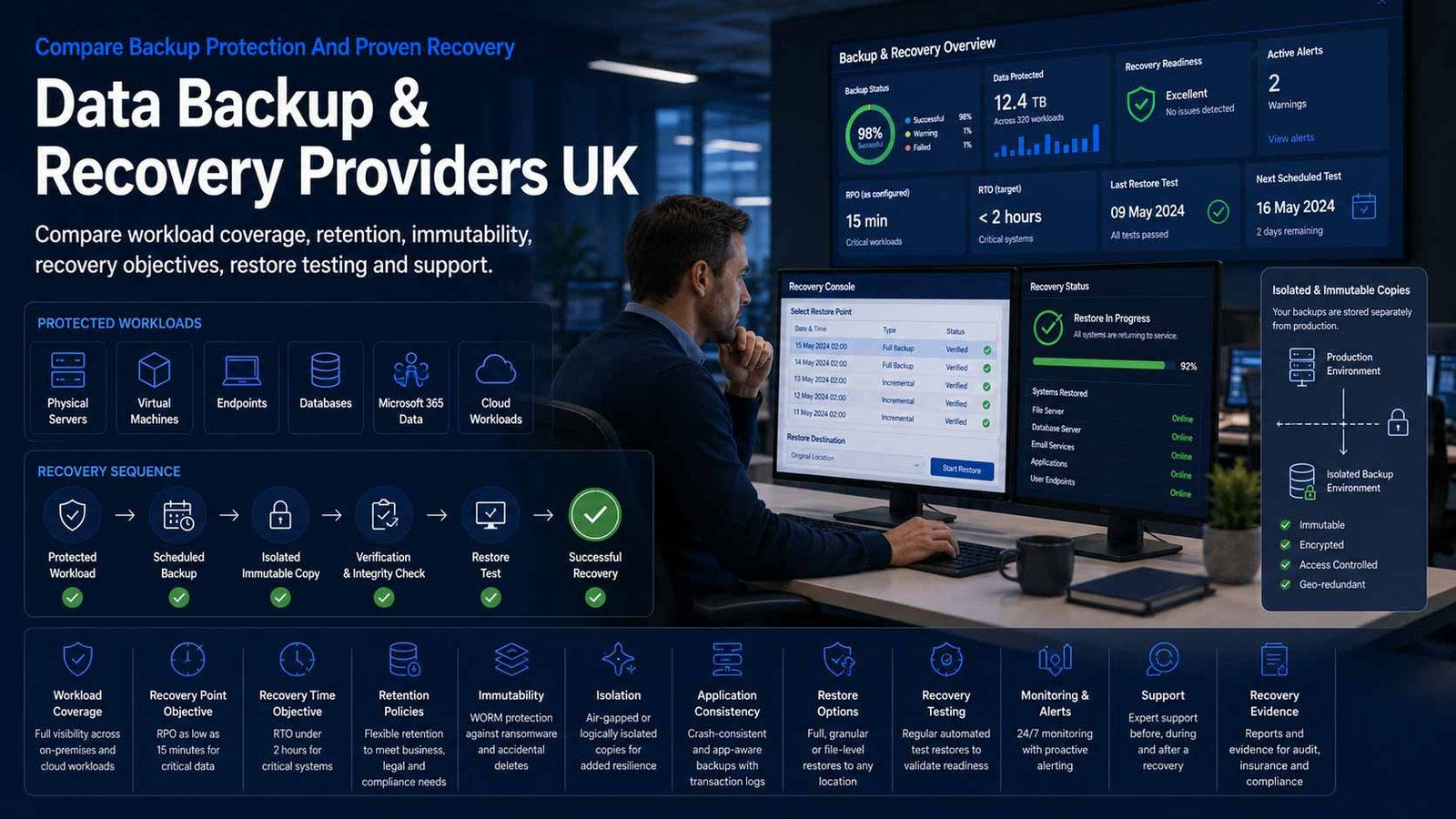
Backup Is Valuable Only When Recovery Works
A completed backup job is not proof that the business can restore the right data, system and service within the time available.
- Classify workloads by data-loss tolerance and recovery urgency
- Keep recoverable copies separate from production access and failure domains
- Test representative file, application and full-system restores regularly
- Document who declares an incident, approves recovery and validates the result
Data backup creates recoverable copies of files, applications, systems or service data, while recovery returns that information or workload to a usable state after deletion, corruption, hardware failure, software error, outage or another disruptive event. The design must cover what is protected, how frequently copies are created, how long versions remain available, where they are held and how quickly they can be restored.
The correct comparison begins with business impact. A shared document library may need granular self-service restores, while an order-processing database may require application-consistent copies, frequent recovery points and a rehearsed full-service recovery sequence. Not every workload needs the same frequency, retention, storage tier or recovery method.
This page does not compare cyber-security services or cloud-hosting platforms. Threat prevention, monitoring and incident-response providers belong in the Cyber Security category. Infrastructure hosting, compute and platform selection belong on the Cloud Services or Managed Hosting pages. Backup proposals may use security controls and cloud storage, but the buying decision here remains focused on recoverable copies, restore capability and operational recovery.
Define What Must Be Recoverable Before Comparing Providers
A single organisation may need several backup methods because endpoints, servers, databases, SaaS applications and cloud services fail and recover differently.
| Protected Area | What The Backup May Need To Preserve | Best-Fit Question |
|---|---|---|
| Files, folders and network shares | User and departmental files, permissions, previous versions and deleted items | Can users or administrators restore a single item, folder tree, permissions and an older version without recovering an entire machine? |
| Endpoints and remote devices | Business files and, where required, device state on laptops and desktops | Does protection continue for remote users, detect devices that stop backing up and support replacement-device recovery? |
| Physical and virtual servers | Operating system, configuration, applications, files and virtual-machine images | Can the provider restore files, complete machines or selected workloads to different hardware or a recovery environment? |
| Databases and business applications | Transactionally consistent data, logs, application configuration and dependencies | Are native application methods used, and can the business recover to a valid point without leaving related systems inconsistent? |
| Microsoft 365 and other SaaS data | Mailboxes, SharePoint, OneDrive, Teams and supported third-party SaaS records | Which services, objects, metadata, permissions and shared records are protected, and what remains under the SaaS provider’s native retention? |
| Public-cloud workloads | Virtual machines, managed databases, files, objects, configuration and selected platform data | Are backups isolated from the production account, available across regions or subscriptions and restorable after loss of primary credentials? |
| Identity and configuration data | Directory objects, policies, application settings, infrastructure definitions and recovery documentation | Can the organisation rebuild access and configuration if the identity or management environment is damaged? |
| Long-term records and archives | Required historical copies held for business, contractual or regulatory reasons | Is long-term retention searchable and retrievable, with deletion and key-management rules that remain workable over time? |
Eight Areas That Determine Backup And Recovery Fit
Use the same recovery-led criteria for every provider so storage capacity and completed-job percentages do not hide incomplete coverage or untested restores.
Comparison Criterion
Workload Coverage And Discovery
Compare supported operating systems, hypervisors, databases, endpoints, NAS, Microsoft 365, public-cloud services and identity workloads. Require inventory, automatic discovery and coverage reporting so unprotected systems, new users and retired workloads do not disappear between procurement and operation.
Comparison Criterion
Recovery Point, Frequency And Retention
Define how much recent data the business can lose, then compare schedules, continuous or near-continuous options, log protection, version history, grandfather-father-son policies and long-term retention. The policy should reflect workload importance rather than one frequency applied everywhere.
Comparison Criterion
Isolation, Immutability And Copy Separation
Assess whether backup data, credentials and administration are separated from production. Compare immutable or offline copies, separate accounts, independent credentials, protected deletion, delayed changes and off-site or secondary-location options that preserve recovery when the primary environment is unavailable.
Comparison Criterion
Application Consistency And Backup Integrity
Review snapshots, database logs, application-aware processing, quiescing, transaction consistency, corruption detection, verification and incomplete-job handling. A successful copy of individual files may not be enough to restore a working database or multi-system application.
Comparison Criterion
Restore Granularity And Recovery Flexibility
Compare file, email, item, database, virtual-machine, bare-metal, cross-platform and alternate-location restores. Confirm whether recovery can return data to the original environment, a clean replacement, a different tenant or a temporary recovery environment without unacceptable conversion work.
Comparison Criterion
Recovery Time, Failover And Service Restoration
Assess recovery time objectives, instant recovery, standby capacity, orchestration, network dependencies, application sequencing and failback. Distinguish restoring data from restoring a complete usable business service, including identity, connectivity, configuration and validation.
Comparison Criterion
Monitoring, Testing And Evidence
Compare job alerts, coverage dashboards, capacity forecasts, recovery verification, automated testing, test isolation, reporting, audit history and service reviews. Require evidence that backups are usable and that the documented recovery process has been exercised against representative scenarios.
Comparison Criterion
Management, Support And Exit Control
Review self-service and managed options, administrator roles, escalation, recovery assistance, service hours, documentation, training, data locations, export, appliance return, contract notice and deletion. Confirm exactly who operates backup policy and who leads recovery during a serious incident.
Measures To Define Before A Backup Contract Is Signed
Translate promises such as protected, resilient and rapid recovery into measurable coverage, recovery and testing requirements.
| Measure | What It Should Define | Evidence To Request | Common Weakness |
|---|---|---|---|
| Protected-workload coverage | The proportion of approved servers, endpoints, users, databases and services covered by an active policy | Authoritative inventory, policy assignment, exceptions, new-workload alert and retired-system process | Backup reports show successful jobs but omit systems that were never enrolled |
| Backup job success | Whether scheduled copies complete within the expected window without unresolved warnings | Success rate, partial jobs, retry, ageing failures, owner and resolution time | A retried or partially successful job is counted as complete without reviewing recoverability |
| Recovery point objective | The maximum acceptable data loss measured from the last usable recovery point | Workload RPO, schedule, log protection, missed-window handling and test evidence | The stated RPO is shorter than the actual successful backup interval |
| Recovery time objective | How quickly the required data, system or service must be usable after recovery starts | Workload RTO, restore method, capacity, dependencies, runbook and timed exercise | Only transfer speed is measured while validation, networking and application startup are excluded |
| Restore success rate | Whether representative file, database, machine and service restores complete and pass acceptance checks | Test schedule, sample coverage, failure cause, corrective action and repeat result | The business tests only a small file restore and assumes full-system recovery will work |
| Clean and isolated recovery | Whether usable recovery points remain available when production data or credentials are damaged | Immutable or offline copies, separate administration, retention lock, recovery account and test | Backup storage uses the same identity and deletion path as production |
| Retention compliance | Whether required versions are kept for the correct time and expired personal data can be handled appropriately | Retention schedule, legal or business basis, deletion process, hold exceptions and restore behaviour | Long retention is treated as automatically safer and creates unnecessary data exposure and cost |
| Storage growth and capacity | How protected data, change rate, compression, deduplication, copies and retention affect future capacity | Current data, daily change, forecast, growth alert, archive tier and overage model | The proposal prices current source data without accounting for retained versions or rapid growth |
| Recovery exercise readiness | Whether people, credentials, documentation, clean environments and suppliers can execute the recovery plan | Named roles, contacts, access, runbook, test scenario, decision log and improvement actions | Technology is tested without the staff and external dependencies needed during a real incident |
| Recovery cost and service impact | The total cost and operational effect of restoring priority workloads | Recovery charges, data retrieval, cloud compute, support, temporary hardware, staff time and expected downtime | Low recurring storage price hides expensive or slow large-scale recovery |
Data Backup And Recovery Providers UK Businesses Can Consider
Shortlist providers whose workload coverage, recovery methods, management model and commercial terms match the recovery plan. Confirm current product coverage, locations and pricing directly before approval.
Provider Profile
Veeam Data Platform
Backup and recovery platform covering virtual, physical and cloud workloads, with policy-based protection, immutable storage options, instant recovery, monitoring and broad infrastructure support. Include Veeam where workload breadth, flexible storage targets and partner availability matter. Check the required edition, repository design, infrastructure, Microsoft 365 licensing, managed-service responsibilities and recovery-testing scope.
Review official backup and recovery informationProvider Profile
Acronis Cyber Protect
Integrated platform offering backup, recovery and disaster-recovery capabilities for endpoints, servers, virtual machines and selected cloud or SaaS workloads, often delivered through managed service providers. Include it where a smaller organisation wants centralised management and service-provider support. Keep the comparison on backup and recovery, while confirming storage location, workload support, recovery options and the provider’s operating responsibilities.
Review official small-business backup informationProvider Profile
Datto SIRIS And ALTO
Kaseya’s Datto business-continuity products combine local backup appliances, secure cloud replication, verification and recovery options, including cloud virtualisation for supported workloads. Include them where an SME wants backup delivered and managed through an IT provider with rapid continuity options. Confirm appliance sizing, retention, protected systems, recovery assistance, internet dependency, contract length and replacement arrangements.
Review official BCDR informationProvider Profile
N-able Cove Data Protection
Cloud-first backup platform commonly used by managed service providers for servers, workstations, Microsoft 365 and disaster-recovery services. Include Cove where remote management, efficient data transfer and partner-delivered recovery are priorities. Confirm supported applications, local recovery options, DRaaS scope, data locations, retention, testing, fair-use assumptions and who performs restores.
Review official data-protection informationProvider Profile
Barracuda Cloud-to-Cloud Backup
SaaS backup service focused on Microsoft 365 data, including supported Exchange, SharePoint, OneDrive and Teams content with granular recovery. Include it where protecting Microsoft 365 is the main requirement and a cloud-managed service is preferred. Confirm protected object types, shared records, retention, data location, search, restore behaviour, inactive-user handling and whether other workloads need a separate platform.
Review official cloud-to-cloud backup informationProvider Profile
Druva Data Security Cloud
SaaS data-protection platform for endpoints, data-centre, cloud, SaaS and identity workloads without customer-managed backup infrastructure. Include Druva where central SaaS administration, distributed workloads and reduced infrastructure ownership are priorities. Check workload coverage, regional availability, local-recovery needs, retention, data transfer, service tiers, recovery assistance and total consumption assumptions.
Review official platform informationProvider Profile
Rubrik
Enterprise backup and recovery platform for on-premises, cloud and SaaS data, with policy automation, immutable recovery points, search, recovery orchestration and central management. Include Rubrik where large or complex estates need strong recovery control and consolidated operations. Check appliance or service architecture, protected workloads, capacity, professional services, operational skills, recovery testing and enterprise commercial terms.
Review official backup and recovery informationProvider Profile
Cohesity DataProtect
Enterprise backup and recovery platform protecting on-premises, cloud and SaaS workloads through a unified management approach, with recovery, policy and data-management capabilities. Include it where workload scale, consolidation and hybrid recovery are material. Confirm whether DataProtect, NetBackup or additional services are proposed, then compare infrastructure, licensing, support, migration, skills and long-term capacity.
Review official DataProtect informationWhat Changes The Cost Of Business Data Backup
The recurring storage figure is only one part of cost. Workload licensing, retained versions, recovery infrastructure, testing, management and large-scale restores can materially change the budget.
| Cost Driver | Why It Changes Spend | What A Comparable Proposal Should Show |
|---|---|---|
| Protected workload or user count | Servers, virtual machines, endpoints, Microsoft 365 users, databases and cloud resources may use different licence units | Current and three-year counts, workload types, inactive users, minimum quantities and reassignment rules |
| Source data and protected capacity | Some services charge by source data, consumed backup storage, front-end terabytes or protected capacity | Measured data, exclusions, compression assumptions, daily change, database logs and forecast growth |
| Retention and number of copies | Longer retention, frequent versions, immutable copies, secondary regions and archive tiers increase stored data and management | Policy by workload, version schedule, off-site copy, archive term, deletion and legal-hold assumptions |
| Backup frequency and continuous protection | Short recovery points can require more processing, storage, network capacity or premium service features | RPO by workload, schedule, log capture, missed-window handling and peak-bandwidth assumptions |
| Local appliance and recovery infrastructure | On-site appliances, repository servers, cache, media, maintenance and replacement can sit outside software or cloud charges | Hardware specification, warranty, refresh, installation, power, space, ownership and return terms |
| Cloud storage and data retrieval | Storage tier, API operations, regional replication, egress and large-scale restore traffic may be charged separately | Stored volume, retrieval class, restore scenario, transfer, temporary compute and provider assistance |
| Disaster recovery and standby capability | Cloud virtualisation, replicated networks, reserved capacity, orchestrated failover and testing add cost beyond standard backup | Protected systems, recovery capacity, run time, tests, network design, failback and recovery-event charging |
| Implementation and migration | Inventory, policy design, agent deployment, repository setup, legacy-copy migration and test restores require specialist work | Discovery, configuration, data seeding, acceptance, customer tasks, exclusions and handover |
| Monitoring, management and support | Managed services, daily checks, service reviews, recovery assistance, extended hours and priority support affect recurring cost | Included administration, alert response, reporting, recovery labour, service hours and escalation targets |
| Contract change and exit | Capacity reductions, appliance ownership, export, bulk recovery, data deletion and notice can affect lifetime cost | Renewal basis, reduction rights, data return, final restore, media handling, deletion evidence and assistance rates |
How The Workload Changes The Provider Shortlist
The right backup provider depends on the systems protected, acceptable data loss, recovery urgency, internal skills and whether the business wants to operate or consume the service.
Small Business With Limited IT Staff
Prioritise a managed service, automatic coverage, clear alerts, simple file and machine recovery, off-site copies, documented support and predictable pricing. Confirm who performs restores during an urgent event.
Microsoft 365-First Organisation
Prioritise Exchange, SharePoint, OneDrive and Teams coverage, granular search, cross-user restore, inactive-user handling, retention, permissions and a clear boundary between native retention and independent backup.
Server And Application Environment
Prioritise application-consistent backups, databases, virtual machines, frequent recovery points, local recovery speed, off-site separation, bare-metal restore and tested sequencing across dependent systems.
Multi-Site Or Complex Hybrid Estate
Prioritise central policy, broad workload support, isolated administration, capacity forecasting, cross-site recovery, orchestration, audit evidence and a service model that can coordinate large-scale recovery.
How To Compare Backup And Recovery Proposals
Give every provider the same workload inventory, data volumes, change rates, recovery points, recovery times, retention, copy-separation requirements, restore scenarios, management responsibilities and support assumptions. Require every response to identify exclusions and workloads that need a different product or recovery method.
- Every business-critical workload maps to a named protection policy
- RPO, RTO and retention assumptions are explicit
- Backup credentials and copies are separated from production risk
- Representative file, application and full-system restores are demonstrated
- Management, testing and recovery labour are included
- Bulk recovery, export and deletion are covered at exit
Make Every Provider Restore The Same Scenario
A dashboard can show successful backup jobs without proving that a usable service can be recovered. Give each finalist the same deleted-file, database, server and wider outage scenarios with the same acceptance conditions.
Compare recovery evidence, elapsed time and customer effort before comparing storage volume or headline price.
Six Questions To Put To Every Backup Provider
The answers expose coverage gaps, weak recovery evidence, shared access risks and hidden recovery costs before the contract starts.
Exactly Which Workloads And Objects Are Protected?
Request a named inventory covering servers, endpoints, databases, Microsoft 365, cloud services, identity and configuration, with exclusions and unsupported object types.
What RPO, RTO And Retention Can You Demonstrate?
Ask for policy settings, successful recovery-point frequency, timed restores, retained versions, long-term copies and the conditions that can extend recovery.
How Are Backup Data And Credentials Separated?
Confirm independent administration, immutable or offline copies, protected deletion, secondary locations, key management and recovery access when primary identity services fail.
How Is Recoverability Tested?
Request automated verification, representative restore exercises, application validation, test isolation, evidence, failure handling and a schedule for repeating tests after change.
Who Operates Recovery During A Serious Incident?
Map detection, declaration, supplier contact, restore approval, technical execution, application validation, user communication, failback and post-event evidence.
What Happens When We Reduce Scope Or Exit?
Confirm licence reduction, appliance ownership, export, large-scale restore, data format, retrieval charges, notice, final handover, media return and deletion evidence.
A Seven-Stage Backup Evaluation And Recovery Process
Move from workload evidence to tested recovery rather than purchasing storage and assuming every important system is protected.
- Inventory data, applications, servers, endpoints, SaaS services, cloud workloads, identities, owners, current protection and known coverage gaps.
- Classify each workload by business impact, maximum data loss, recovery urgency, retention, dependencies and validation owner.
- Design the required copies, locations, isolation, access, encryption, application consistency, recovery methods and test schedule.
- Issue one written brief and obtain comparable coverage, architecture, implementation, management, recovery and commercial responses.
- Run a proof of recovery using representative file, SaaS, database and system scenarios, measuring elapsed time, completeness and customer effort.
- Migrate in controlled stages with seeding, policy verification, monitoring, test restores, documentation and safe retirement of replaced backup processes.
- Operate with daily exception handling, coverage reviews, capacity forecasts, regular recovery exercises, change control and an approved improvement log.
Data Backup And Recovery Provider Checklist
Use this table before approving a backup subscription, managed service, appliance or recovery statement of work.
| No. | Requirement | Evidence To Obtain Before Award | Confirmed |
|---|---|---|---|
| 01 | Workload inventory and business owners agreed | Servers, endpoints, databases, SaaS, cloud, identity, configuration, data volumes and owners | |
| 02 | Business impact and recovery priorities classified | Criticality, service hours, dependencies, validation, maximum data loss and recovery sequence | |
| 03 | RPO and backup frequency approved | Policy by workload, logs, missed-window handling, successful recovery-point evidence and exceptions | |
| 04 | RTO and recovery method approved | File, item, database, machine, bare-metal, alternate-location and full-service recovery targets | |
| 05 | Retention and version history documented | Operational versions, long-term copies, legal or business basis, expiry, deletion and hold exceptions | |
| 06 | Backup copies and administration separated | Independent credentials, immutable or offline copy, protected deletion, off-site location and emergency access | |
| 07 | Application consistency demonstrated | Database-aware processing, logs, snapshots, transaction checks, dependencies and acceptance evidence | |
| 08 | Microsoft 365 and SaaS scope confirmed | Protected services, objects, metadata, shared records, inactive users, permissions and restore destinations | |
| 09 | Monitoring and coverage reporting accepted | Inventory reconciliation, job failures, partial success, capacity, ageing exceptions, alerts and owner | |
| 10 | Representative recovery tests completed | Deleted file, mailbox or SaaS item, database, server and wider recovery scenario with measured results | |
| 11 | Recovery roles and supplier escalation agreed | Incident declaration, contacts, service hours, approvals, execution, validation, failback and communications | |
| 12 | Data location, encryption and key access confirmed | Primary and secondary locations, transfers, encryption, key ownership, access and long-term readability | |
| 13 | Implementation and transition plan priced | Discovery, deployment, seeding, bandwidth, legacy copies, test, acceptance, documentation and retirement | |
| 14 | Three-year total and recovery cost compared | Licences, capacity, infrastructure, management, testing, support, retrieval, temporary recovery and growth | |
| 15 | Exit, bulk restore and deletion agreed | Export, data format, retrieval speed, charges, appliance or media return, notice and deletion evidence |
Common Backup And Recovery Buying Mistakes To Avoid
Most avoidable failures begin with incomplete workload coverage, untested recovery or a price comparison that excludes the cost and effort of restoration.
| Mistake | Why It Creates Risk | Better Control |
|---|---|---|
| Treating successful jobs as proof of recovery | A copy can complete while data, permissions or applications remain unusable | Test representative restores and validate the recovered service |
| Applying one policy to every workload | Low-value data is overprotected while critical systems receive insufficient frequency or recovery speed | Set RPO, RTO and retention by business impact |
| Keeping every copy under production credentials | Loss or misuse of one administrator path can affect live data and backups together | Use separate administration and at least one isolated or immutable copy |
| Backing up files but not application state | A restored database or server may be inconsistent or unable to start | Use application-aware protection and test complete dependencies |
| Assuming SaaS availability equals backup | Native retention may not provide the required versions, objects, search or cross-user recovery | Define independent protection and restore requirements for each SaaS service |
| Ignoring new and retired workloads | Important systems remain unprotected while old licences and retained copies continue generating cost | Reconcile backup coverage with an authoritative inventory |
| Buying on storage price alone | Licences, appliances, retrieval, recovery support, testing and management materially change total cost | Price a three-year service and realistic recovery scenarios |
| Never testing identity and clean-environment recovery | The backup console, credentials or target environment may be unavailable during a serious event | Exercise emergency access and recovery into an isolated replacement environment |
| Retaining personal data indefinitely | Unnecessary backup history increases exposure, retrieval complexity and compliance risk | Apply documented retention, expiry and deletion processes |
| Deferring exit and bulk-recovery planning | Large data volumes may be slow or expensive to retrieve when the contract ends | Test export, bandwidth, format, charges and final deletion before award |
Frequently Asked Questions
Answers to common questions from UK businesses comparing data backup, restore and disaster-recovery capabilities.
What Is Business Data Backup And Recovery?
Business data backup creates separate recoverable copies of files, applications, systems or service data. Recovery is the process of returning that information or workload to a usable state after deletion, corruption, failure, outage or another disruptive event. A complete service includes policy, monitoring, testing, documentation and operational responsibility.
What Is The Difference Between Backup And Disaster Recovery?
Backup preserves recoverable copies of data or systems. Disaster recovery defines how priority technology services are restored after a serious disruption, including sequence, infrastructure, networking, identity, people and validation. Backup is a core input to disaster recovery, but a backup product alone is not a complete continuity plan.
How Often Should A UK Business Back Up Its Data?
Frequency should match the amount of data the business can afford to lose. Some files may be protected daily, while transaction systems may require hourly, continuous or log-based recovery points. Define a recovery point objective for each workload and verify that successful backups consistently meet it.
What Is The 3-2-1 Backup Rule?
The traditional rule keeps three copies of data on two different media or systems, with one copy off-site. Modern designs often add an immutable or offline copy and regular recovery verification. The exact architecture should reflect workload risk, but no single failure or administrator path should be able to remove every recoverable copy.
Does Microsoft 365 Need A Separate Backup?
Microsoft provides availability, retention and recovery features, and now offers Microsoft 365 Backup, but each organisation remains responsible for deciding what protection and retention it needs. Compare object coverage, version history, inactive users, search, restore destinations, retention and the ability to recover after tenant or identity problems.
What Are RPO And RTO?
The recovery point objective is the maximum acceptable amount of recent data loss, measured by the age of the recovery point. The recovery time objective is how quickly the data, system or business service must be usable. Both should be defined by workload and tested against the proposed recovery method.
How Should Backup Restores Be Tested?
Test several levels: individual files or SaaS items, application data, complete machines and a representative multi-system recovery. Use isolated test environments where appropriate, record elapsed time, validate the application with its owner and repeat failed tests after corrective action.
How Long Should Business Backups Be Retained?
Retention depends on operational recovery, contractual, legal and record-management needs. Keeping everything indefinitely can increase cost and data-protection risk. Use documented policies for recent operational versions, longer-term records, legal holds, expired data and secure deletion.
How Much Does Business Data Backup Cost?
Cost may include workload licences, users, protected capacity, retained storage, appliances, cloud retrieval, implementation, management, support, testing and disaster-recovery capacity. Compare a three-year total using realistic data growth and at least one large recovery scenario rather than only the monthly storage rate.
How Should A UK Business Compare Backup Providers?
Give every provider the same workload inventory, data volumes, RPO, RTO, retention, copy-separation requirements, restore scenarios, management duties and support assumptions. Compare coverage, tested recoverability, customer effort, total cost and exit terms—not only storage size, completed-job percentages or brand recognition.
Provider Information And UK Recovery Resources
Reviewed by Bhav Giva, Founder & Lead Analyst at CompareServices.co.uk, on 16 July 2026.
Use official provider documentation to confirm current workload coverage, recovery options, locations, retention, pricing, support and contractual terms. Backup products and supported cloud or SaaS services can change during a buying cycle.
- NCSC — Ransomware-Resistant Backups
- NCSC — Principles For Ransomware-Resistant Cloud Backups
- NCSC — Offline Backups In An Online World
- ICO — Records Management And Security
- ICO — Storage Limitation
- Veeam — Backup And Recovery
- Acronis — Small-Business Backup
- Kaseya — Datto Business Continuity And Disaster Recovery
- N-able — Cove Data Protection
- Barracuda — Cloud-To-Cloud Backup
- Druva — Data Security Cloud
- Rubrik — Backup And Recovery
- Cohesity — DataProtect