
Compare CRM Software Providers UK (2026)
Compare Customer Records, Sales Pipelines, Automation And Adoption
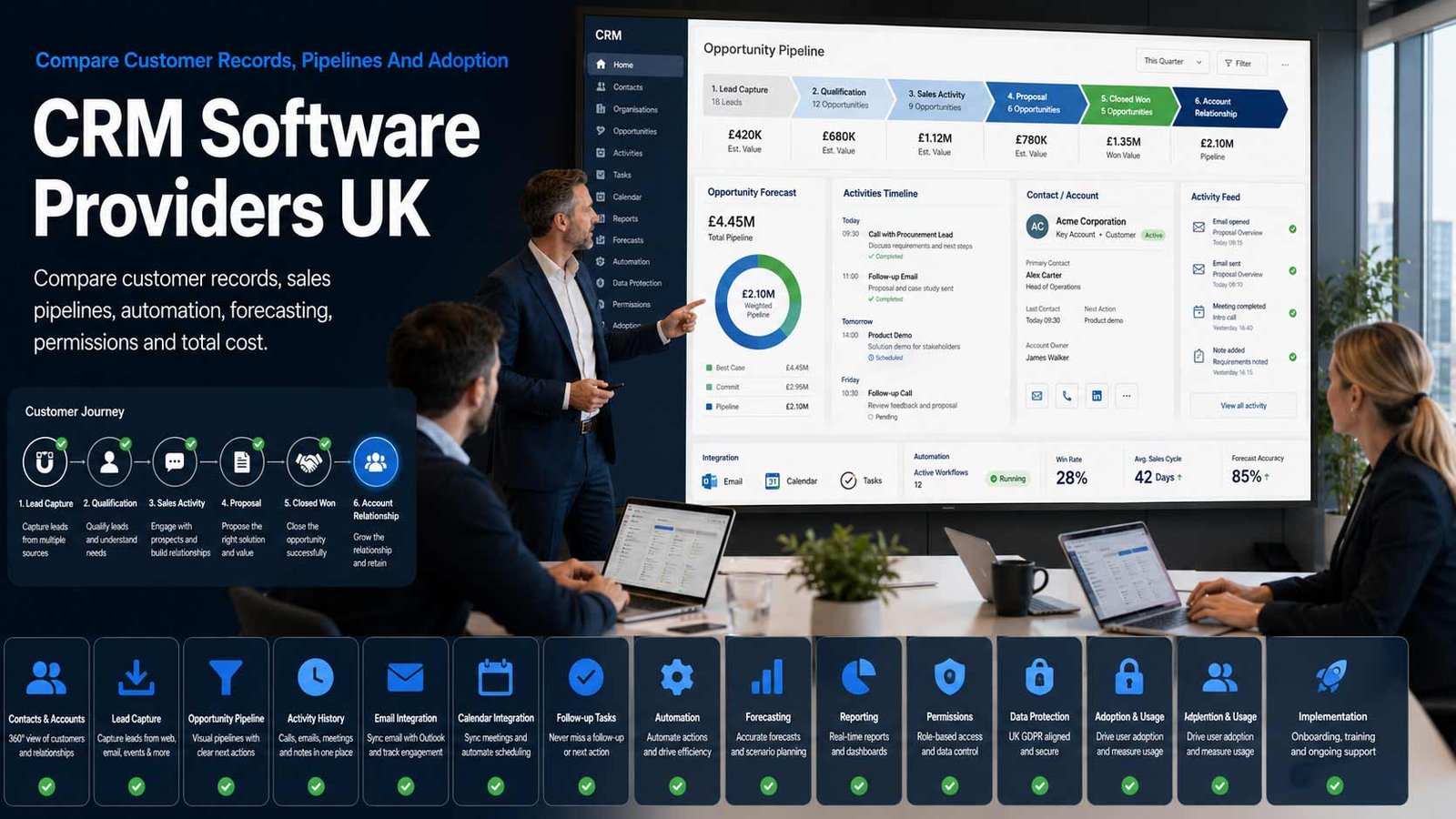
Compare CRM software for UK businesses by contact and account management, lead capture, opportunity pipelines, activity history, email and calendar integration, automation, forecasting, reporting, permissions, data protection, implementation effort and total cost. Evaluate providers against the same customer-data and sales-process requirements before migrating records or committing teams to a new system.
CRM Selection Is A Customer-Process Decision
A CRM can create a reliable shared record of prospects and customers, but software does not fix an undefined sales process, poor-quality data or unclear ownership.
- Define the customer lifecycle and pipeline before configuring stages
- Agree which records, activities and permissions the business actually needs
- Plan data cleansing, migration, adoption and reporting as part of the project
- Measure record quality, user activity, conversion and follow-up after launch
Customer relationship management software organises the people, organisations, communications, opportunities and follow-up activity involved in winning and retaining customers. A practical CRM record normally brings together contact details, account relationships, consent or communication preferences, emails, calls, meetings, notes, tasks, lead sources, opportunities, quotes and a visible next action.
The right system reflects the way the business sells. A short, repeatable small-business pipeline needs different configuration from account-based selling, long tenders, partner-led deals or multi-team customer management. Buyers should map the real process, exceptions, reporting needs and responsibilities before comparing feature lists.
This page does not compare ERP suites, project-management software or HR systems. Finance, stock, procurement and company-wide resource planning belong on the ERP page; delivery planning belongs on the project-management page; employee records belong outside the CRM comparison. Embedded marketing tools may be assessed only where they affect CRM data and customer communications—the separate marketing-automation page covers broader campaign automation.
Define The Customer Record Before Comparing Systems
The CRM should store enough structured information to support the customer process without becoming a dumping ground for every business record.
| CRM Data Area | What It Should Hold | Best-Fit Questions |
|---|---|---|
| Contact and account records | People, companies, relationships, addresses, roles, preferences and a complete interaction timeline | Can duplicate people, shared contacts, group structures and changing roles be represented without losing history? |
| Lead capture and qualification | New enquiries, lead sources, ownership, qualification fields, response targets and disqualification reasons | Can every lead source be attributed and routed, and can unqualified records be excluded from forecasts without being deleted? |
| Opportunity and pipeline management | Deal value, stage, probability, expected close, products or services, competitors, risks and next action | Do stages match evidence in the real sales process, and can more than one pipeline be governed without fragmenting reporting? |
| Activity and communication history | Emails, calls, meetings, notes, documents, tasks and relationship activity associated with the correct record | How much activity is captured automatically, what requires user action and what information is visible to each team? |
| Customer preferences and permissions | Marketing choices, lawful-basis notes where required, do-not-contact status, channel preferences and suppression evidence | Can preferences be applied consistently across users, imports, integrations and outbound tools? |
| Products, quotes and commercial context | Items sold, recurring or one-off value, quote status, renewal dates and related commercial information | Is the required sales context available without attempting to turn the CRM into an ERP or accounting system? |
| Post-sale relationship context | Customer owner, onboarding status, key dates, renewal or expansion opportunities and relationship risks | Can the CRM preserve a useful customer view while delivery work remains in the appropriate operational system? |
| Data quality and stewardship | Mandatory fields, validation, duplicates, ownership, stale records, retention and correction workflows | Who is responsible for quality and how will inaccurate, unnecessary or expired personal data be corrected or removed? |
Eight Areas That Determine CRM Software Fit
Use the same criteria for every provider so attractive interfaces and AI features do not obscure weak process control, migration effort or poor data governance.
Comparison Criterion
Contact, Account And Relationship Management
Compare record structures, custom fields, duplicate handling, parent and subsidiary relationships, tags, territories, timelines, imports and mobile access. The data model should support the way customers, prospects, partners and decision-makers relate to one another.
Comparison Criterion
Lead Capture, Routing And Qualification
Review web forms, imports, email capture, APIs, lead ownership, round-robin allocation, scoring, response targets, qualification criteria and disqualification reasons. Confirm that source attribution survives handoffs and data migration.
Comparison Criterion
Opportunity Pipeline And Forecasting
Assess multiple pipelines, stage controls, deal products, probability, expected close, next-step discipline, forecast categories, target tracking and manager inspection. Forecasts should be traceable to current opportunity evidence rather than manual optimism.
Comparison Criterion
Email, Calendar And Activity Capture
Compare Microsoft 365 and Google integrations, email sync, templates, meeting scheduling, call logging, mobile updates and automatic activity capture. Review privacy, shared-mailbox behaviour, storage impact and what happens when employees leave.
Comparison Criterion
Workflow Automation And Sales Guidance
Review task creation, alerts, assignment rules, approvals, sequences, stage gates, reminders and no-code automation. Automation should reinforce the agreed process and exception rules, not hide them in an unmanageable set of triggers.
Comparison Criterion
Reporting, Dashboards And Data Export
Compare pipeline, conversion, velocity, activity, lead-source, win-loss and forecast reporting. Confirm field-level filters, scheduled reports, raw-data export, API access and whether additional analytics licences are required for the management view.
Comparison Criterion
Integration, API And Extensibility
Assess accounting, telephony, email, forms, website, support, quoting, data enrichment and identity integrations. Check native connectors, middleware, API limits, webhooks, sandbox options, custom development and ownership when an integration fails.
Comparison Criterion
Permissions, Governance And Administration
Review roles, teams, record sharing, field restrictions, audit history, retention, backup, single sign-on, multi-factor authentication, data locations, administrator tools and support. The system must make appropriate access and responsible customer-data use practical.
Measures To Define Before A CRM Contract Is Signed
Translate promises such as a single customer view, better forecasting and higher productivity into measurable operating requirements.
| Measure | What It Should Define | Evidence To Request | Common Weakness |
|---|---|---|---|
| User adoption | Which roles must use the CRM and which minimum actions prove that the system is part of daily work | Active-user rate, records updated, activities captured, next actions and manager review | Licences are purchased but staff continue using spreadsheets, inboxes and private notes |
| Record completeness | The fields and evidence required for a useful contact, account, lead and opportunity | Completeness dashboard, mandatory-field exceptions, stale-record report and owner | Large record volumes create an illusion of value while important fields remain empty |
| Duplicate and match quality | How duplicate people, companies and imported records are detected, reviewed and merged | Duplicate rules, match thresholds, merge audit, import test and exception queue | Automation creates several records for one customer and fragments the relationship history |
| Lead response | How quickly new enquiries are assigned, acknowledged and acted on during operating hours | Timestamped source, routing rule, service target, breach report and escalation | The CRM records the lead but no owner or follow-up standard is enforced |
| Pipeline conversion | How leads and opportunities move through agreed stages and where they are lost | Stage-entry criteria, conversion report, reason codes, cohort view and source comparison | Teams change stages for reporting purposes without completing the required sales evidence |
| Sales velocity | The time opportunities spend in each stage and the factors delaying progression | Ageing report, next-step quality, stalled-deal rule and manager action | Total pipeline value is tracked while delay and inactivity remain invisible |
| Forecast reliability | How predicted revenue compares with actual outcome over a defined period | Forecast category rules, variance, slippage, close-date changes and owner accountability | Probability is manually selected and creates a false sense of precision |
| Data accuracy and retention | How incorrect, outdated, excessive and expired personal data is identified and handled | Correction workflow, review schedule, retention rule, deletion evidence and data owner | Records remain indefinitely because storage is available, not because the data is still needed |
| Integration reliability | Whether connected systems exchange the correct records, fields and statuses without silent failure | Sync monitoring, rejected-record report, reconciliation, alerting and support ownership | Users assume data is current even when an integration has stopped or mapped fields incorrectly |
| Cost per adopted user | The complete recurring and implementation cost divided by users performing the required CRM behaviours | Licence, add-on, integration, support, admin and training cost with active-user evidence | A low per-seat price hides low adoption and a high ongoing administration burden |
CRM Software Providers UK Businesses Can Consider
Shortlist providers whose record model, pipeline controls, integrations, administration and commercial terms match the sales process. Confirm current features, editions and pricing directly before approval.
Provider Profile
Salesforce Sales Cloud
A broad sales CRM platform for lead, account, contact, opportunity, forecasting, automation and extensible customer processes. Salesforce also offers small-business entry products and a large application and consulting ecosystem. Include it where deep configuration, scale or cross-team customer processes matter, while checking edition boundaries, implementation effort, administration and add-on cost.
Review official sales platform informationProvider Profile
HubSpot Smart CRM
Customer platform centred on a shared CRM data layer with sales, service and marketing products around it. The free tools can support an initial deployment, while paid hubs add automation, reporting, sequences and wider operational capability. Include it where usability and connected go-to-market tools matter, while checking contact, seat, feature-tier and onboarding costs.
Review official CRM informationProvider Profile
Microsoft Dynamics 365 Sales
Sales application designed around Microsoft business data, Microsoft 365 collaboration and the Power Platform. It supports accounts, contacts, leads, opportunities, forecasting and extensibility, with capabilities varying by licence. Include it where Microsoft identity, Outlook, Teams, Power BI or Dataverse alignment is important, while separating configuration from wider Dynamics applications.
Review official sales product informationProvider Profile
Zoho CRM
Configurable CRM covering leads, accounts, contacts, deals, workflow, reports, mobile access and integration with the wider Zoho application portfolio. It provides editions for smaller and more complex teams. Include it where breadth and value matter, while checking edition-specific automation, storage, support, portals, analytics and the governance needed across connected Zoho services.
Review official CRM informationProvider Profile
Pipedrive
Sales-focused CRM built around visual pipelines, activity management, automation, email tools, forecasting, reporting and integrations. Include it where a sales team wants rapid adoption and a clear deal process without a heavily customised enterprise programme. Check required add-ons, email and lead-generation features, API limits, permissions and reporting depth.
Review official sales platform informationProvider Profile
monday CRM
Customisable CRM built on monday.com’s no-code work-management foundation, with pipelines, contact and deal records, automations, dashboards, sequences and AI-supported sales features. Include it where teams value flexible configuration and quick adaptation, while controlling board design, data consistency, permissions, automation volume and the boundary between CRM and delivery work.
Review official CRM informationProvider Profile
Freshsales
Freshworks sales CRM covering contact and account management, pipelines, multichannel engagement, automation, analytics and Freddy AI features. Include it where a growing business wants an integrated sales environment with a relatively approachable interface. Confirm plan limits, communication features, workflow depth, administration, data migration and the relationship with other Freshworks products.
Review official CRM informationProvider Profile
Capsule CRM
UK-founded CRM aimed at small and growing organisations, with contact management, sales pipelines, tasks, reporting, automation, email tools, security and integrations. Include it where simplicity, relationship history and manageable administration are priorities. Check user and contact limits, workflow requirements, advanced reporting, connected applications and future scaling needs.
Review official CRM featuresWhat Changes The Cost Of CRM Software
The headline seat price is only one part of CRM cost. Implementation, customer data, integrations, adoption and required feature editions can materially change the first-year and steady-state budget.
| Cost Driver | Why It Changes Spend | What A Comparable Proposal Should Show |
|---|---|---|
| User licences and role types | Sales users, managers, read-only users, occasional users, partners and administrators may need different licence types or all require full seats | Named user groups, permissions, licence edition, minimum quantities, annual commitment and growth assumptions |
| Contacts, records and data storage | Some providers price or limit marketing contacts, database records, files, email history, storage or API usage separately | Current and three-year volumes, archived records, attachment policy, limits, overage and retention assumptions |
| Feature editions and add-ons | Forecasting, sequences, advanced automation, AI, sandboxes, audit history, portals, telephony or reporting may require higher tiers or extra products | Required feature-to-edition map showing every dependency and optional capability |
| Implementation and configuration | Pipelines, fields, permissions, automation, reports, templates, territories and governance require design and testing | Configuration scope, workshops, deliverables, customer tasks, change control and acceptance criteria |
| Data cleansing and migration | Duplicate removal, field mapping, consent history, activities, attachments and legacy exports create one-off work and risk | Source inventory, migration waves, reconciliation, rejected records, rollback and final sign-off |
| Integrations and middleware | Email, calendar, telephony, website, forms, accounting, support, enrichment and identity connections may add licences and maintenance | Connector, middleware, API, data-volume, monitoring and support costs with named ownership |
| Training, adoption and administration | Role-based training, manager coaching, documentation, CRM ownership and continuous improvement continue after launch | Training plan, internal administrator capacity, support model, adoption measures and optimisation cadence |
| Email, calling and communication usage | Email sending, calling minutes, phone numbers, recording, sequences and enrichment may be metered or tied to additional products | Expected monthly volumes, fair-use rules, consent controls, exclusions and overage rates |
| Support, sandbox and release management | Priority support, test environments, premium success plans and specialist consultancy may sit outside the base licence | Support tier, response targets, sandbox access, release testing and chargeable assistance |
| Contract change and exit | Annual uplifts, minimum commitments, reduced-seat rules, data export, professional services and notice affect lifetime cost | Renewal basis, price protection, reduction rights, export formats, assistance rates and deletion process |
How The Sales Process Changes The CRM Shortlist
The right CRM depends on sales complexity, customer relationships, data volume, integration needs and the team’s ability to administer the platform.
Small Team Leaving Spreadsheets
Prioritise quick setup, clear contact ownership, one disciplined pipeline, email and calendar integration, mobile access, simple reporting and a cost model that remains predictable as users and records grow.
Growing B2B Sales Organisation
Prioritise lead routing, several pipelines, qualification, sequences, activity capture, forecasting, manager inspection, territory or team controls, integration and reliable data stewardship.
Long-Cycle Or Account-Based Selling
Prioritise company hierarchies, many stakeholders, relationship maps, opportunity teams, document history, tender milestones, configurable reporting and permissions for sensitive commercial information.
Multi-Team Customer Management
Prioritise shared account context, clear handoffs, service and renewal visibility, role-based access, auditability, integration and governance that prevents teams from creating conflicting customer records.
How To Compare CRM Software Proposals
Give every provider the same customer lifecycle, user roles, pipelines, fields, reports, record volumes, integrations, data-protection controls, migration sources and support assumptions. Require the response to identify edition dependencies, customer tasks, implementation exclusions and the work needed after launch.
- The demonstration uses your stages, records and representative scenarios
- Required features are mapped to named editions and add-ons
- Migration includes cleansing, history, attachments and reconciliation
- Permissions, retention and communication preferences are demonstrated
- Adoption, training and internal administration are costed
- Export, notice, assistance and deletion are covered at exit
Make Every Provider Demonstrate The Same Customer Journey
A polished standard demonstration can conceal the configuration, clicks, add-ons and integrations required for your business. Give each finalist the same lead, account, opportunity, communication, forecast and data-correction scenarios.
Compare the working process and the evidence behind the report before comparing the interface.
Six Questions To Put To Every CRM Provider
The answers expose licence dependencies, migration gaps, weak customer-data control and adoption work before the contract starts.
How Will The CRM Represent Our Customer Process?
Ask the provider to configure and demonstrate your lead sources, qualification, pipelines, required fields, next actions, exceptions and handoffs rather than showing only its default process.
Which Edition And Add-Ons Are Required?
Request a feature-to-licence schedule covering automation, forecasting, reporting, AI, email, calling, audit, sandbox, support, storage and every dependent product.
How Will Existing Data Be Cleaned And Migrated?
Confirm source systems, duplicates, field mapping, communication preferences, activity history, attachments, rejected records, reconciliation, cutover and rollback.
How Are Permissions And Customer Preferences Controlled?
Ask for role, team, record and field access, administrator authority, audit history, retention, do-not-contact handling, unsubscribe updates and data-correction workflows.
What Will Users And Managers Need To Do Differently?
Request role-based workflows, training, manager routines, adoption measures, ownership of data quality and the support available when staff do not follow the process.
How Can The Business Reduce Scope Or Exit?
Confirm seat reductions, contract minimums, export formats, API access, attachments and activity extraction, implementation handover, notice, assistance costs and deletion evidence.
A Seven-Stage CRM Evaluation And Implementation Process
Move from a mapped customer process to controlled adoption rather than purchasing licences and attempting to redesign the business inside the system.
- Map lead sources, customer types, account relationships, pipelines, activities, handoffs, reports, owners and current data problems.
- Define the minimum customer record, required fields, communication preferences, access rules, retention and manager evidence.
- Clean and profile the source data, then estimate contacts, companies, activities, attachments, duplicates, growth and migration exceptions.
- Issue one written brief and obtain comparable demonstrations, licence schedules, migration plans, implementation scopes and support terms.
- Run a configured pilot with representative users and data, testing capture, pipeline, reporting, permissions, integrations and mobile use.
- Migrate in controlled waves with reconciliation, user training, cutover support, clear rollback and removal of unsafe legacy access.
- Operate the CRM with named ownership, adoption measures, data-quality reviews, release testing, integration monitoring and regular process improvement.
CRM Software Provider Comparison Checklist
Use this table before approving a CRM subscription, implementation statement of work or data migration.
| No. | Requirement | Evidence To Obtain Before Award | Confirmed |
|---|---|---|---|
| 01 | Customer lifecycle, sales process and business owner agreed | Lead sources, qualification, pipeline stages, handoffs, exceptions, outputs and accountable owner | |
| 02 | User roles and minimum adoption behaviours defined | Role list, permissions, daily actions, manager routines, active-user and data-quality measures | |
| 03 | CRM record model and required fields approved | Contacts, accounts, relationships, activities, opportunities, preferences, ownership and validation | |
| 04 | Record volumes and growth assumptions documented | Contacts, accounts, activities, emails, files, API usage, users and three-year growth | |
| 05 | Source data quality and duplicates assessed | Data profiling, stale records, duplicate rate, missing fields, invalid addresses and remediation plan | |
| 06 | Marketing preferences and suppression handling mapped | Consent or relevant basis records, channel preferences, do-not-contact list, unsubscribe and sync rules | |
| 07 | Permissions and administrator authority demonstrated | Roles, teams, record sharing, field restrictions, audit, exports, privileged access and leaver process | |
| 08 | Required features mapped to editions and add-ons | Named licence, automation, reports, forecasting, AI, email, calling, sandbox, audit and support dependencies | |
| 09 | Email, calendar and activity capture tested | Microsoft 365 or Google behaviour, shared mailboxes, mobile, automatic logging and employee-exit handling | |
| 10 | Integrations and ownership documented | Systems, fields, direction, frequency, API, middleware, failure alerts, reconciliation and support owner | |
| 11 | Migration, testing and rollback priced | Mapping, cleansing, trial migration, history, files, rejected records, cutover, reconciliation and rollback | |
| 12 | Reports, forecasts and management evidence accepted | Dashboard prototypes, definitions, filters, exports, targets, forecast rules and report ownership | |
| 13 | Training, adoption and administration resourced | Role-based training, champions, documentation, CRM owner, support, release review and improvement cadence | |
| 14 | Three-year total cost compared | Licences, add-ons, storage, communications, implementation, migration, integration, support and internal effort | |
| 15 | Exit, export and deletion process agreed | Formats, activities, emails, files, API access, assistance, notice, seat reduction, retention and deletion evidence |
Common CRM Software Buying Mistakes To Avoid
Most avoidable problems begin with a weak process definition, an unclean migration or a licence comparison that excludes implementation and adoption.
| Mistake | Why It Creates Risk | Better Control |
|---|---|---|
| Choosing software before mapping the sales process | The team configures around default stages and later rebuilds pipelines, fields and reports | Agree the customer journey, evidence and ownership before product selection |
| Importing every legacy record | Duplicates, obsolete contacts and unnecessary personal data reduce trust and increase risk | Clean, minimise, classify and approve data before migration |
| Treating the CRM as a sales-team database only | Important customer interactions remain in inboxes, calendars and private notes | Define minimum activity capture and manager inspection across relevant customer-facing roles |
| Buying on headline seat price | Required automation, reporting, email, storage, support and onboarding sit in higher tiers or add-ons | Map every requirement to the named edition and three-year cost |
| Over-customising before users adopt the core process | Complex fields, layouts and automation increase training and maintenance without proven value | Launch a controlled minimum design and add changes against measured need |
| Automating poor-quality data | Routing, sequences and forecasts multiply errors and send inappropriate communications | Set validation, duplicate, preference and exception controls before automation |
| Ignoring direct-marketing preferences | Imports, integrations or user activity can bypass unsubscribe and do-not-contact records | Maintain suppression evidence and test preference updates across connected tools |
| Leaving managers outside the adoption plan | Staff see data entry as administration because reports and coaching do not use CRM evidence | Make manager pipeline review and data-quality follow-up part of normal operations |
| Allowing uncontrolled administrator access | A small number of users can export, alter or delete large volumes of customer data | Apply least privilege, strong authentication, audit and regular privileged-access review |
| Deferring exit planning | Emails, activities, attachments, custom objects and integrations become difficult to extract or replace | Test exports and record handover requirements before production rollout |
Frequently Asked Questions
Answers to common questions from UK businesses comparing customer relationship management software.
What Is CRM Software?
CRM software stores and organises information about prospects, customers, organisations, communications, leads, opportunities and follow-up activity. It gives authorised users a shared relationship history and supports a defined process for responding to enquiries, progressing sales and maintaining customer context.
What Is The Difference Between CRM And ERP Software?
CRM software focuses on customer and prospect relationships, sales activity and opportunity pipelines. ERP systems coordinate broader operational and financial resources such as finance, purchasing, inventory or production. Some platforms connect both areas, but buyers should evaluate each requirement on its dedicated comparison page.
What CRM Features Matter Most To A Small UK Business?
Most small businesses need reliable contact and company records, a simple pipeline, next actions, email and calendar integration, mobile access, basic automation, useful reports, data export and straightforward permissions. Additional complexity should be justified by a real process or reporting need.
How Should A Business Prepare Data For A CRM Migration?
Inventory each source, remove unnecessary records, resolve duplicates, correct important fields, identify communication preferences, map ownership and agree retention. Run a trial migration, review rejected records and reconcile counts, activities and attachments before the final cutover.
Does A CRM Make Marketing Emails Compliant?
No. A CRM can store preferences, suppression records and communication history, but the organisation remains responsible for UK data-protection and PECR compliance. The system should support appropriate consent or other applicable rules, prompt opt-out handling and consistent screening against do-not-contact records.
How Much Does CRM Software Cost?
Cost can include user licences, feature tiers, contacts or storage, email and calling, AI or automation, implementation, migration, integrations, training, support and internal administration. Compare a three-year total and the cost per adopted user rather than only the advertised monthly licence.
How Many CRM Users Should A Business Licence?
Licence the roles that need to create, update, review or act on customer information. Distinguish full sales users, managers, administrators, occasional users and read-only stakeholders, then verify whether the provider offers suitable role-based licences without breaking the required workflow.
How Long Does A CRM Implementation Take?
A small, clean deployment can be relatively quick, while complex migration, several pipelines, custom integrations and many user groups require more design and testing. The timetable should include process decisions, data cleansing, configuration, pilot, training, cutover and post-launch support—not only software setup.
How Can A Business Improve CRM Adoption?
Keep the initial design focused, remove unnecessary fields, integrate daily email and calendar activity, train by role and make managers use CRM evidence in pipeline reviews. Measure active use, record completeness, next actions and duplicate rates, then improve the system against real user friction.
How Should A UK Business Compare CRM Providers?
Give every provider the same process, user roles, data volumes, migration sources, integrations, reports, permissions and support assumptions. Compare configured demonstrations, required editions, migration evidence, adoption work, data controls, three-year cost and exit terms—not only feature counts or brand recognition.
Provider Information And Customer-Data Resources
Reviewed by Bhav Giva, Founder & Lead Analyst at CompareServices.co.uk, on 16 July 2026.
Use official provider documentation to confirm current CRM editions, limits, integrations, data locations, security, pricing, support and contractual terms. Apply UK data-protection and direct-marketing requirements to your own processing and communications.
- ICO — A Guide To The Data Protection Principles
- ICO — Data Protection By Design And By Default
- ICO — Electronic Mail Marketing
- ICO — Business-To-Business Marketing
- Salesforce — Sales Cloud
- HubSpot — Smart CRM
- Microsoft — Dynamics 365 Sales Overview
- Zoho — CRM Features
- Pipedrive — Sales Platform
- monday CRM — Features
- Freshworks — Freshsales
- Capsule — CRM Features