
Compare Endpoint Protection Providers UK (2026)
Compare Prevention, Detection, Isolation, Device Coverage, Management And Cost
Compare endpoint protection for UK businesses by malware and ransomware prevention, behavioural detection, endpoint detection and response, isolation, automated remediation, application and device control, operating-system coverage, policy management, performance, integrations, support and total cost. Evaluate providers against the same laptops, desktops, servers and administrator requirements before replacing legacy antivirus.
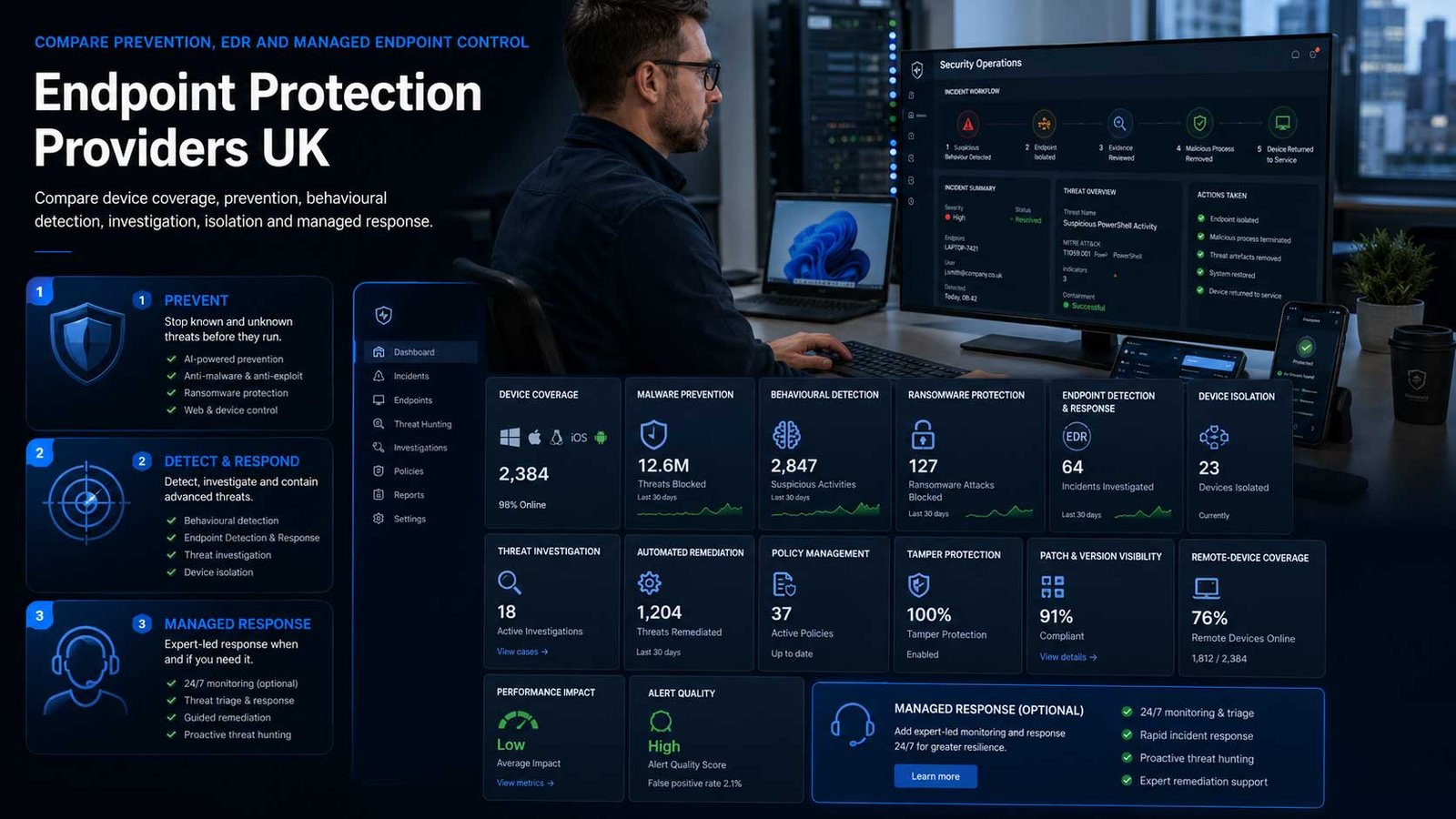
Replace Legacy Antivirus With Managed Endpoint Control
Modern endpoint protection should prevent common threats, expose suspicious behaviour and support reliable action across every in-scope device.
- Reconcile every protected laptop, desktop and server continuously
- Apply policies by operating system, role, device type and business risk
- Test isolation, remediation and evidence before an incident
- Keep operating systems, agents and security policies supported and current
An endpoint protection platform deploys security software to business devices to prevent, detect and respond to malicious or unauthorised activity. Common capabilities include anti-malware, ransomware prevention, behavioural analysis, exploit protection, web or URL controls, host firewall management, device control, endpoint detection and response, automated remediation, isolation and central policy administration.
Endpoint protection is broader than signature-based antivirus but narrower than a complete managed cyber security service. The product provides the device agent, cloud or on-premises management and selected response tools. The business, its IT provider or a security partner must still deploy the agent, investigate important detections, maintain policy, handle exclusions and coordinate recovery.
This page does not compare full MSSP services or network-security platforms. A managed security provider may operate endpoint technology, SIEM, cloud, identity and incident processes as one service, but that wider procurement belongs on the Managed Cyber Security page. Firewalls, secure network access, intrusion prevention and broader network controls remain outside this endpoint-specific comparison.
Separate Prevention, EDR And Managed Operation
Providers use antivirus, EPP, EDR and endpoint-security terms differently. Compare the actual device controls and operating responsibility.
| Protection Model | What It Usually Provides | Best-Fit Question |
|---|---|---|
| Next-generation antivirus | Prevents known and unknown malware, ransomware, exploits and unwanted applications using signatures, reputation, machine learning and behavioural controls | Does the product provide sufficient central visibility and response, or is it mainly replacement antivirus? |
| Endpoint protection platform | Combines prevention, policy, device controls, host firewall, web controls and central administration across business devices | Which capabilities are included in the base endpoint plan and which require higher tiers or modules? |
| Endpoint detection and response | Collects endpoint activity and provides investigation, search, isolation and remediation for suspicious behaviour | Who will review detections, investigate context and decide when to isolate or remediate a device? |
| Autonomous prevention and remediation | Uses behavioural models and automated actions to block, contain or reverse selected malicious activity | Which actions occur automatically, how are mistakes reversed and what evidence remains for investigation? |
| Small-business endpoint bundle | Provides simplified policies, deployment and central protection for organisations with limited internal security capacity | Does simplification preserve the controls, reporting and support the business actually needs? |
| Cross-platform endpoint protection | Protects a mix of Windows, macOS, Linux, mobile and server operating systems through one management plane | Are prevention, response and device-control features equivalent across every required platform? |
| Server and workload endpoint protection | Extends agent-based protection to physical, virtual and selected cloud servers or workloads | Which server operating systems, applications, exclusions and licensing rules apply separately from user endpoints? |
| Partner-managed endpoint service | A reseller, MSP or security partner deploys and administers the endpoint product for the customer | Which investigation and response tasks are included, and when does the service become MDR or wider MSSP coverage? |
Eight Areas That Determine Endpoint Protection Fit
Use the same device and administration criteria for every provider so detection claims and product bundles do not hide platform or operating gaps.
Comparison Criterion
Threat Prevention And Ransomware Controls
Compare signatures, reputation, machine learning, behavioural detection, exploit mitigation, script and macro control, application hardening, ransomware protection, rollback or recovery features and potentially unwanted application handling. Test representative business applications and files, not only vendor demonstrations.
Comparison Criterion
Endpoint Detection And Response
Assess telemetry, detection context, process trees, timelines, search, threat hunting, case workflow, isolation, process termination, quarantine, remediation and evidence export. Determine whether the organisation has people able to interpret and act on EDR information.
Comparison Criterion
Operating-System And Device Coverage
Review Windows, macOS, Linux, servers, virtual desktops, mobile, ARM and legacy operating systems separately. Confirm feature parity, end-of-support dates, minimum versions, performance limits and whether unsupported devices require replacement or a compensating control.
Comparison Criterion
Policy, Application And Device Control
Compare policies by group, role and operating system; host firewall, USB and removable media control, web categories, application restrictions, exclusions, tamper protection and local-user rights. Strong policy must remain manageable without disrupting legitimate software or specialist peripherals.
Comparison Criterion
Deployment, Updates And Agent Health
Assess automated deployment, MDM and software-distribution support, installation packages, proxies, offline devices, agent upgrades, signature or model updates, reboot needs, conflict detection, uninstall protection and health reporting. Require visibility of devices that never onboard or stop checking in.
Comparison Criterion
Performance, Compatibility And User Experience
Test processor, memory, storage, network and battery impact during normal work, scans, updates and incident actions. Review compatibility with business applications, servers, virtual desktops, development tools and existing security agents. A technically strong product that users bypass is ineffective.
Comparison Criterion
Management, Integrations And Reporting
Review consoles, dashboards, alerts, roles, audit logs, APIs, SIEM, ticketing, MDM, identity and security integrations. Require useful coverage, incident and policy evidence rather than only malware counts. Confirm data location, retention and export for endpoint telemetry.
Comparison Criterion
Support, Administration And Exit
Compare vendor and partner support, service hours, severity, agent troubleshooting, false-positive handling, policy review, training, renewal, licence reassignment, tenant ownership, data export, agent removal and migration. Define who owns the console, policies and administrator accounts.
Measures To Define Before An Endpoint Contract Is Signed
Translate protected, lightweight and automated into measurable coverage, policy, investigation, remediation and administration outcomes.
| Measure | What It Should Define | Evidence To Request | Common Weakness |
|---|---|---|---|
| Endpoint coverage | Whether every approved in-scope device has a healthy, current and correctly licensed protection agent | Asset inventory, installed, healthy, stale, missing, duplicate, unsupported and owner | Coverage uses the console total and ignores devices present in asset or identity records but never enrolled |
| Agent and policy health | Whether endpoints receive the intended policy, engine, signatures or models and configuration | Policy version, assignment, agent version, update status, tamper state, last check-in and exception | A device appears online while it remains on an old policy or failed update |
| Prevention and block quality | Whether malicious and unwanted activity is blocked without unacceptable false positives | Detection type, action, affected application, business impact, override, recurrence and tuning | The product is weakened by broad exclusions added to resolve compatibility complaints |
| Detection investigation time | How quickly significant endpoint detections receive meaningful technical review | Severity, timestamp, owner, process context, evidence, decision, action and closure | Alerts are acknowledged automatically but no one investigates the endpoint activity |
| Isolation and remediation readiness | Whether authorised staff can isolate, remediate and restore representative devices safely | Test date, device, command, elapsed time, user impact, evidence, release and fallback | Isolation exists in the licence but has never been tested through the operating process |
| False-positive and exclusion ageing | Whether exclusions and accepted detections remain necessary, narrow and reviewed | Exclusion, reason, owner, scope, date, expiry, review and compensating control | Permanent folder or process exclusions accumulate and create invisible protection gaps |
| Unsupported-device exposure | Whether every endpoint remains on a supported operating system and agent combination | Platform, version, support end, replacement, exception, business owner and due date | The console protects an old device but the vendor no longer fully supports its operating system |
| Performance and compatibility | Whether protection operates without unacceptable resource use or application failure | Boot, scan, CPU, memory, battery, application tests, user tickets and exception trend | Performance complaints are resolved by disabling scanning rather than fixing deployment |
| Administrator and audit control | Whether console privileges, policy changes and response actions remain authorised and traceable | Administrator list, role, authentication, access review, audit event, emergency use and dormant account | Partner and former employee accounts retain full access to isolate or uninstall agents |
| Total cost per protected endpoint | The complete licence, deployment, administration, support and operational-review cost for healthy endpoints | Endpoints, servers, modules, terms, partner service, internal effort, growth and inactive licences | A low device price excludes servers, EDR, support and the people needed to operate alerts |
Endpoint Protection Providers UK Businesses Can Consider
Shortlist products whose device coverage, prevention, response and administration model fit the estate. Confirm current UK packages, licences and support directly before award.
Provider Profile
Microsoft Defender for Business
Microsoft’s endpoint-security product for organisations with up to 300 users, available separately and included with Microsoft 365 Business Premium. It combines next-generation protection, attack-surface reduction, vulnerability management, endpoint detection and response, automated investigation and remediation across supported Windows, macOS, Android and iOS devices, with a separate server add-on. Include it where Microsoft identity, device management and licensing are central. Confirm existing entitlements, server licensing, onboarding method, non-Windows depth, policy ownership and who will investigate detections.
Review official Defender for Business informationProvider Profile
Sophos Endpoint
Sophos Endpoint, previously marketed as Intercept X Advanced, combines prevention, exploit mitigations, CryptoGuard ransomware protection and built-in detection and response in one agent managed through Sophos Central. It supports Windows, macOS and Linux, with optional higher endpoint and managed-response tiers. Include it where prevention-first controls and central administration matter. Confirm the current Endpoint or Endpoint Advanced edition, server licences, XDR entitlement, policy design, application compatibility, optional modules and whether a partner service is included.
Review official Sophos Endpoint informationProvider Profile
CrowdStrike Falcon Go
CrowdStrike’s small-business endpoint package uses the Falcon platform to provide next-generation antivirus and simplified cloud deployment, with product packaging that can add device control and wider endpoint capabilities. Include Falcon Go where a smaller organisation wants a focused route into CrowdStrike protection without selecting the full enterprise platform. Confirm UK availability, operating-system coverage, device and server licensing, included EDR or response features, support, mobile protection, administration and whether higher Falcon bundles are required.
Review official Falcon Go informationProvider Profile
SentinelOne Singularity Endpoint
SentinelOne’s endpoint platform combines endpoint protection, detection and response, behavioural analysis and automated remediation through a unified agent and console. Include it where autonomous response, detailed endpoint telemetry and a platform that can scale beyond basic prevention are priorities. Confirm the exact Singularity package, data-retention period, supported operating systems, server and workload licensing, rollback limitations, identity or cloud add-ons, console ownership, support route and whether managed services are separately contracted.
Review official Singularity Endpoint informationProvider Profile
Bitdefender GravityZone Business Security
Bitdefender’s GravityZone Business Security family provides centrally managed endpoint protection for desktops, laptops, servers and virtual environments, with higher plans and modules adding prevention, forensics, sandboxing, patching, encryption, EDR and other capabilities. Include it where an SME wants broad prevention controls and flexible modular expansion. Confirm the selected Business Security edition, device and server count, cloud or on-premises management, add-ons, operating-system coverage, partner support, policy migration and which response functions are included.
Review official GravityZone Business SecurityProvider Profile
ESET Endpoint Security
ESET Endpoint Security and the wider ESET PROTECT platform provide multilayered protection, central management and plan-dependent server, mobile, cloud, encryption, patch and detection capabilities. Include ESET where a business values straightforward central management, cross-platform coverage and cloud or on-premises console options. Confirm the precise ESET PROTECT tier, endpoints, servers, Android, macOS and Linux features, EDR entitlement, patch or encryption modules, deployment model, support partner and migration from an existing agent.
Review official ESET endpoint protectionProvider Profile
Trend Micro Worry-Free Services
Trend Micro’s Worry-Free Services range is designed for small and medium-sized businesses, with cloud-managed endpoint security and higher suites adding email, cloud application and EDR capabilities. Include it where a smaller IT team wants a simplified cloud service and access to broader Trend Micro security options. Confirm the exact Worry-Free Services, Advanced or XDR package, endpoint and server support, mobile coverage, policy controls, data location, administration, support, add-on services and separation from co-managed or managed XDR.
Review official Trend Micro business productsProvider Profile
WatchGuard Endpoint Security
WatchGuard’s endpoint portfolio provides prevention-first protection, AI-powered EDR and plan-dependent advanced investigation, zero-trust execution and integrated modules for functions such as patching, encryption and data control. Include it where an SME, multi-site organisation or WatchGuard partner wants centrally managed endpoint security. Confirm the current Basic, Prime, 360 or Elite package available in the UK, operating-system and server coverage, included EDR, modules, partner administration, ThreatSync integration, support and the boundary from Managed EDR.
Review official WatchGuard Endpoint SecurityWhat Changes Endpoint Protection Cost
The per-device licence is only one component. Servers, EDR tiers, modules, deployment, administration and telemetry can materially change the budget.
| Cost Driver | Why It Changes Spend | What A Comparable Proposal Should Show |
|---|---|---|
| Users, workstations and devices | Providers may licence by named user, protected endpoint, device band or subscription bundle | Current and forecast users, laptops, desktops, shared devices, inactive assets, virtual desktops and minimum commitment |
| Servers and workloads | Physical, virtual and cloud servers often use separate licences or higher prices than user endpoints | Server operating systems, quantity, workloads, clusters, test systems, support and scaling assumptions |
| Product edition and EDR rights | Basic prevention, EDR, XDR, hunting, advanced remediation and longer data retention commonly sit in different tiers | Required features, exact edition, data retention, analyst capabilities, response actions and duplicated modules |
| Operating systems and specialist devices | macOS, Linux, legacy systems, mobile, ARM and virtual desktop support may differ from Windows | Platform inventory, versions, feature gaps, support end, exclusions and replacement plan |
| Security modules | Patch management, encryption, device control, mobile protection, vulnerability management and data controls may be optional | Existing tools, required modules, eligible endpoints, licence owner, integration and duplicate spend |
| Deployment and migration | Agent removal, compatibility testing, packaging, device restarts, policy recreation and phased rollout create one-off effort | Pilot, automated deployment, conflict removal, servers, remote users, rollback, acceptance and customer tasks |
| Administration and support | Console operation, policy management, alert review, false positives, updates and vendor escalation require internal or partner capacity | Service owner, hours, included administration, alert review, changes, support tier and chargeable tasks |
| Data retention and integrations | Longer endpoint telemetry, SIEM export, APIs and third-party integrations may require premium licences or cloud consumption | Retention, data volume, export, SIEM, ticketing, API, storage and query requirements |
| Contract term and licence changes | Annual commitments, minimum bands, server additions and device reductions affect flexibility | Term, renewal, indexation, true-up, reduction rights, licence transfer, growth and inactive licences |
| Exit and product replacement | Agent removal, console export, policy documentation, exclusions and coexistence with the next product add transition cost | Uninstall method, tamper keys, data export, policy records, overlap period, assistance and deletion |
How The Device Estate Changes The Shortlist
The right platform depends on operating systems, servers, internal skill, existing licences and who will investigate significant endpoint activity.
Microsoft 365 Business Premium Organisation
Prioritise existing Defender for Business entitlement, Microsoft identity and device-management integration, attack-surface reduction, server add-ons and a clear operating process for investigating alerts.
Small Business With Limited Security Skills
Prioritise simple deployment, sensible default policies, low administrative load, strong prevention, useful automated remediation, responsive support and a partner service that remains clearly separate from full MSSP coverage.
Mixed Windows, Mac And Linux Estate
Prioritise real feature parity, agent stability, operating-system support, central policy, server coverage, exclusions, performance and tested response across every required platform.
Internal Security Or Advanced IT Team
Prioritise EDR telemetry, hunting, isolation, automation, APIs, SIEM integration, retention, role-based administration, evidence export and predictable higher-tier licensing.
How To Compare Endpoint Protection Proposals
Give every provider the same device inventory, operating systems, servers, applications, existing agents, remote-user profile, policy, response, integration and support requirements. Require the response to identify the exact edition, modules, licences and operational responsibilities.
- Every device type maps to supported features and an agent lifecycle
- Prevention, EDR, isolation and remediation rights are explicit
- Server and optional-module pricing is normalised
- Compatibility and performance use representative applications
- Alert ownership and response actions are demonstrated
- Policy export, agent removal and migration are covered at exit
Make Every Provider Protect The Same Devices
Use representative Windows, Mac, Linux and server systems with approved applications, scripts, removable media and remote-working conditions.
Compare prevention, false positives, policy, performance, isolation, evidence and administrator effort before comparing dashboard appearance.
Six Questions To Put To Every Endpoint Provider
The answers expose feature gaps, hidden modules, weak operational ownership and difficult agent replacement before the agreement starts.
Which Exact Edition And Modules Are Required?
Map prevention, EDR, response, servers, mobile, patching, encryption, device control, data retention and integrations to named licences.
Which Devices Receive Full Feature Coverage?
Request a matrix for Windows, macOS, Linux, servers, mobile, virtual desktops, ARM and legacy systems, including feature limitations.
Who Investigates And Responds To Detections?
Confirm internal, partner or provider responsibilities for triage, investigation, isolation, remediation, recovery, escalation and evidence.
How Will Deployment And Product Conflict Be Controlled?
Ask for agent removal, compatibility tests, packaging, remote users, reboots, policy migration, server change, pilot, rollback and acceptance.
How Are Exclusions And False Positives Governed?
Require narrow scope, named ownership, evidence, expiry, review, compensating controls and reporting for every protection exception.
What Can We Export And Remove At Exit?
Confirm alert and device data, policies, exclusions, audit logs, APIs, uninstall keys, agent removal, overlap support, transition and deletion.
A Seven-Stage Endpoint Protection Evaluation
Move from verified device evidence to controlled deployment rather than buying a licence before understanding platforms, servers and operational ownership.
- Inventory laptops, desktops, servers, operating systems, virtual desktops, mobile devices, business applications, current security agents, owners and unsupported devices.
- Define prevention, EDR, isolation, remediation, device-control, performance, data, integration, support and administration requirements by device group.
- Select a prevention-only, EPP, EDR-enabled or partner-managed operating model while keeping full MSSP and network-security procurement separate.
- Issue one written brief and obtain comparable edition, module, server, deployment, support and three-year commercial responses.
- Run a controlled pilot using representative platforms, applications, remote users, policy exceptions, response actions, performance and false-positive scenarios.
- Deploy in stages with automated installation, health reconciliation, policy validation, legacy-agent removal, rollback and accountable acceptance.
- Operate through coverage review, policy and exclusion governance, agent upgrades, alert investigation, response exercises, access review and exit readiness.
Endpoint Protection Comparison Checklist
Use this table before approving an endpoint-security licence, migration or partner-managed deployment.
| No. | Requirement | Evidence To Obtain Before Award | Confirmed |
|---|---|---|---|
| 01 | Device estate and accountable owner agreed | Users, laptops, desktops, servers, platforms, locations, ownership, criticality and service owner | |
| 02 | Unsupported and unmanaged devices identified | Missing agents, old operating systems, stale assets, exceptions, replacement owner and due date | |
| 03 | Required protection model approved | Prevention, EPP, EDR, isolation, remediation, hunting, partner management and excluded MSSP scope | |
| 04 | Exact product edition and modules identified | Endpoint tier, servers, mobile, patch, encryption, device control, retention and integrations | |
| 05 | Operating-system feature matrix accepted | Windows, macOS, Linux, server, ARM, VDI, mobile and legacy support limitations | |
| 06 | Deployment and coexistence tested | Package, MDM or software deployment, prior-agent removal, reboot, remote users, server change and rollback | |
| 07 | Threat-prevention policy demonstrated | Malware, ransomware, exploit, scripts, web, firewall, device control, tamper and exclusions | |
| 08 | EDR and response actions tested | Detection context, search, isolation, process action, quarantine, remediation, evidence and release | |
| 09 | Performance and compatibility accepted | CPU, memory, battery, scans, updates, specialist applications, exclusions and user feedback | |
| 10 | Alert and support ownership agreed | Triage, investigation, escalation, response, recovery, vendor support, partner support and service hours | |
| 11 | Administrator and audit controls approved | Roles, strong authentication, tenant ownership, partner access, audit history and emergency access | |
| 12 | Data and integration requirements confirmed | Endpoint telemetry, location, retention, API, SIEM, ticketing, exports and deletion | |
| 13 | Agent lifecycle and policy governance agreed | Updates, stale devices, agent health, policy version, exclusions, reviews and unsupported versions | |
| 14 | Three-year total cost compared | Endpoints, servers, modules, terms, deployment, partner administration, support, internal effort and growth | |
| 15 | Exit and replacement process agreed | Data export, policies, exclusions, uninstall keys, agent removal, coexistence, assistance and final deletion |
Common Endpoint Protection Buying Mistakes
Most avoidable problems begin with consumer-product comparisons, assumed feature parity or unclear responsibility for investigating endpoint detections.
| Mistake | Why It Creates Risk | Better Control |
|---|---|---|
| Buying consumer antivirus for business endpoints | Consumer products may lack business policy, central administration, audit and support | Select a business endpoint platform |
| Treating endpoint protection as a full MSSP | The product does not automatically provide continuous analysts, broader security monitoring or incident governance | Define product and managed-service responsibilities separately |
| Comparing network firewalls on an endpoint page | Network-security architecture and gateway controls require a separate provider decision | Keep the endpoint boundary device-specific |
| Counting console devices without reconciling assets | Unmanaged, stale and duplicate devices distort protection coverage | Reconcile endpoint, identity and asset records |
| Assuming feature parity across operating systems | Mac, Linux, server and mobile capabilities may differ materially | Test the exact platform matrix |
| Buying EDR without people to investigate | Important telemetry and detections accumulate without decisions or response | Assign skilled operational ownership |
| Adding broad exclusions to fix compatibility | Protection gaps remain long after the original problem is resolved | Use narrow, time-limited and reviewed exclusions |
| Deploying over an existing security agent | Conflicts can cause instability, poor performance and incomplete protection | Test removal, coexistence and rollback |
| Ignoring agent health and unsupported versions | A licensed device may not be receiving current protection | Monitor check-in, policy and update status |
| Deferring uninstall and tenant ownership | The business becomes dependent on a reseller account or inaccessible removal key | Control the tenant and exit process before award |
Frequently Asked Questions
Answers to common questions from UK businesses comparing business endpoint-protection platforms.
What Is Endpoint Protection?
Endpoint protection is business security software installed on laptops, desktops, servers and other supported devices to prevent, detect and respond to malicious activity. Modern platforms can combine anti-malware, ransomware prevention, exploit controls, application and device controls, EDR, isolation and central policy administration.
How Is Endpoint Protection Different From Antivirus?
Traditional antivirus mainly identifies known malicious files, although many products have evolved beyond this. A modern endpoint platform adds behavioural prevention, exploit protection, central management, device and application controls, telemetry, investigation and response. Compare the exact business capabilities rather than the antivirus label.
How Is Endpoint Protection Different From An MSSP?
Endpoint protection is the device-security product and management platform. An MSSP provides people and processes to operate security monitoring, investigation, vulnerability, cloud, identity and incident services. A partner may manage the endpoint product, but a full MSSP is a wider service comparison.
Does Endpoint Protection Replace A Firewall?
No. Endpoint products may manage a host firewall on individual devices, but they do not replace business network architecture, secure gateways, segmentation, intrusion prevention or broader network controls. Network-security requirements should be compared separately.
Does A Small UK Business Need EDR?
EDR can provide valuable investigation and isolation capability, but it requires someone to review detections and act. A small business may choose simplified EDR, automated remediation or a partner-managed service. The decision should reflect device risk, internal skills and incident-response arrangements.
Which Devices Should Be Protected?
Protect every supported business endpoint that can access company systems or data, including laptops, desktops and relevant servers. Mobile, Linux, virtual desktop, cloud workload and personally owned devices require separate platform and ownership checks because feature coverage varies.
How Much Does Endpoint Protection Cost?
Cost depends on endpoints, servers, operating systems, edition, EDR, data retention, modules, term, deployment, support and administration. Compare a three-year total per healthy protected endpoint, including partner services and internal alert-review effort.
Can Endpoint Protection Stop Ransomware?
Modern endpoint products use several controls to prevent and contain ransomware, including behaviour analysis, exploit mitigation, application controls, isolation and automated remediation. No product guarantees prevention. Businesses also need supported software, secure identity, backups, user controls and tested incident recovery.
How Should Endpoint Protection Be Tested?
Test representative devices, applications, policies, false positives, performance, agent updates, isolation, remediation, evidence and administrator roles. Use safe vendor or testing methods rather than real malware. Confirm how unsupported devices, offline endpoints and failed agents are identified.
How Should A UK Business Compare Endpoint Providers?
Give every provider the same device inventory, operating systems, servers, applications, policy, response, integration and support requirements. Compare the configured product, required editions, feature parity, pilot results, three-year cost, administration and exit—not only detection claims.
Provider Information And UK Endpoint-Security Resources
Reviewed by Bhav Giva, Founder & Lead Analyst at CompareServices.co.uk, on 16 July 2026.
Use NCSC, ICO and official provider documentation to confirm current operating-system support, editions, response features, data locations, modules, support and pricing. Endpoint products and package names can change during a procurement cycle.
- NCSC — Antivirus And Other Security Software
- NCSC — Mitigating Malware And Ransomware
- NCSC — Keeping Devices And Software Up To Date
- ICO — Security Outcomes
- Microsoft — Defender For Business
- Sophos — Endpoint Security
- CrowdStrike — Falcon Go
- SentinelOne — Singularity Endpoint
- Bitdefender — GravityZone Business Security
- ESET — Endpoint Protection
- Trend Micro — Worry-Free Services
- WatchGuard — Endpoint Security